Profile Manager · desktop app
Every identity, one click away.
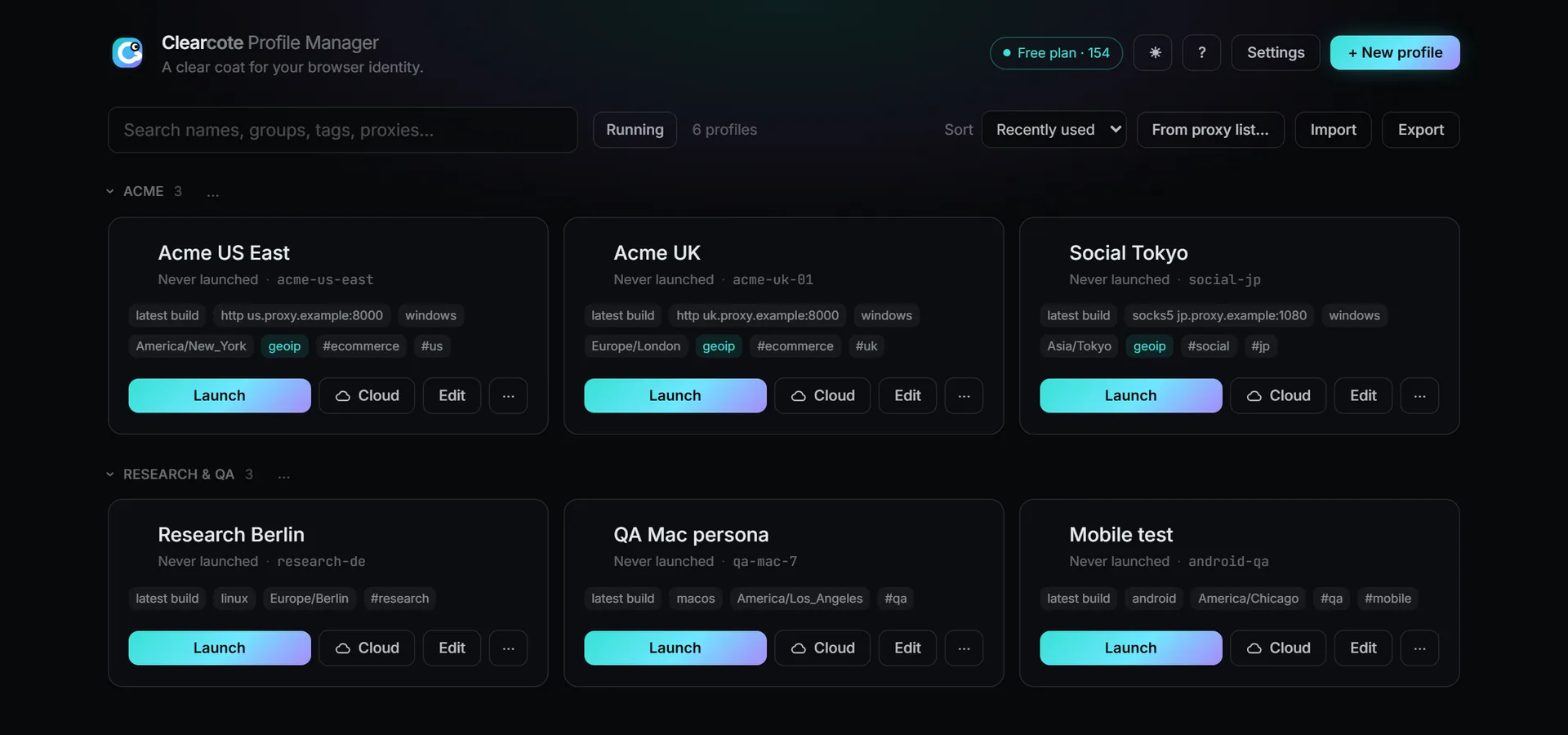
Create a profile for each account, give it a proxy, and launch it as a normal browser window. Its timezone, language and location follow the proxy, and its logins stay between launches.
v0.18.0 · 2026-10-18 · free and open source (BSD-3) · source on GitHub
- 1
Create a profile
A name, a seed and a proxy. Or paste a proxy list and get one profile per proxy.
- 2
Launch it
It opens as a normal browser window you use yourself. No code, no Playwright.
- 3
Come back to it
Cookies and logins are kept per profile, so tomorrow it is the same browser.
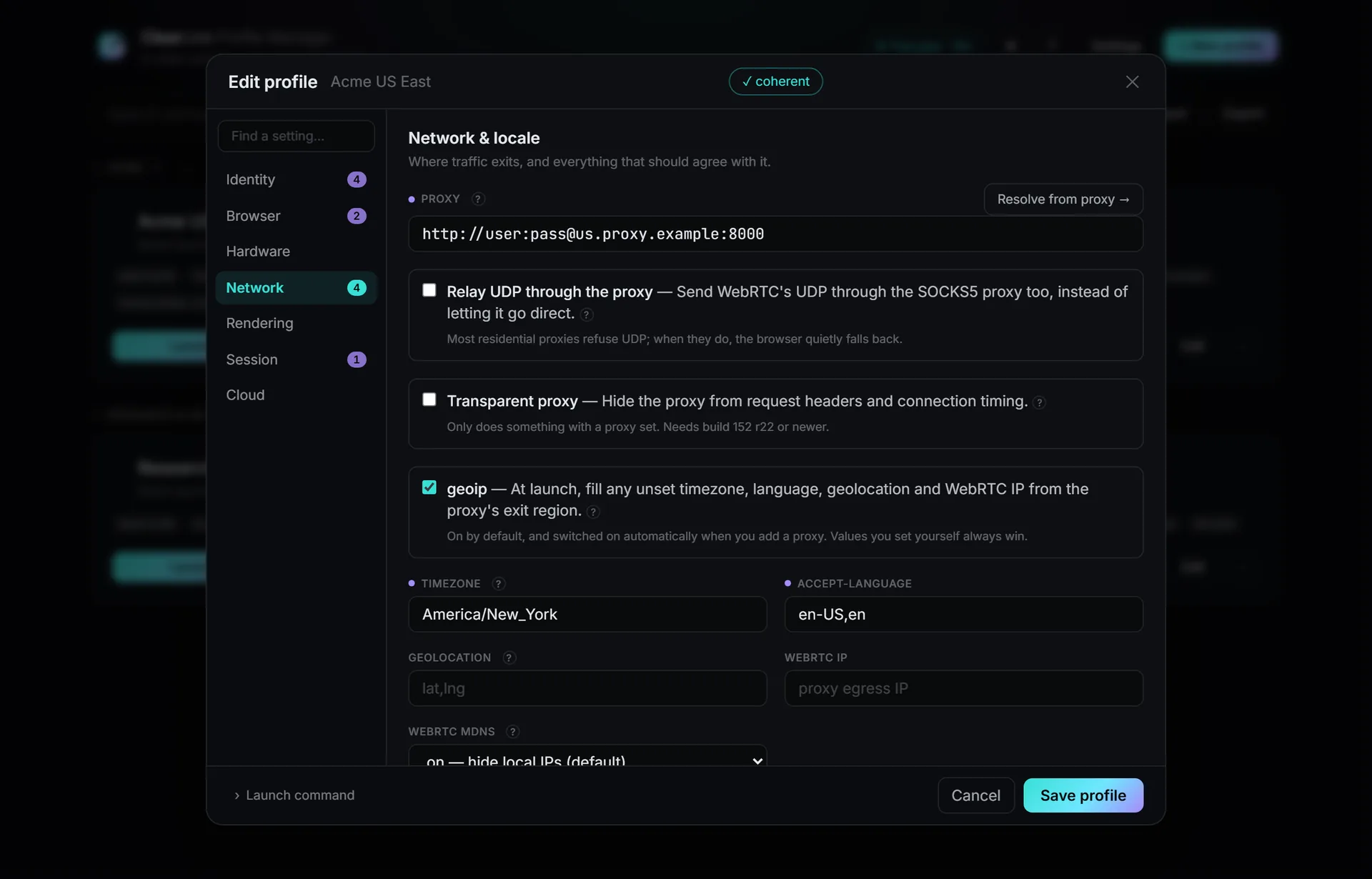
Proxy in, locale matched
Settings that agree with each other
Add a proxy and the timezone, language and location are filled from its exit. The editor checks that nothing contradicts, and says so at the top before you launch.
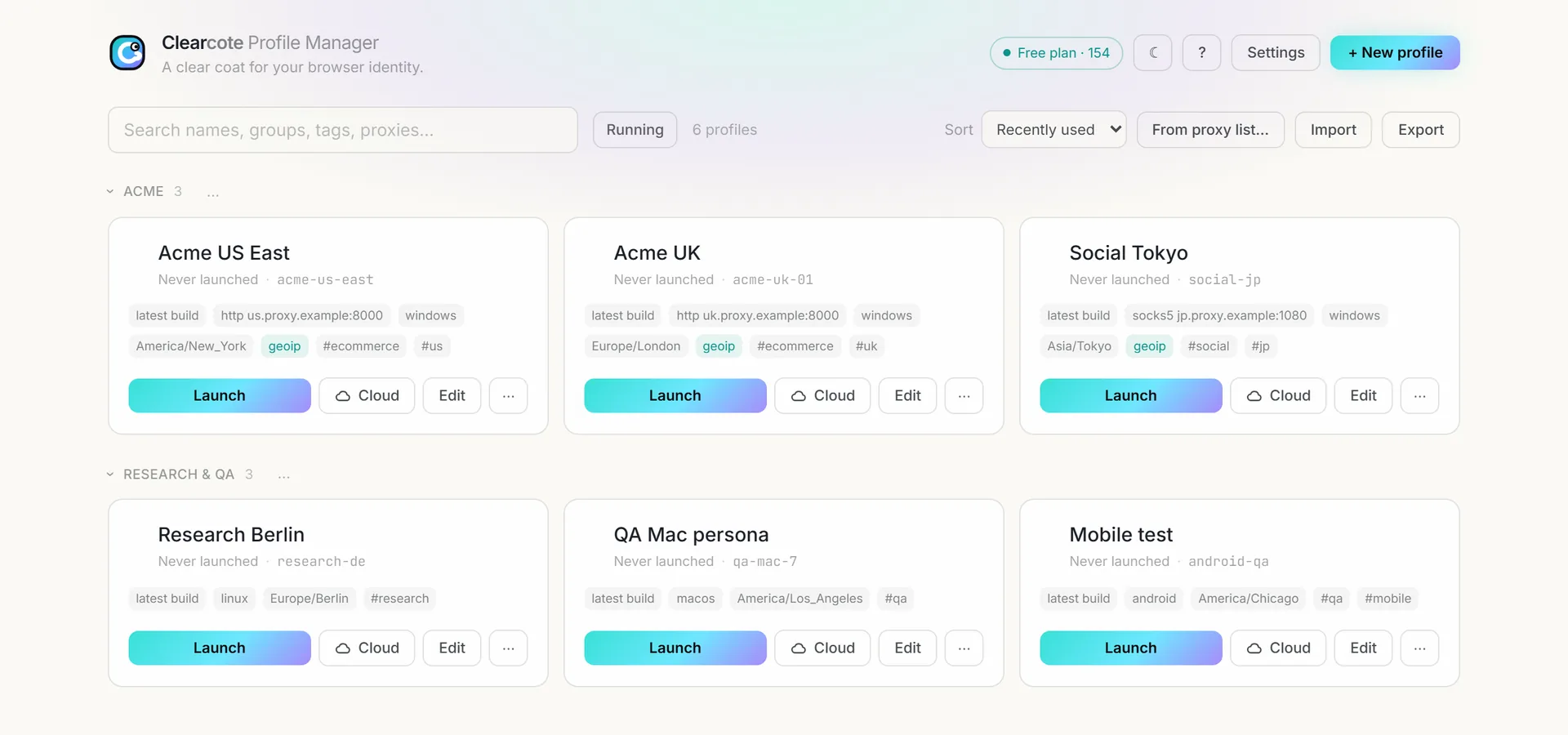
Organized
Dozens of profiles, still tidy
Groups, tags, search and sorting, and import or export as files. Pick an identity from the profiles library, filtered to your computer's GPU vendor so it stays coherent with the GPU that renders.
Download v0.18.0
Released 2026-10-18 · what's new · all releases
macOS: the first open is blocked because the app is not notarized yet. Choose System Settings → Privacy & Security → Open Anyway. The browser for macOS is the licensed build for Apple Silicon Macs.
Built by GitHub Actions from the tagged commit, with checksums and a provenance attestation. How to verify a download
# 1. Provenance — proves the file came from THIS repo's CI at the release commit
gh attestation verify Clearcote-Profile-Manager-0.18.0-setup.exe -R clearcotelabs/clearcote-profile-manager
gh attestation verify Clearcote-Profile-Manager-0.18.0-x86_64.AppImage -R clearcotelabs/clearcote-profile-manager
gh attestation verify Clearcote-Profile-Manager-0.18.0-mac-arm64.dmg -R clearcotelabs/clearcote-profile-manager

# 2. Checksum — SHA256SUMS.txt ships with every release
sha256sum -c SHA256SUMS.txt --ignore-missing          # Linux
shasum -a 256 -c SHA256SUMS.txt --ignore-missing      # macOS
# Windows (PowerShell):
# (Get-FileHash .\Clearcote-Profile-Manager-0.18.0-setup.exe -Algorithm SHA256).Hash
Do I need to write code?
No. Each profile opens as a normal browser window you use yourself. For scripts, use the SDK instead.
Do I need a license?
No. Without a key it launches the open build and never contacts the license service. Paste a free GitHub key or a Pro key in Settings for the latest build; Pro runs up to 250 browsers at once.
Why does Windows warn on first run?
The app is not code-signed yet (that needs a paid certificate). Verify the download, then choose More info › Run anyway.