
The popular advice to “pick the best scraper” starts with the wrong premise. A scraper isn't a single product. Reliable collection can require a crawler, a rendering runtime, proxy or hosted access, identity management, extraction logic, observability, and legal review. A lightweight HTTP client may be ideal for stable HTML, then fail as soon as the target depends on JavaScript, persistent sessions, geographic access, or browser-level signals.
The web scraping tools below solve different layers. Clearcote focuses on the browser identity layer, Zyte on managed extraction, Apify on orchestration, Bright Data and Oxylabs on access and unblocking, Scrapy on framework control, and Web Scraper on no-code access. The practical criteria are target difficulty, control, deployment model, pricing shape, repeatability, and integration effort. The comparison also separates managed APIs and platforms from frameworks, browser runtimes, and visual tools, rather than treating them as interchangeable products. Teams evaluating providers should also evaluate scraping API vendors against the failure mode they actually need to own.
Table of Contents
- 1. Clearcote Labs
- 2. Zyte
- 3. Apify Platform
- 4. Bright Data
- 5. Oxylabs
- 6. Scrapy
- 7. Web Scraper
- Top 7 Web Scraping Tools Comparison
- Choose the Layer That Owns the Failure
1. Clearcote Labs
A page can load correctly while the browser presents a contradictory identity. Detection systems may compare Canvas, WebGL, WebGPU, AudioContext, fonts, locale, WebRTC, User-Agent Client Hints, TLS, and HTTP/2 behavior across the main thread, workers, and iframes. If those signals disagree, changing a JavaScript property addresses only one visible symptom.
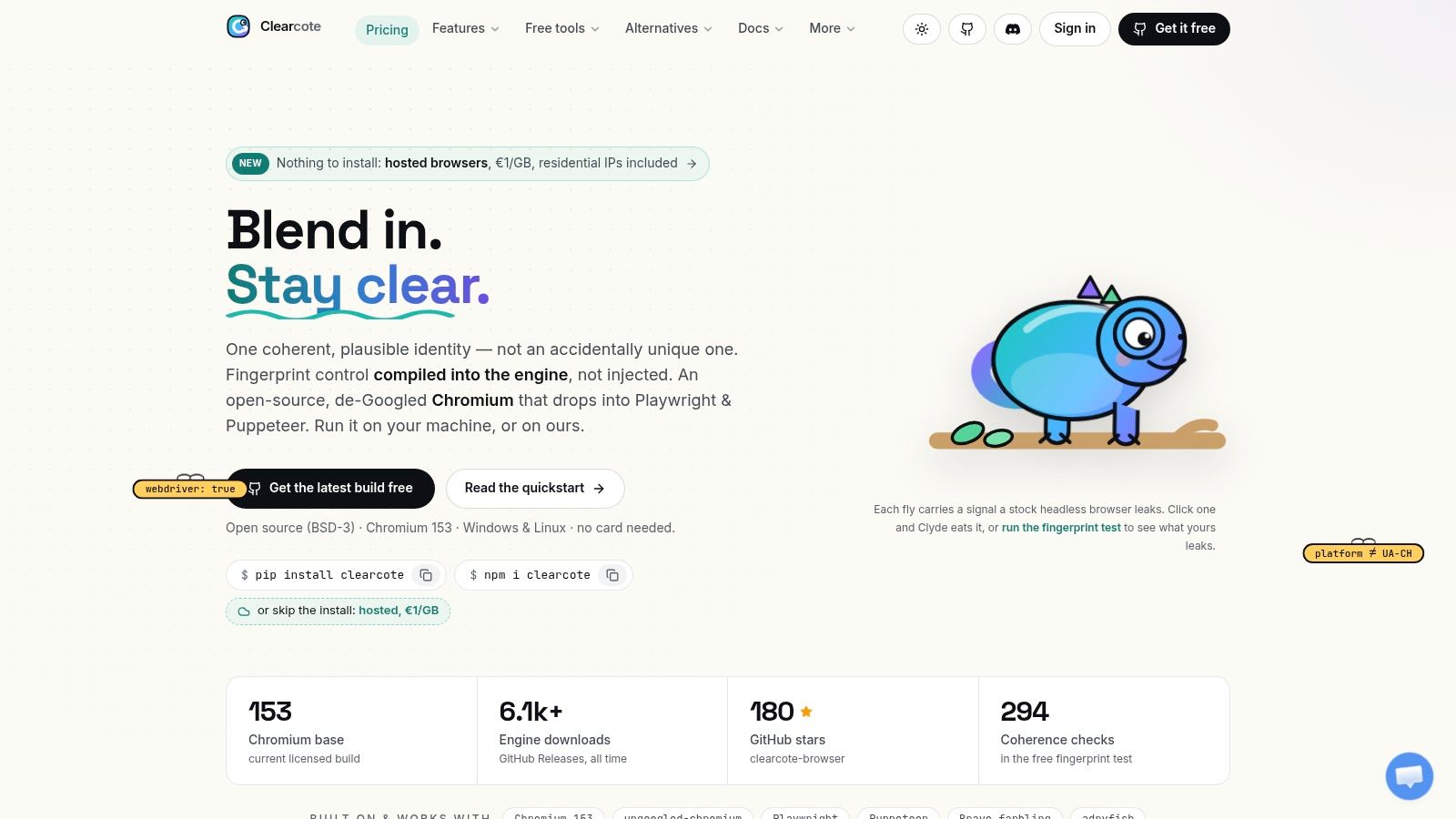
Clearcote Labs addresses the browser identity layer with Clearcote, an open-source, de-Googled Chromium fork. Its fingerprint and identity controls operate in the browser engine rather than through page JavaScript injection. Seeded identities keep device characteristics reproducible, while separate seeds create unlinkable personas. A real-GPU canvas bridge aligns visual read-back with the claimed GPU, reducing conflicts between the declared profile and rendering output.
Where it fits in a scraping stack
Clearcote fits workflows that already use Playwright or Puppeteer for navigation and extraction, but fail on browser identity, repeatability, or cross-device testing. SDKs are available for Python, Node.js, and .NET. Docker and CDP support connect it to existing services, while the Profile Manager desktop application handles persistent identities. Captured device profiles are tagged by GPU vendor, and an MCP server supports browser-driven AI tools.
The integration model limits migration work. Existing scripts can run with the Clearcote binary as a replacement, while framework-agnostic systems can connect through CDP. Hosted browsers include residential IPs and use data-transfer billing. Teams can also run the open build locally or in Docker.
Practical rule: Use Clearcote when inconsistent browser identity causes the failure. It does not replace the crawler, parser, queue, or data-validation layer.
The open build uses the BSD-3 license and is reproducible, checksummed, and GPG-signed. Readable patches and fingerprint verification tools make implementation changes easier to inspect. Supported desktop platforms currently include Windows x64 and Linux x64, not macOS. Free licensed use covers one concurrent browser. Pricing is published in USD for the Pro license and EUR for hosted sessions. The Pro plan is listed at $49 per month, hosted sessions at €1 per GB, and prepaid sessions from €5, according to the Clearcote pricing page. Large fleets still require capacity planning, session lifecycle management, and controlled request rates.
2. Zyte
The failure mode for a managed API is usually not extraction syntax. It's access complexity. A target may need a plain HTTP request, JavaScript rendering, a full browser, proxy rotation, or retries after an access challenge. Building each fallback yourself turns a small data job into an infrastructure project.
Zyte API packages those access decisions behind a managed scraping layer. It can return raw HTML or structured data, use browser rendering when a page requires it, and apply automatic anti-ban handling instead of forcing the customer to operate proxy and browser-selection logic. Optional extraction for common entities, such as products and prices, can also reduce downstream parsing work.
Why the pricing model matters
Zyte assigns request pricing by target difficulty, with simpler and more advanced site tiers. That model can make budgeting easier than maintaining an unpredictable collection of proxy, compute, and browser costs in-house. It also creates a constraint: the customer doesn't directly choose the assigned tier, so a target that moves into a browser-heavy or protected category can change the effective cost per page.
The product is particularly useful when the team wants a reliable access and extraction API but doesn't want to build a browser fleet. Scrapy Cloud integration adds a managed place to run spiders, which can be useful when the extraction logic remains custom while the execution environment is outsourced.
Independent benchmark-style testing shows why success rate cannot be separated from latency and unit cost. One 2026 comparison evaluated 25,000 requests across 500 URLs on 10 major domains, while another covered 12,500 requests across more than 3,000 real-world URLs. A separate benchmark reported Zyte at 74.75% success, with a 14.3-second average response time and an effective cost of $3.97 per 1,000 requests, although these figures describe specific test conditions rather than a universal service guarantee. The benchmark details are useful for designing your own target-specific trial.
Zyte works best when access reliability is more valuable than low-level control. It works less well when you need a custom browser identity, unusual session choreography, or a highly specialized extraction pipeline that must run inside your own infrastructure.
3. Apify Platform
Apify solves a different problem. Teams often know what data they need but don't want to assemble scheduling, queues, storage, webhooks, logs, proxy settings, and deployment for every scraper. A useful crawler that can't be operated repeatedly is still an unfinished pipeline.
Apify provides a cloud runtime built around Actors. An Actor can contain a ready-made scraper from the public store or custom code built with the platform's SDKs and Crawlee. The runtime supplies scheduling, request queues, datasets, key-value stores, webhooks, and proxy options, so teams can move from a working prototype to a recurring job without building every operational component first.
The platform advantage and its limit
The Actor Store is Apify's fastest route to value. A team may find a prepared workflow for a common marketplace, directory, map service, or other structured target, then connect its output to a downstream system. That shortcut is valuable, but it shifts the maintenance question from “can we write a scraper?” to “who maintains this Actor when the target changes?”
Apify's usage-based model itemizes compute units, storage, and data transfer. That transparency helps during experiments because teams can see which resource is growing. It also means a long-running Actor, browser-heavy workflow, or memory-intensive parser can cost more than the initial request estimate suggests. A workflow that is cheap as a short test may need a different architecture when it runs continuously.
A platform reduces operational assembly. It doesn't remove target-specific debugging.
Apify is a good choice when scheduling and data delivery matter as much as extraction. It fits mixed teams, because engineers can write custom Actors while analysts use existing components. It isn't the best fit for every low-level setup. Teams that need unusual browser binaries, heavily customized network behavior, or strict control over the execution host may find a vendor-managed runtime restrictive.
Use Apify as the orchestration layer when the pipeline needs queues, storage, retries, and delivery. Pair it with a browser identity layer when the Actor's browser behavior, rather than its scheduling, causes failures.
4. Bright Data
Some scraping projects fail before the parser sees a document. The request reaches a geographic restriction, a web application firewall, a CAPTCHA, or an anti-automation policy, and the extraction code never gets a meaningful response. In that situation, adding more selectors won't help.
Bright Data focuses on the access layer with a large proxy network, managed unblocking, a Web Scraper IDE, and a Web Scraper API library for popular targets. The IDE provides a no-code path for teams that want to configure collection visually, while the API suits engineering teams that need programmatic requests. Ready-made coverage spans use cases such as commerce, maps, jobs, and social platforms.
Broad coverage comes with buying complexity
Bright Data's unblocking layer is designed to handle difficult access conditions, including WAF and CAPTCHA friction. Delivery can happen through an API, webhooks, S3, Google Cloud Storage, Azure, or SFTP. That range is useful when scraped data must move directly into an existing analytics or storage system rather than sit in a vendor dashboard.
The trade-off is operational and commercial complexity. Product pricing is presented across multiple offerings and can require console-level evaluation. Heavy JavaScript rendering also consumes more resources than a simple HTML request, so broad target coverage shouldn't be confused with low total cost.
Bright Data is usually too much for a stable, low-risk static site. It becomes more reasonable when a team has many target types, needs geographic routing, or wants managed access instead of maintaining proxy pools and retry logic.
For a global pipeline, access location should be consistent with the browser persona and the purpose of the collection. Clearcote's proxy geo-matching feature is relevant when timezone, language, WebRTC, and related browser signals need to follow the exit location instead of being configured independently.
Treat Bright Data as an access and delivery layer, not as a replacement for extraction validation. A successful response can still contain an interstitial, incomplete content, or a changed schema. Store response status, source URL, extraction version, and validation results alongside the collected record.
5. Oxylabs
Oxylabs is aimed at teams that need managed access with a more enterprise-oriented operating model. Its Web Scraper API handles request-based collection with proxy and anti-bot functionality included in the plan, while Web Unblocker provides a separate path for more difficult WAF and CAPTCHA conditions.
Oxylabs makes sense when the organization values guided setup, domain-level monitoring, documented rate limits, and higher-touch support. The Web Scraper API is the simpler choice for request-oriented workflows. Web Unblocker is more appropriate when the team needs a general access layer for advanced targets and is prepared to manage usage billed by transferred data.
Avoid mixing the two cost models
The main implementation trap is assuming that the products have one unified pricing shape. The API is request-based, while Web Unblocker is billed per GB, and volume-based quotes can vary. A proper evaluation should replay representative URLs and record not only successful responses, but also rendered page size, retries, response time, and the amount of data consumed by failed or incomplete sessions.
Oxylabs can handle JavaScript rendering and protected targets without forcing the customer to build every proxy and browser fallback. That reduces engineering effort, but it also limits the low-level control available in a self-managed browser workflow. If the team needs custom seeded identities, exact browser state, or bespoke navigation logic, an API alone may not be enough.
Use Oxylabs when predictable throughput and support matter more than owning every part of the access layer. Keep the extraction contract in your own system. Define required fields, accepted null values, duplicate rules, and freshness expectations before production traffic begins.
A managed unblocker can return a page, but it can't decide whether the page is the correct source for your business process. Your pipeline still needs content validation, source lineage, rate limits, and an escalation path when the target changes.
6. Scrapy
Scrapy is the right answer when code ownership is the priority. It gives a Python team a mature way to define spiders, schedule requests, process items, apply middleware, and send clean records into storage without committing to a hosted scraping platform.
Scrapy separates crawling from extraction in a way that remains easy to version and test. Spiders describe navigation and selectors. Pipelines clean and persist items. Middleware handles request and response behavior. The plugin ecosystem extends the framework for monitoring, browser rendering, and managed access, including integrations such as scrapy-playwright, spidermon, and scrapy-zyte-api.
Control means owning the failure modes
Scrapy is efficient for stable HTML and deterministic workflows. It also makes infrastructure responsibility explicit. The team must operate proxies, scheduling, queues, monitoring, storage, deployment, and browser integration unless it pairs Scrapy with managed services.
JavaScript-heavy targets expose the boundary quickly. A normal HTTP response may contain an application shell rather than the rendered records. Adding Playwright can solve rendering, but it increases browser resource consumption and introduces session, concurrency, and identity management concerns. This explanation of scraping browsers is useful when deciding whether the crawler should attach to a browser runtime rather than parse the initial response.
Engineering choice: Choose Scrapy when you want the spider, schema, tests, and deployment process to belong to your team.
The framework's open-source model is attractive for long-lived systems because engineers can review changes like any other Python codebase. The hidden cost is maintenance. Selector drift, blocked requests, changing pagination, malformed data, and silent empty responses still require human ownership.
Scrapy works particularly well as the control plane for a layered fleet. Let it discover URLs, enforce crawl policies, enqueue work, and validate records. Hand only browser-dependent tasks to a browser runtime, and route access-sensitive targets through a managed API when building and maintaining that access layer would cost more than it saves.
7. Web Scraper
No-code tools solve the first-mile problem. An analyst may need a structured list from a small set of pages, but not need a Python project, a deployment pipeline, or a browser fleet. The failure appears later, when a visual workflow is asked to handle complex pagination, dynamic content, persistent sessions, or aggressive protection.
Web Scraper uses a sitemap model. The Chrome extension lets a user define selectors and run a local extraction, while the Cloud product adds scheduling, API access, concurrent scraper execution, exports, and optional residential proxy support. That progression is useful for teams that want to prototype locally before moving a recurring job into a hosted environment.
Keep the workflow inside its lane
The visual model is fast for structured pages. Users can identify links, fields, pagination controls, and repeated elements without writing a crawler. For simple monitoring or a recurring internal report, that low setup cost can outweigh the limitations of a code framework.
The same abstraction becomes fragile when the target changes its DOM structure or renders records only after complex browser actions. A sitemap can describe what to select, but it doesn't automatically provide the browser identity controls, custom retry policy, or detailed observability that a protected production workflow may need.
The Cloud product uses a URL-credit model, with exports and API access for downstream workflows. Teams should test a representative job rather than assume that a local extension run predicts cloud behavior. Measure missing fields, duplicate records, pagination completeness, and the frequency of manual selector repairs.
Web Scraper is a sensible no-code entry point for analysts and small teams. It isn't the right default for every target. When a job becomes browser-heavy or access-sensitive, move the extraction logic into a framework or managed API instead of endlessly adding visual workarounds. Teams that depend on browser-based workflows can also review Chrome extension support in Clearcote when an extension must run inside a persistent, controlled browser identity.
Top 7 Web Scraping Tools Comparison
| Tool | Complexity 🔄 | Resources ⚡ | Effectiveness ⭐ | Ideal use cases 💡 | Key advantages 📊 |
|---|---|---|---|---|---|
| Clearcote Labs | Medium, engine‑level fingerprinting + SDKs; drop‑in Playwright/Puppeteer | Moderate, run locally (Linux/Win) or hosted (€1/GB); Profile Manager, Docker/CDP | ⭐⭐⭐⭐⭐, coherent, hard‑to‑detect personas across threads/iframes | Privacy/research, realistic scraping, QA, AI agents needing persistent personas | Engine‑level identity control, open reproducible builds, SDKs + hosted/residential option |
| Zyte (Zyte API) | Low, managed stack, per‑site tiers, easy API | Low–Medium, managed anti‑ban; per‑1k request pricing; browser fallback raises cost | ⭐⭐⭐⭐, strong on protected/anti‑bot sites | Reliable scraping of challenging/protected sites without building anti‑bot logic | Automatic unblocking/proxy rotation, tiered pricing, optional auto extraction |
| Apify Platform | Low, SaaS Actors, marketplace and templates | Moderate, usage billing (compute units, storage, transfer); native proxies | ⭐⭐⭐⭐, fast iteration and scalable for many workloads | Teams wanting rapid build/scale with marketplace components | Actor runtime, public Actor Store, scheduling, key‑value/dataset support |
| Bright Data | Low (no‑code) → Medium (custom), IDE + managed API | High, large proxy network and managed unblocking; pricing can be complex | ⭐⭐⭐⭐, very broad coverage and unblock success | Organizations needing wide target coverage and strong anti‑bot/unblocking | No‑code IDE, ready scrapers, extensive proxy/unblock network, many delivery options |
| Oxylabs | Low, request‑based APIs with enterprise options | Moderate–High, per‑request API or per‑GB Unblocker; enterprise SLAs | ⭐⭐⭐⭐, enterprise‑grade reliability for protected targets | Large pipelines requiring SLAs, consistent throughput and support | Predictable request API, Web Unblocker option, guided setup and monitoring |
| Scrapy (OSS) | High, code‑first framework; spiders/pipelines/middlewares | Moderate, self‑host infra (compute, proxies, storage); zero license cost | ⭐⭐⭐⭐, very flexible and reliable if infra is managed well | Teams wanting full control, custom crawlers, and code reviewability | Free/open‑source, mature ecosystem, many integrations (playwright, extensions) |
| Web Scraper (Chrome ext + Cloud) | Very Low, visual sitemap/no‑code extension; cloud for scheduling | Low, free local extension; cloud URL‑credits and optional residential proxies | ⭐⭐⭐, great for simple structured sites; limited on heavy JS/WAFs | Non‑developers/analysts needing quick prototypes and scheduled jobs | Minimal setup, visual selector, Cloud scheduling and export options |
Choose the Layer That Owns the Failure
Start with the target, not the vendor list. If the page is simple, structured, and used for a limited recurring job, Web Scraper may be enough. If a managed service should own rendering, access decisions, and extraction, test Zyte. If scheduling, storage, queues, and reusable jobs are the main problem, Apify is the stronger platform choice.
Choose Scrapy when code ownership and deterministic pipelines matter most. It gives the team control over selectors, schemas, tests, middleware, and deployment, but the team also owns proxies, browser infrastructure, retries, and monitoring. Choose Bright Data or Oxylabs when network access and unblocking are the dominant failure modes, and compare the full cost of managed access with the engineering time required to operate it internally.
Choose Clearcote when Playwright or Puppeteer already handles navigation and extraction, but browser identity is inconsistent or difficult to reproduce. Engine-level controls, seeded profiles, persistent identities, CDP access, and hosted browsers address a different problem from crawling. Clearcote shouldn't be treated as a universal replacement for a queue, parser, or managed extraction API.
A practical fleet often combines these layers:
- Crawler control: Use Scrapy or an Apify Actor to discover URLs, maintain queues, apply concurrency limits, and record job state.
- Browser execution: Send only JavaScript-dependent or interaction-heavy tasks to Playwright, Puppeteer, or a Clearcote browser.
- Access routing: Use a managed API or proxy provider for targets where network access, geography, or unblocking is the primary difficulty.
- Identity consistency: Load seeded profiles, align browser locale and timezone with the exit location, and keep session state isolated by account or collection purpose.
- Reliability controls: Add bounded retries, domain-specific rate limits, backoff, response checks, and alerts for sudden changes in empty-result rates.
- Data quality: Validate required fields, types, timestamps, source URLs, duplicate keys, and content completeness before records reach analytics or AI systems.
The market context supports this layered view. One estimate values the web scraping market at USD 1.34 billion in 2025 and projects USD 3.49 billion by 2031, with software representing 58.35% of 2025 revenue and cloud deployment holding 67.45% share. Those figures come from Mordor Intelligence's web scraping market estimate, and they point to a shift from isolated scripts toward cloud-delivered infrastructure and managed expertise.
Compliance belongs in the architecture, not at the end of a failed project. Confirm authorization and applicable terms. Respect robots directives and access controls where appropriate. Minimize collection, protect personal data, document the source and purpose of every dataset, and provide a removal or correction path when required. Prefer an official API or licensed dataset when it meets the need.
The history of the category shows why the layers keep separating. The World Wide Web Wanderer, created at MIT in June 1993, was an early automated crawler for measuring the web. Later tools moved from HTML parsing to browser automation, including WWW::Mechanize in 1998, BeautifulSoup in 1999, Selenium in 2004, and headless-browser approaches around 2009, as described in this historical overview of web scraping. Modern reliability comes from matching each failure mode to the right layer, not from escalating evasion indiscriminately.
Clearcote Labs offers an open-source, de-Googled Chromium fork with engine-level fingerprint controls, seeded browser identities, Playwright and Puppeteer compatibility, Docker and CDP deployment, and hosted browsers with residential IPs. If browser identity and repeatability are the weak points in your scraping pipeline, visit Clearcote Labs to test the browser runtime and choose the deployment model that fits your fleet.