You usually notice the problem in the worst place possible. A Playwright suite passes on your laptop, turns red in CI, and the failure looks random enough that the team starts adding retries instead of fixing the cause. Or the script works in a clean browser session, then gets flagged when it runs against a real account, a persistent profile, or a long-lived agent workflow that needs the same identity every time.
That's the right moment to stop treating Playwright as just a test library. Playwright automation is a stack of decisions about selectors, runtime, identity, and evidence. If you get those decisions right, Playwright is usually calm and predictable. If you get one of them wrong, the suite can look healthy while steadily losing signal.
A secure project structure matters before any of that. If your test runners, tokens, and browser launch scripts live in the same loose Node.js workspace, the cleanup work gets harder fast, so a secure Node.js development workflow is a useful baseline to keep in mind while you harden the automation layer.
Table of Contents
- Why Playwright Automation Breaks and What a Good Stack Looks Like
- Core Playwright Patterns for Stable Locators and Web Assertions
- Choosing Where the Browser Runs, Local, Docker, and Hosted CDP
- Drop-In SDK Swaps Without Rewriting Your Suite
- Diagnosing Flakiness Without Hiding It Under Retries
- A Stability Checklist You Can Actually Run
- Frequently Asked Questions About Playwright Automation in 2026
Why Playwright Automation Breaks and What a Good Stack Looks Like
A suite that passes on a laptop and fails in CI usually is not “just flaky.” The browser is often running with different timing, a different profile, or a different identity signal than the one the developer used locally. Agent-style workflows fail for the same reason when the browser has to stay open, preserve permissions, and keep state intact across a long run.
Playwright gives you a strong core for that problem. It launched in January 2020 and was built for cross-browser end-to-end automation across Chromium, Firefox, and WebKit, with support for JavaScript/TypeScript, Python, Java, and .NET. Its public repository tracking by 2026 showed roughly 90,350 GitHub stars, about 5,867 forks, more than 500 contributors, and around 169 open issues Playwright's public history and repository scale. Those numbers are community signals, not audited usage data, but they show why so many teams start there.
The stack is usually failing in one of four places
The selector layer can still be wrong even when the code reads cleanly. The runtime layer can drift because local and CI environments are not the same. The identity layer can change when browser fingerprints, locale, timezone, or proxy behavior do not match. The evidence layer can be too thin, which leaves engineers guessing after a failure instead of classifying it.
Practical rule: if you cannot explain what changed between a passing run and a failing run, you are not debugging Playwright yet, you are collecting anecdotes.
A good stack fixes those boundaries instead of hiding them. It starts with stable selectors, then decides where the browser runs, how identity is seeded, and what gets captured when something breaks. It also keeps a secure Node.js development workflow around the test runner, browser launch code, and credentials, because loose project layout makes cleanup harder when automation starts touching real accounts and persistent state.
The useful question is not “How do I click the button?” It is “What browser, what identity, what state, and what proof am I using when I click it?” That is the mental model behind the rest of this article.
Core Playwright Patterns for Stable Locators and Web Assertions
The cleanest Playwright test starts with the user-facing contract, not the DOM tree. If a person can identify the control by role or label, the test should do the same. getByRole, getByLabel, and a deliberately defined test ID are durable because they survive markup reshuffles that would break a CSS chain or a brittle nth-child path. The Clearcote Labs Playwright guidance aligns with the same principle, semantic targeting first, implementation details only when there's no better contract.
Take a login form followed by search results. A reliable flow fills the username field by label, clicks the sign-in button by role, waits for the result state to become visible, and asserts that the page reflects the business outcome. The browser does the waiting for you as long as you stay on the actionability path.
What Playwright checks before it clicks
Before an action like click(), Playwright checks that the locator resolves to exactly one element and that the element is visible, stable, unobscured, and enabled. If that doesn't happen within the configured timeout, it throws a TimeoutError. That behavior matters because it forces the test to resemble a real user interaction instead of a scripted DOM poke. The official best-practices guidance also warns against using force: true as a general reliability fix, because it skips non-essential checks and can let a test pass even when a real user couldn't complete the action. Playwright best practices on semantic locators and actionability
A short contrast makes the difference obvious.
// Good
await page.getByLabel('Email').fill('demo@example.com');
await page.getByLabel('Password').fill('secret');
await page.getByRole('button', { name: 'Sign in' }).click();
await expect(page.getByRole('heading', { name: 'Search results' })).toBeVisible();

// Bad
await page.waitForTimeout(2000);
await page.locator('form input').nth(0).fill('demo@example.com');
await page.locator('form button').nth(0).click();
Timer-based waits are the classic trap. Playwright's own timing guidance treats elapsed-time waits as flaky because they guess instead of observing state. The better sequence is action, observe a meaningful transition, then assert the visible outcome. Playwright's actionability and waiting guidance
Practical rule: if your assertion depends on “probably enough time passed,” the test is already weaker than it needs to be.
CSS and XPath still have a place, but only as fallback selectors when the app doesn't expose a usable contract. Once a suite leans on implementation-oriented selectors by default, every refactor becomes a test maintenance event. That's usually where people start blaming Playwright when the actual issue is selector strategy.
Hiring matters too. Teams that can spot these patterns early usually need people who know when a locator is a contract and when it's just a fragile DOM path, so if you're staffing up, it helps to find SDET automation talent that can hold that line.
Choosing Where the Browser Runs, Local, Docker, and Hosted CDP
There are only three serious runtime choices in modern Playwright automation: the developer machine, a Dockerized browser in CI or on a server, and a hosted browser or remote CDP endpoint. Each one solves a different problem, and each one creates a different kind of mess if you use it for the wrong workload. The right answer depends on whether you're validating a handful of flows, running a nightly suite, or automating an identity-sensitive browser session.
| Runtime options for Playwright automation | Local | Docker | Hosted / CDP attach |
|---|---|---|---|
| Setup cost | Lowest | Moderate | Moderate to high |
| Reproducibility | Weakest | Stronger | Strong if the endpoint is controlled |
| Parallelism | Limited by the laptop | Good for CI workers | Good if the service is built for it |
| Operational burden | Low at first, messy later | Medium | Lowest if browser operations are managed for you |
| Identity control | Usually ad hoc | Better, but not automatic | Best when the browser environment is seeded and stable |
Local runs are fine when a developer is debugging a single flow. They fall apart when the same laptop becomes the nightly test farm. Docker gives you a pinned environment, repeatable dependencies, and a cleaner CI story. Hosted browser endpoints become attractive when you need stable remote execution, centralized identity control, or a browser lifecycle that doesn't depend on a worker node staying healthy.
Docker and CDP attach in practice
Inside Docker, teams often wrap their browser session in a persistent context so storage, extensions, or profile data survive across the right boundaries. For remote browsers, connectOverCDP is the practical attachment point when the browser already exists and your code needs to drive it rather than launch it. The hosting model matters because Docker only gives you a container boundary. It does not automatically solve identity drift, proxy mismatch, or other browser-signal problems.
Practical rule: Docker improves repeatability, but it doesn't magically make the browser believable to downstream systems.
That's why infrastructure choice should follow workload shape. A laptop is fine for development. Docker is the default for CI. Hosted or standing CDP endpoints are the better fit when the browser itself needs to be a managed, reusable runtime instead of a disposable one. The hosted browser documentation is a useful reference point if you're comparing a managed endpoint with a self-run fleet.
Drop-In SDK Swaps Without Rewriting Your Suite
A drop-in SDK swap should feel boring in the best way. The import stays familiar, the constructor stays familiar, the methods stay familiar, and the test logic doesn't get rewritten just because the browser binary changes. That's the engineering pattern to look for whether you're using Playwright, Puppeteer, or a .NET binding.
Here's the standard shape. You keep the existing launch and page APIs, but replace the browser executable or browser launcher with one that gives you a different engine behavior underneath. The tests still call page.goto(), page.getByRole(), expect(), and any existing fixtures or helpers. If the SDK is drop-in, traces, UI mode, and CDP-based debugging should still behave like the rest of the Playwright stack.
What a real swap looks like
In practice, the difference is usually one launch line, not a suite rewrite. A Playwright project that used Chromium can swap in a compatible browser binary and keep the same fixtures, same assertions, and same CI pipeline shape. The same basic idea works for Puppeteer and for .NET bindings when the SDK exposes the browser object cleanly and the browser still speaks the protocol the framework expects.
That matters because the value is in preserving test intent. You're not trying to rebuild your suite around a new tool. You're trying to keep the same assertions while changing the browser behavior underneath them. If the swap forces you to rewrite selectors, test helpers, and CI orchestration, it's no longer a drop-in.
When a drop-in is the wrong answer
A drop-in swap is the wrong tool when you need a different browser engine, a different automation model, or a different protocol boundary. In those cases, the right move is usually to isolate the browser-dependent part of the suite, keep the rest of the test logic stable, and migrate with intent instead of pretending the binaries are interchangeable. That's the point where browser choice becomes architecture, not just configuration.
Diagnosing Flakiness Without Hiding It Under Retries
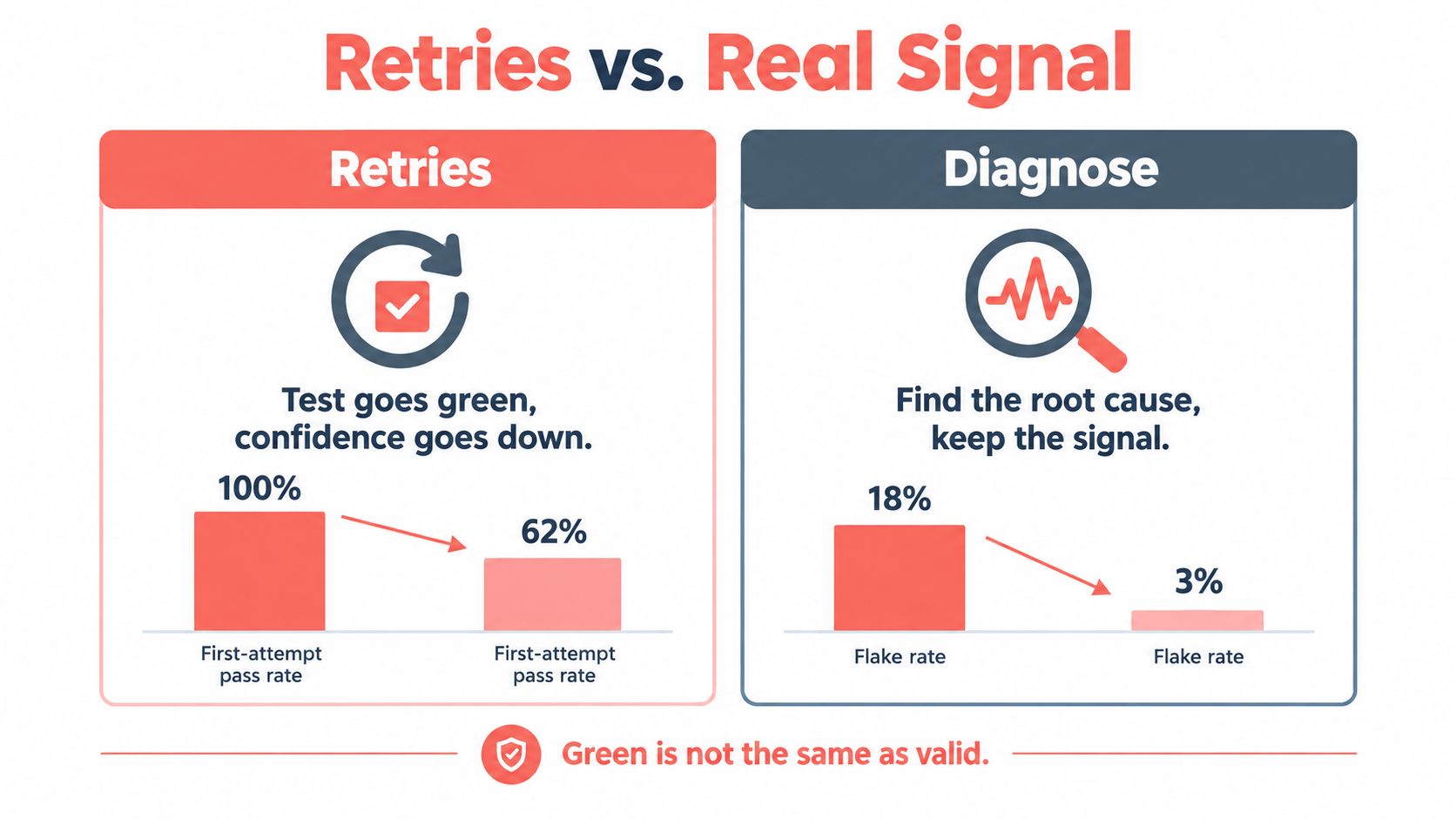
“Make the test pass” is not the same as improving test validity. Retries can reduce visible failures while lowering confidence in the release signal, especially when the root cause is still alive underneath the green run. That's why the first job is classification, not rescue.
A failure-classification matrix that actually helps
| Symptom | Likely root cause | Experiment to run | Evidence to capture |
|---|---|---|---|
| Network race | Request timing or late interception | Re-run with the same commit and a controlled network window | Trace, network log |
networkidle never settles in an SPA |
Page keeps background activity alive | Replace networkidle with a visible UI state or API-backed assertion |
Trace, screenshot |
| Storage state leaks between tests | Shared context or reused profile | Start each test with a fresh context and isolated state | Context data, trace |
| Locator strict-mode error | Selector matches more than one actionable element | Make the locator semantic and unique | DOM snapshot, trace |
| Headed and headless diverge | Rendering or browser-mode mismatch | Compare the same browser build, viewport, and font set | Browser version, viewport, fonts |
| CI-only failure | CPU, network, or worker contention | Reduce parallel pressure and rerun under the same image | OS, worker count, trace |
The reproducibility checklist matters as much as the symptom. Record browser build, OS, viewport, locale, fonts, GPU mode, worker count, network conditions, and identity state when a run fails. Those details let you tell the difference between a genuine product bug and a browser-environment mismatch. In distributed CI, that difference is often the whole story.
The contrarian bit is simple. A reproducible browser and device identity isn't only an anti-bot tactic. It's also the cheapest way to decide whether a failure comes from the app or from the environment around the app. The debugging guidance from Clearcote Labs fits well with that mindset because the useful artifact is not just a green rerun, it's the evidence that explains why the first run failed.
What to do in the first fifteen minutes
- Freeze the run shape. Keep the same commit, browser build, and worker count.
- Capture the evidence. Save trace, screenshot, network activity, and console output on the first failure.
- Classify the symptom. Decide whether the failure is selector, timing, identity, data, or environment.
- Change one variable. Don't widen timeouts and call it done.
- Rerun for proof, not comfort. A clean rerun is only useful if the root cause changed.
Green after a retry is a signal, not a verdict. Trust comes from reproducing the failure class, not hiding it.
A Stability Checklist You Can Actually Run
A stable Playwright suite usually comes down to five checks. If one of them is weak, the run will eventually teach you where the weak point is.
Identity
Use seeded, reproducible personas when the browser session needs to stay believable across runs. Match locale, timezone, and proxy geo to the same identity instead of mixing them casually. If the browser's identity drifts, your “flaky test” may just be a mismatched persona.
Environment
Pin the browser build, OS image, viewport, and fonts in the run metadata. Record GPU mode too if rendering differences matter to the failure. When the environment is stable, the browser has fewer excuses to behave differently from one worker to the next.
Isolation
Use an independent browser context per test. Don't share storage state unless the workflow requires it, and don't mutate global state between tests unless you're deliberately testing that stateful behavior. Isolation is cheaper than untangling hidden coupling later.
Evidence
Capture trace, screenshot, network, and console output on every failure, not only on known flakes. The first bad run is the one that matters most. If the evidence is missing, the next person who triages the failure is guessing.
Retries
Write down what gets retried, how many times, and what a retry is allowed to mean. Disable retries for assertions that have business side effects, because “passing on retry” can hide duplicate actions or partial commits. Retries should expose noise, not redefine success.
The difference between “the test passed on retry” and “we trust the result” is the evidence that explains the first failure.
Frequently Asked Questions About Playwright Automation in 2026
How should CI parallelism be set up? Keep parallelism aligned with isolation, not with wishful throughput. If a test shares browser state, it doesn't belong in the same worker pool as isolated tests.
When does a team need a hosted browser instead of self-hosted Chromium? Hosted browsers make more sense when the browser identity, network path, or long-lived profile needs to be controlled centrally. Self-hosting is fine when your only goal is repeatable execution and you can manage the fleet without making the team own every browser failure.
Where do MCP-driven browser agents fit? They fit where Playwright needs a persistent browser identity, approval gates, or a longer-lived session than a normal test run. The agent workflow should still obey the same rules: seeded identity, isolated state, and post-action verification from an independent signal.
Playwright or Puppeteer for a new project? If you need cross-browser coverage, built-in waiting behavior, and a broad automation surface, Playwright is usually the easier starting point. If your workflow is tightly tied to one browser family or you already have a Puppeteer stack, a drop-in browser swap can still make sense as long as the runtime boundary stays clean.
Clearcote Labs builds browsers and SDKs for teams that need Playwright automation with reproducible identity, hosted runtime options, and CDP-friendly integration. If you're dealing with flaky CI runs, long-lived browser sessions, or browser identity that has to stay consistent across environments, take a look at Clearcote Labs and see whether a drop-in browser layer fits your stack.