The advice to choose an open source browser and assume it's private skips the most important check: what does the browser do when you run it? A free download doesn't establish that its code is open, and a public repository doesn't establish that a website receives consistent, privacy-preserving values. Treat openness as permission to investigate, not as a privacy verdict.
Table of Contents
- What an Open Source Browser Really Gives You
- Open Source Browsers by Engine, Base and License
- How Source Code, Patches and Releases Fit Together
- Why Open Code Does Not Guarantee Privacy
- How to Evaluate a Browser for Automation and Privacy
- Testing Realism Without Confusing Reproducibility With Evasion
- Choose a Browser and Test It Before You Commit
What an Open Source Browser Really Gives You
An open source browser publishes source code under a license that permits people to inspect, build, modify, and redistribute it under stated conditions. Free describes a price. Open source describes rights and access to code. Private describes behavior, which needs separate evidence.
Think of a restaurant that publishes its recipes and kitchen rules. That's more useful than publishing only a menu, but the recipe book doesn't prove what the cooks served during a busy shift. Browser source code has a similar limit: you can inspect intended behavior, but you still need to connect that code to the executable and observe it running.
What becomes checkable
Source access gives a technical reviewer concrete things to examine:
- License terms: What can you copy, change, and redistribute, and which notices or obligations must you retain?
- The patch set: What did the browser's maintainers change relative to its upstream project?
- Build correspondence: Can you rebuild the published release from public source using documented instructions?
The last point needs care. Published source makes a rebuild possible in principle; reproducible builds require a sufficiently controlled process to produce matching output. A repository without pinned dependencies, build instructions, or a release tag leaves important gaps.
What still needs observation
Source alone doesn't show the complete request a website receives on your machine. Your operating system, graphics driver, profile settings, installed fonts, and network environment can affect runtime behavior. Update services also need examination: inspect their implementation, then observe their destinations and transmitted fields.
Practical rule: Separate permission to inspect, evidence about the shipped executable, and evidence about runtime behavior. They answer different questions.
Engine and license comparisons help narrow the field. Release records establish provenance, while privacy and automation tests establish whether the browser meets your actual needs. Keep one question attached to every claim: which part do I need to verify myself?
Open Source Browsers by Engine, Base and License
Read the rendering engine column first, the base column next, and the license column last. They describe technical ancestry, the starting codebase, and redistribution rights, respectively.
| Browser | Rendering engine | Built on | License |
|---|---|---|---|
| Chromium | Blink | Chromium source project | BSD-3-Clause |
| Google Chrome | Blink | Chromium with proprietary additions | Proprietary build, open Chromium core |
| Firefox | Gecko | Mozilla codebase | MPL 2.0 |
| Brave | Blink | Chromium | MPL 2.0 for browser code |
| ungoogled-chromium | Blink | Chromium with Google services removed | BSD-3-Clause |
| Clearcote open build | Blink | ungoogled-chromium | BSD-3-Clause |
These labels describe the principal browser projects, not a claim that every bundled dependency uses the same license. For redistribution, inspect the release's license and third-party notices rather than treating a table cell as a complete legal inventory.
Google Chrome belongs in this comparison because it exposes a common confusion. A browser built on an open core isn't necessarily an entirely open-source distribution. Chrome and Chromium share substantial infrastructure, but their names don't identify interchangeable release artifacts.
The engine and the dashboard
A car analogy helps separate the layers. The engine provides the machinery that makes the vehicle move; the body and dashboard determine how the driver operates it. In a browser, rendering machinery interprets HTML and CSS, works with JavaScript execution, calculates layout, and paints the page.
The surrounding browser shell provides tabs, the address bar, preferences, account integration, and other user-facing controls. Browser services handle concerns such as updates, synchronization, and network requests. The analogy isn't perfect, since those layers interact, but it prevents a common mistake: assuming a different dashboard means a different engine.
Fork maintainers can change default settings, remove service integrations, modify browser features, or patch deeper engine behavior. That's why browsers sharing Blink can display a page similarly while behaving differently around background connections and profile management. Shared ancestry predicts compatibility, not identical policy.
Chromium's influence extends well beyond its own browser builds. A scholarly historical analysis of Chromium identifies it as the foundation for browsers including Microsoft Edge, Opera, Vivaldi, and Brave. Choosing a new browser brand therefore doesn't necessarily mean choosing independent rendering infrastructure.
Read the ancestry before choosing
The base column tells you where to begin a code comparison. A direct Chromium fork starts from Chromium; a fork built on another fork inherits an additional layer of decisions. Reviewers need to understand both inherited patches and new changes.
Our Clearcote open build uses ungoogled-chromium, with Google services, telemetry, and update beacons removed. Clearcote is independent and isn't affiliated with Google or Chromium. That ancestry is useful context, but it isn't a substitute for examining a release.
Ask these questions when assessing any fork:
- Which engine runs the page? Use this to plan site, rendering, and extension compatibility tests.
- Which services were removed or added? Inspect background requests, account features, and update behavior.
- Who delivers updates? Identify the maintainer, release channel, and mechanism that installs security fixes.
An engine choice can narrow your shortlist quickly. The remaining differences require a closer look at the patches and distribution process.
How Source Code, Patches and Releases Fit Together
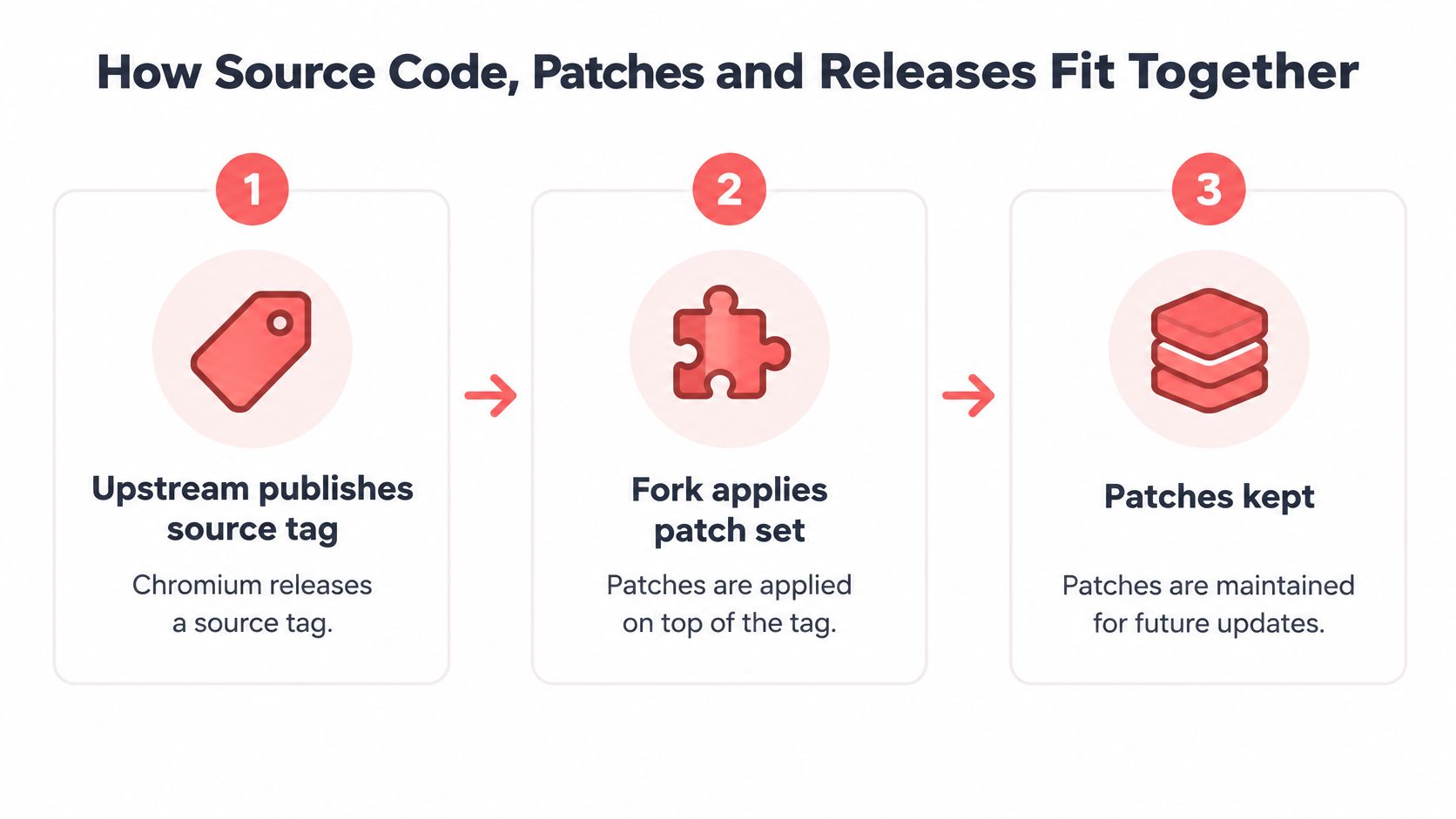
A trustworthy release needs a traceable route from upstream source to the executable you install. The diagram shows the source-and-patch portion of that route.
Follow the release pipeline
- Identify the upstream tag. A project such as Chromium publishes a named source revision. Record the exact tag or commit, not just the browser's marketing version.
- Locate the fork's changes. The maintainer applies patches to that upstream revision. Check whether they apply cleanly and whether their purpose is documented.
- Inspect the maintained patch set. Human-readable patches let reviewers distinguish service removals from changes to rendering, identity, or security boundaries. A public patch history also makes later maintenance easier to follow.
- Build the patched source. Use the documented toolchain, dependencies, flags, and environment. Save the build configuration so another reviewer can repeat the process.
- Verify release integrity. Compare the download with its published checksum and validate its signature against a trusted signing key. A checksum detects a difference; a verified signature helps establish who signed the artifact.
- Compare an independent rebuild. Follow the project's reproducible-build procedure and compare the specified outputs. Unexplained mismatches need investigation, even when the browser appears to work.
A matching rebuild links source to an artifact; it doesn't certify that the source is safe. Likewise, a valid signature doesn't prove privacy.
Preserve the security architecture
The Chromium process-model documentation describes separate browser, renderer, and network processes, with sandboxing and Site Isolation restricting what compromised rendering code can reach. A fork's privacy modifications should preserve those boundaries rather than create a privileged shortcut around them.
Include cross-origin isolation checks, renderer-to-browser privilege tests, and network-service regression tests in patch review. Centralizing identity configuration can be reasonable, but it mustn't give page-controlled code new access to privileged operations.
This accompanying video provides another format for considering the development workflow.
Watch the video on YouTubeCheck licensing and maintenance separately
BSD-3-Clause permits reuse and redistribution subject to its conditions, including retaining required notices and avoiding unauthorized endorsement. MPL 2.0 generally requires distributed modifications to covered files to remain available under that license. Neither license promises a particular security-update schedule.
A fork that stays close to upstream can integrate fixes with less patch-reconciliation work. A delayed major-version upgrade isn't automatically proof that every security fix is missing, so inspect backports and release notes. Our reproducible open build includes new Chromium majors about two months after release.
Keep a release record containing the upstream tag, patch revision, build instructions, artifact hashes, and signing-key identity. Investigate signing-key changes rather than assuming every change is malicious.
Why Open Code Does Not Guarantee Privacy
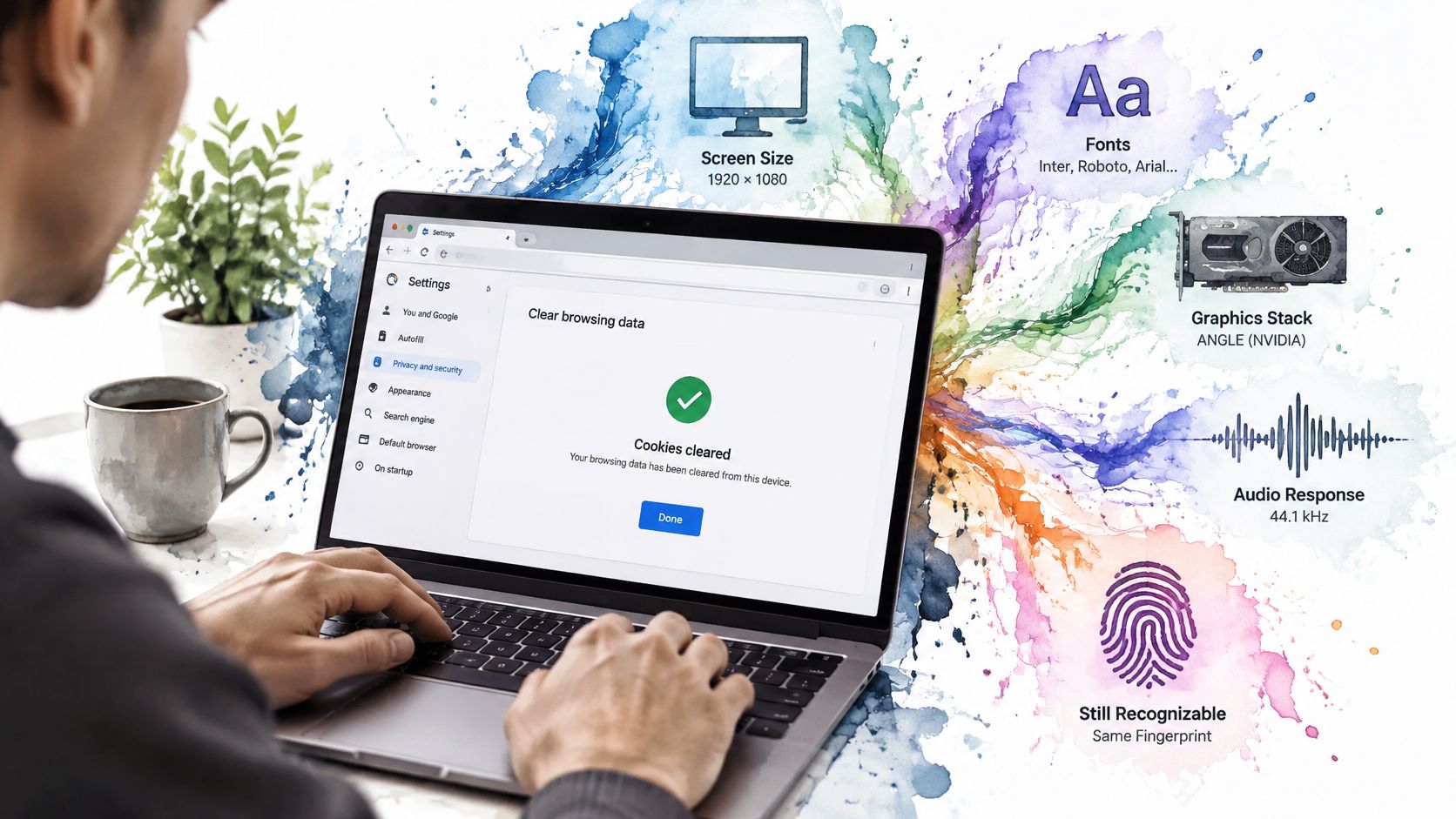
Clearing cookies doesn't necessarily create a fresh identity. Say you clear a browser profile's cookies, then return to a website. The browser may still expose the same screen characteristics, fonts, graphics behavior, and audio-processing response.
Those values aren't cookies. A website can combine them into a browser fingerprint, using multiple observations to distinguish or associate visits. The illustration captures the problem: removing stored identifiers doesn't necessarily change what the device reveals.
A fingerprint is a combination
Relevant surfaces include screen and display characteristics, operating system, timezone, network context, Canvas, WebGL, and Web Audio. Each observation might be ordinary on its own. Their combination can be more distinctive.
An ACM Internet Measurement Conference study of audio fingerprinting found that adding Web Audio increased fingerprint entropy by 9.6% over Canvas alone. Entropy describes how much distinguishing information a measurement provides, not the probability that a particular website will identify you.
For a plain-language explanation of these surfaces, our browser fingerprinting guide separates the observable signals from stored browser state.
Privacy and repeatable identities have different goals
Anti-fingerprinting protections often aim to make users less distinguishable from a larger group. Legitimate QA work can require something else: a stable test persona that produces repeatable results while remaining isolated from other test sessions.
Those goals shouldn't be confused. A deterministic identity is a reproducibility feature, not automatic anonymity. A stable persona can help an engineer reproduce a bug, but stability can also make repeated observations easier to associate within the scope where that identity persists.
Changing values at random isn't automatically better. A user-agent string claiming Windows alongside Linux-specific font or graphics signals can produce an implausible combination. Changing the advertised platform without coordinating related surfaces may make a profile more unusual rather than less identifiable.
- Across execution contexts: Compare observations in the main page, workers, and iframes.
- Across related surfaces: Check whether fonts, locale, graphics, audio, and platform claims agree.
- Across visits: Decide which values should persist, which should change, and within what scope.
- Across network observations: Include server-visible behavior rather than checking JavaScript values alone.
Privacy test: Ask whether a modification reduces distinguishability among relevant users, not merely whether it changes a value.
When does anti-fingerprinting create a rarer fingerprint? When its output introduces unusual combinations or inconsistent behavior that few other browsers share. Public patches let you inspect the intended implementation, but only runtime testing shows what your target website receives.
How to Evaluate a Browser for Automation and Privacy
Evaluate a candidate against your own workflow, not a screenshot of a fingerprint-test result. Keep a review record with the browser build, operating system, test configuration, expected behavior, and observed differences.
Work through the evidence
Confirm the source and license scope.
A pass means the claimed open components are available with applicable licenses and build inputs. A red flag is an unexplained closed binary required to reproduce an allegedly fully open release.Rebuild a release.
Compare the outputs specified by its reproducibility instructions with the published reference. Matching hashes are a pass for that comparison; unexplained differences are a red flag, not something to dismiss because the executable launches.Review the patch set.
Prefer focused, readable changes with tests and a clear relationship to upstream. Patch count alone isn't a quality score: an opaque generated change or undocumented binary deserves scrutiny even in a small diff. Our open-build policy keeps every patch human-readable and excludes proprietary blobs from the tree.Test coherence on your target platform.
Capture user-agent, font, locale, graphics, and audio observations across supported contexts. The pass signal is agreement with the documented persona and expected persistence; conflicting surfaces or unexplained identity drift are red flags.Connect your existing automation.
Run representative Playwright or Puppeteer scripts with the smallest documented integration change. Existing navigation, downloads, authentication, and assertions should work as expected; a substantial rewrite is a practical warning even if individual protocol commands succeed.
Test the pages your users reach
A 2025 ACM study of fingerprinting measurement found automated crawls missed 45% of fingerprinting websites encountered during real users' browsing. Missed cases included authentication-protected pages, bot-detection barriers, and interaction-triggered scripts. Public landing pages therefore don't provide sufficient coverage.
Use the following priorities to decide where to spend review time.
| Use case | Check first | Red flag |
|---|---|---|
| Automated QA | Reproducible build and seeded identities | Identity changes on every run |
| Privacy research | Coherent values across Canvas, audio, fonts, and workers | One spoofed value conflicts with other surfaces |
| Scraping or data engineering | Stable SDK integration and isolated sessions | Sessions share profile state without a clear boundary |
| AI agent integration | Fixed identity over CDP or MCP access | Identity drifts between tool calls |
For implementation planning, our open-source browser automation guide connects browser selection with automation workflows. To make the checks repeatable after adoption, AskYourQA's resource on CI/CD integration for functional suites provides useful context for incorporating functional tests into delivery pipelines.
Record failures by category: build provenance, identity behavior, session isolation, or functional compatibility. That makes it easier to distinguish a browser defect from a test-environment problem and prevents a convenient integration from masking a weak privacy result.
Testing Realism Without Confusing Reproducibility With Evasion
A reproducible browser test holds the intended variables steady so engineers can explain a result. It doesn't require hiding automation from an unwilling website. Use test accounts and systems you own or have explicit authorization to assess.
An authenticated checkout flow illustrates the difference. Testing whether a shipping form behaves consistently with a chosen locale is ordinary QA. Trying to conceal automation to bypass a third party's restrictions is a different activity and isn't part of this procedure.
Compare controlled setups
| Setup | What to exercise | What to record |
|---|---|---|
| Ordinary headless run | Public entry page and basic navigation | Initial script execution and baseline observations |
| Persistent profile | Restart with the same intended profile state | Expected persistence and unexpected carryover |
| Authenticated session | Sign in with a dedicated test account | Additional scripts, requests, and account-specific behavior |
| Realistic interaction sequence | Follow the authorized workflow under controlled network conditions | Interaction-triggered measurements, timing conditions, and failures |
Change one relevant condition at a time. Keep the browser artifact, operating-system image, viewport, account permissions, and network configuration documented. Otherwise, a changed result may reflect the environment rather than the patch you're evaluating.
Measure misses and mistaken detections
Use a controlled test page with known instrumentation to establish ground truth. A false negative occurs when your measurement fails to detect a fingerprinting operation that the fixture performed. A false positive occurs when your method labels a benign operation as fingerprinting.
Log each category separately instead of collapsing them into a single pass. If blocklists are part of the experiment, record the list version, matching entry, and blocked request. A list match isn't proof that every operation on the page is fingerprinting, and no match isn't proof of absence.
- Minimize collection: Store only fields required by the test, with secrets and account identifiers removed.
- Preserve the test identity: Record the seed or persona reference, build, and configuration.
- Separate device coverage: Use a deliberate matrix rather than changing platforms between runs. Our cross-device testing guide provides context for organizing that coverage.
Reproducibility means the same persona yields comparable results under the same conditions. It supports diagnosis and regression testing, not bypassing access controls.
Choose a Browser and Test It Before You Commit
Choose according to the failure you can least afford. A browser that renders your application correctly but can't be maintained safely is a poor fit. So is an auditable browser that breaks the authenticated workflow your team runs every day.
Match the shortlist to the job
- Site and extension compatibility: Start with Chromium-based candidates, then test the specific APIs and extensions you need. Shared ancestry is a useful starting point, not a guarantee.
- Engine independence: Include Firefox when using a non-Chromium engine matters to your coverage or governance requirements.
- Identity-sensitive QA: Prefer candidates that document engine-level changes, identity persistence, and reproducible releases.
- Privacy investigation: Prioritize inspectable behavior and measurable outcomes over broad claims about being private.
Keep a small decision record for each candidate. Include the release artifact, source revision, rebuild outcome, automation changes required, runtime inconsistencies, and workflow failures. Separate blockers from inconveniences so a polished interface doesn't outweigh a missing security or provenance requirement.
Make the first trial representative
Use an authorized staging version of the authenticated, interaction-heavy flow you expect to run in production. Include the operations that commonly expose integration gaps, such as opening another page, restarting a profile, uploading a file, or continuing an agent session.
Don't select a browser solely because it completes a public demo page. Equally, don't reject one because a diagnostic page reports a changed field without explaining whether that change violates your requirements.
This week, pick the closest candidates from the comparison table. Run the independent rebuild check and the realistic workflow against each, then record which preserves the intended values and which fails important steps. Choose from those recorded results, not from the word open.
Clearcote Labs offers a reproducible open build with engine-level identity controls for browser automation, plus a latest licensed build available free for one browser at a time with GitHub sign-in and no card required. Visit Clearcote Labs to compare those options, then run an authorized Playwright or Puppeteer workflow and record its build provenance, identity consistency, and functional results before adopting it.