You have a Playwright script that logs into a staging dashboard, pulls a screenshot, and reads the invoice total off the page. It works. Now you want the assistant in Cursor to run the same three steps on request, and every tutorial you open stops at a tool that adds two numbers together.
That gap is where the work sits. A tool returning 2 + 2 has no attack surface. A tool that drives a browser can sign into a customer account, download a file and read a cookie jar. What follows is the build order I'd use, the traps that cost an afternoon each, and the security boundary most tutorials skip, with the MCP Inspector as the first client you connect, before any AI application touches the server.
Table of Contents
- What an MCP Server Exposes and What You Need
- How to Write a Working Server in Python
- Designing Browser Tools the Client Can Use Safely
- Connecting the Server to a Browser Runtime
- How to Test the Server in an MCP Client
- Confirm Tool Scope Before You Share the Server
What an MCP Server Exposes and What You Need
Say the job is this: an assistant in Cursor has to open an internal dashboard behind a login, screenshot the billing panel and read the current balance off the page. The model can plan that sequence. It cannot open a socket. The MCP server is the piece that turns the plan into a browser action.
The protocol was introduced by Anthropic on November 25, 2024 as an open standard for connecting AI assistants to external systems, and its launch announcement describes the split that matters: servers expose context and capabilities, clients connect the AI application to those servers. Your server doesn't hold the conversation. It holds the browser.
Three primitives do the work. Tools are executable actions the model chooses to call, such as navigating or clicking. Resources are retrievable context the application decides to load, such as a saved profile list. Prompts are reusable templates the user picks by hand. A browser server lives almost entirely on tools; resources and prompts are optional extras.
The design constraint is scope. One server, one responsibility. If your browser server also summarises pages, queries a database and stores chat history, you've rebuilt the host application inside a process that can be launched by any client.
| Component | Requirement | Why it matters |
|---|---|---|
| Python | 3.10 or newer | Matches the modern type-hint syntax the SDK relies on |
| MCP Python SDK | 1.x | Provides FastMCP, the decorator API for exposing tools |
| Browser runtime | Chromium driven through Playwright | Gives the tools a real page to act on |
| MCP client | Claude Desktop, Cursor or Cline | Discovers and calls your tools over stdio |
| Local terminal | Virtual environment and pip | Keeps dependencies isolated from the system |
If you're working on macOS and want the client side explained before you touch server code, this guide to MCP servers for Mac users covers the desktop configuration end, and our own Model Context Protocol explainer covers how the pieces fit at a higher level.
The first tool you build is page_load: it takes an http or https URL, loads it, and returns the page title. Small, testable, and enough to prove the wiring works end to end.
How to Write a Working Server in Python
MCP communication runs on JSON-RPC 2.0, and the protocol's basic specification is strict about it: structured requests, responses, errors and notifications, no proprietary message shape. That's the reason to use an SDK rather than hand-roll the framing. Python is one of the Tier 1 implementations, so the plumbing is someone else's problem.
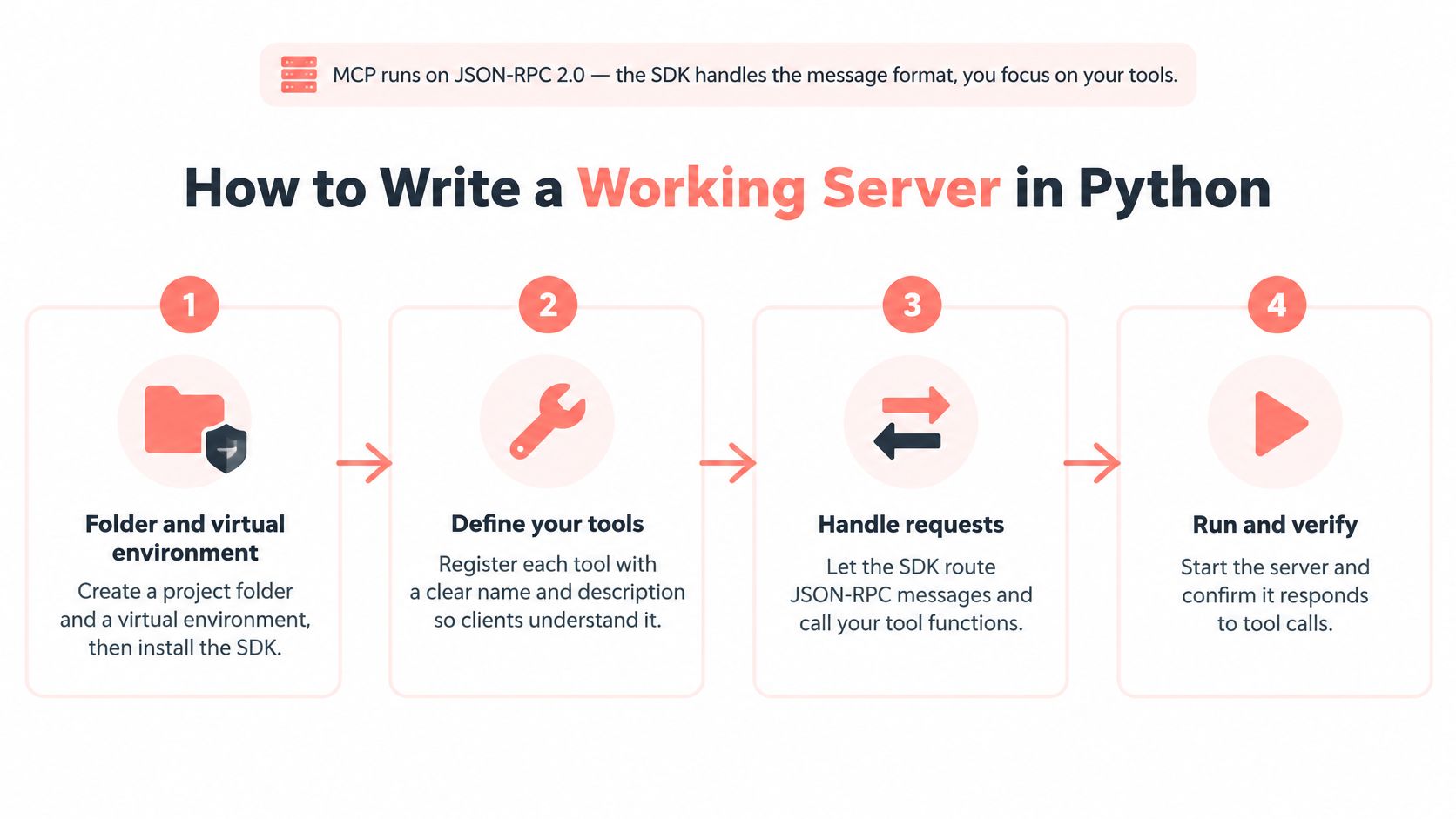
Here's the sequence that gets a clean server running.
Create the folder and a virtual environment. Run
mkdir browser-mcp,cd browser-mcp,python -m venv .venv, activate it, thenpip install "mcp[cli]". The venv gives the client one unambiguous interpreter path. The slip: installing into the system Python, then watching the client fail to importmcpbecause it launched a different interpreter.Create
server.pyand import FastMCP. The import isfrom mcp.server.fastmcp import FastMCP. The SDK handles message framing, so every line you write is domain logic. The slip: hand-writing JSON parsing because a tutorial from the pre-SDK era told you to.Instantiate the server with a short name.
mcp = FastMCP("browser-tools"). That name is what the client shows in its tool list, and it's the string you'll look for when debugging a connection.Define a tool with the decorator, typed arguments and a docstring. The shape is
@mcp.tool()abovedef page_open(url: str) -> str:. The docstring becomes the description the model reads when deciding whether to call it. The slip: leaving the docstring out, which leaves the model guessing from the function name alone.Return plain data, never a raw exception. Return a string or a small dict. Catch failures and return something like
{"ok": False, "error": "navigation timeout"}. A raised exception surfaces as an opaque protocol error the model can't act on.Add the entry point.
if __name__ == "__main__": mcp.run(). That defaults to stdio transport, which is correct for a local desktop client; choose an HTTP-capable transport when the server runs in a container or as a hosted service.Run the file once and confirm it starts without output.
python server.pyshould sit there producing nothing. Stdout carries protocol messages, so a single strayprint("started")corrupts the stream and the client disconnects or hangs.
A healthy start looks boring: the process waits, no banner, no output, no traceback. Close it with Ctrl+C and move on to the browser wiring.
Practical rule: route every diagnostic to stderr with
print(..., file=sys.stderr). Logging to stdout is the single most common reason a working server looks broken.
Designing Browser Tools the Client Can Use Safely
The model discovers your tools at runtime. It reads names, descriptions and JSON schemas, then picks one. That's different from ordinary RPC, where a human wrote the call against documentation. Vague descriptions, overlapping names and permissive schemas translate directly into wrong invocations, and the server tools specification treats capability negotiation and discovery through tools/list as requirements, not conveniences.
So start with one narrow capability and expand deliberately. A tool needs three things before it ships: a stable name, a description stating what it does and what it does not do, and a JSON Schema inputSchema that rejects malformed values before execution begins.
| Tool | What it does | Side effect | Needs confirmation |
|---|---|---|---|
browser_launch |
Starts a browser with one persona | Starts a process and uses capacity | Yes, when it consumes paid seats |
page_navigate |
Opens an http or https URL | Loads remote content and may expose cookies | No, but restrict the URL scheme |
page_screenshot |
Saves the current page image | Writes a file to disk | No, but check the output folder |
page_close |
Closes a page or session | Ends session state | No |
Two design decisions do more for safety than any amount of prompt engineering. The first is separating identity from browsing: profile selection gets its own tool, so page_open always runs in the profile already loaded and a model can't switch personas mid-task. The second is putting an approval boundary in front of anything that submits a form, spends money or consumes a paid seat.
Contract tests belong in the same commit as the tool. For each one, cover initialization, discovery through tools/list, malformed input, authorization failure, timeout, cancellation and repeated calls. A tool that handles the happy path and crashes on a cancelled request will pass your manual check and fail in a real session.
Overlapping names like
open_pageandnavigate_pageinvite coin-flip behaviour. Rename one, or delete it.
If you're building toward an autonomous agent rather than a chat assistant, the AI browser agent patterns we've written up cover how tool granularity changes once nothing is supervising the loop.
Connecting the Server to a Browser Runtime
Tool functions call a browser library, and the browser should start when a tool needs it, not when the module imports. That's what makes a working server usable.
Install Playwright and the browser binary.
pip install playwright, thenplaywright install chromium. The second command downloads the actual Chromium build; skipping it produces an error about a missing executable that reads like a permissions problem.Put the launch logic in one helper module. One function creates Chromium on first use and stores the browser and page objects in module-level variables, so repeated tool calls reuse one session. The slip: launching inside every tool, which leaves a fresh Chromium per call and destroys any logged-in state between them.
Set an explicit navigation timeout. Thirty seconds is a sensible default, and it must sit below the client's own tool timeout so the server returns a structured error rather than being killed mid-call. The slip: no timeout at all, which turns one slow page into a hung session.
Register a shutdown hook. Close the page and browser when the process exits, on SIGTERM and on normal termination. Otherwise orphaned Chromium processes accumulate across restarts and consume memory.
Keep identity and profile selection in a separate tool. Navigation then always runs inside the profile already loaded, which prevents one task from inheriting another's cookies.
If you point the server at a hosted or packaged runtime, read its seat and timeout rules before the first call, because starting a session can cost capacity the moment the client launches. With clearcote-mcp 0.3.0 you need the mcp library at 1.19 or newer (1.x or 2.x), and the browser starts as soon as the MCP client launches the server: with a Free with GitHub key that takes one browser seat immediately, while CLEARCOTE_MCP_PREWARM=0 defers the start to the first tool call. Each tool call times out after 90 seconds, configurable with CLEARCOTE_MCP_TOOL_TIMEOUT.
Underneath any of this, the debugging surface is the same request/response pair, so understanding the Chrome DevTools Protocol pays off when a page loads in the browser but renders empty in the tool result.
How to Test the Server in an MCP Client
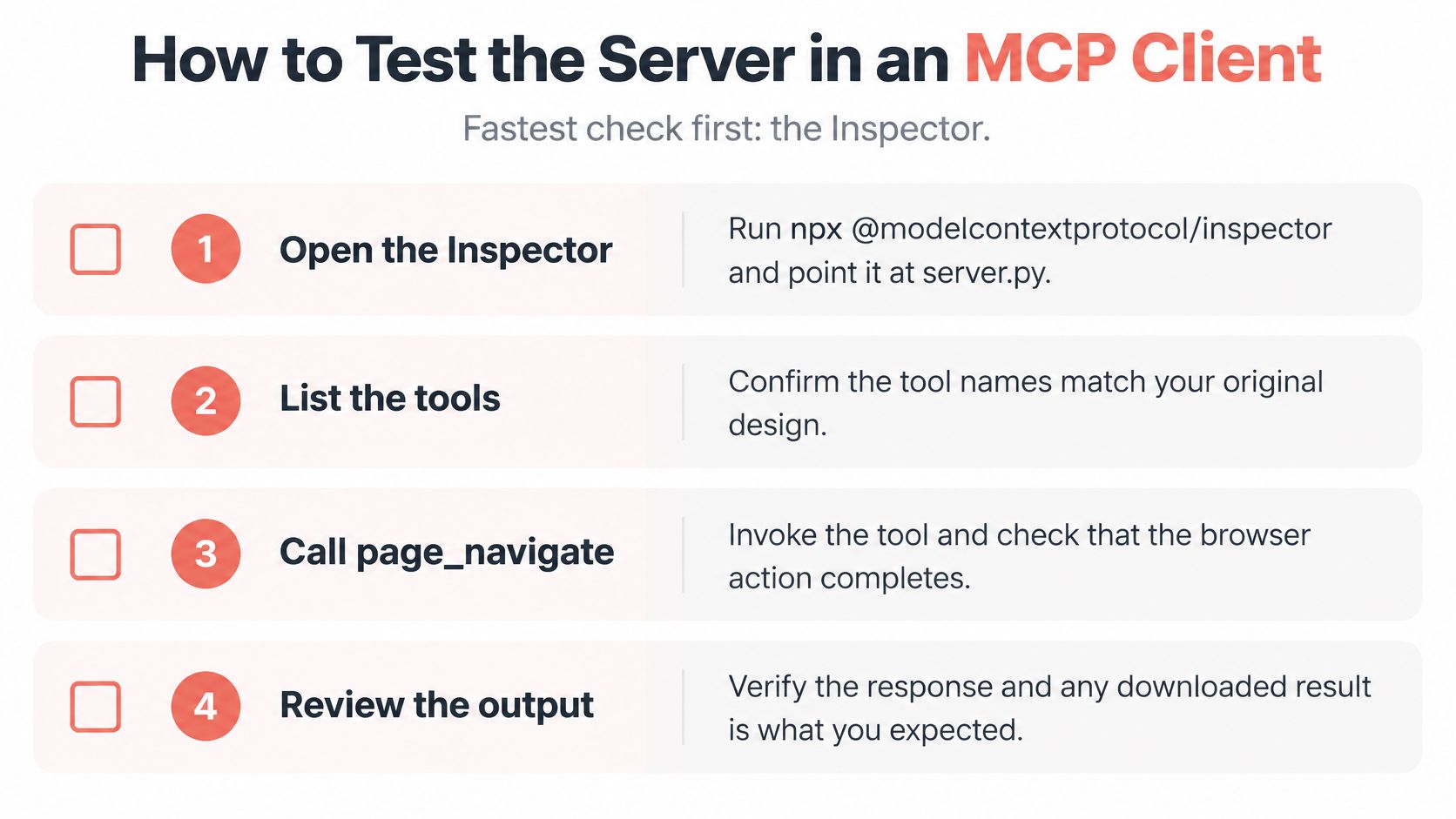
The fastest check isn't an AI client at all. Run npx @modelcontextprotocol/inspector and point it at server.py. The Inspector lists your tools and lets you call them directly, which separates "my tool is broken" from "my client didn't load the config". Confirm the tool names match your design, then call page_navigate with a real https URL and read the returned title. If that works, the server is fine and any remaining problem lives on the client side.
Then wire up a real client.
Open the config file.
claude_desktop_config.jsonfor Claude Desktop, or the MCP settings panel in Cursor or Cline. Add an entry undermcpServerswith a name,commandset to the full path of the venv Python interpreter, and the absolute path toserver.pyinargs.Quit the client completely. Most clients read configuration only at launch, so closing the window isn't enough. On macOS use Cmd+Q; on Windows check the system tray for a background process.
Ask the assistant which tools it has. Compare the list against what the Inspector showed. A missing tool here, with a working Inspector, means the config path or interpreter is wrong.
Run one read-only and one state-changing task. Reading a page title exercises nothing. Taking a screenshot exercises file writing, and that's where a missing write directory surfaces.
Test the refusals. A
file:URL and ajavascript:URL should each return a structured error, not a page. The Clearcote MCP server only accepts http and https;file:,view-source:,chrome:,devtools:and every other scheme are refused. If your own server accepts afile:URL, it can read/etc/passwdfor whoever asks.
Watch a working session before you debug a broken one.
Watch the video on YouTubeWhen something fails, the symptom usually maps to one of four causes.
| Symptom | Likely cause | Fix |
|---|---|---|
| Client shows no tools | Server prints to stdout | Send logs to stderr and remove print calls |
| Client cannot start the server | Wrong Python path | Use the full path to the venv interpreter |
| Old tool list still appears | Config not reloaded | Quit the client completely and relaunch |
| Tool call hits the client timeout | Slow page with no navigation limit | Lower the navigation timeout and return a structured error |
A tool that works in the Inspector and fails in the client is a configuration problem. A tool that fails in both is your code.
Confirm Tool Scope Before You Share the Server
Protocol compliance is not safety. A server can pass every check in the Inspector, advertise capabilities correctly, validate its schemas, and still be dangerous, because the MCP specification leaves consent, authorization, sandboxing and privacy controls to the host and the implementation. It also says hosts should treat tool descriptions as untrusted and obtain explicit consent before invocation. Nothing in the protocol enforces that for you.
A browser tool is an execution boundary. It can visit an attacker-controlled page, submit a form, download a file and expose authenticated state. Write a three-line threat model for each tool before you ship it: what it can read, what it can change, what it can reach.
Then check what the tool table can't show you. Is network egress limited to the sites the task needs, or can a page redirect the session anywhere? Are download folders and cookie stores isolated per user, or does one caller's file land where another can read it? Are secrets passed to each server individually rather than globally through the host environment? The ecosystem is crowded enough that these questions are practical: an independent 2025 GitHub analysis by Astrix Security identified 5,205 distinct repositories containing MCP server implementations, and the ones you install deserve the same scrutiny as the ones you write.
For a remote HTTP deployment the checks get sharper. Validate every access token before processing a request. Accept only tokens issued for that specific server, which means audience validation, and prefer short-lived tokens so a leak has a short window. Run third-party local servers in a container rather than on your laptop.
The decision test is simple enough to apply today: if you can't state the smallest authority each tool needs, and explain how every action is audited and revoked, keep the server local and connected to one trusted client. Sharing comes after you can answer both questions.
Clearcote Labs ships an MCP server that gives Claude Desktop, Cursor or Cline a real browser with a fixed identity, so you can skip the Playwright wiring and get straight to designing tools and testing refusals. It runs the open build without a licence key, with Free with GitHub and Pro licensed builds if you need more concurrent browsers, and the same engine-level fingerprint controls are documented alongside the Playwright and CDP paths. Visit Clearcote Labs to read the MCP server setup guide and run your first page_open call against a real browser.