
Chromium opened, the sample test passed, and the terminal showed one green check in about the time it takes to read this paragraph. Three weeks later that same suite is red on a CI runner you did not build, on a browser you did not download, as a user whose account carries data from yesterday's run.
Nothing in Playwright is broken. Auto-waiting still waits, retrying assertions still retry, and the trace viewer still records what happened. What broke is everything the demo never had: two tests sharing a row in the database, a login state that outlived its token, a container clock eight hours off, a Firefox build the pipeline fetched at a different version than your laptop. Learning how to Playwright past the first green run means learning which of those layers you control, and in what order to fix them.
This guide covers the runtime decision, the first Node script and its pass signals, the locator discipline that makes failures readable, the triage order when a retry goes green for the wrong reason, and where an AI agent driving a browser fits and does not fit.
Table of Contents
- Playwright Runtimes Compared by Job
- Run the First Playwright Script on Node
- Write Tests Around What the User Sees
- Read a Failed Retry Before You Change a Wait
- Scripted Playwright Versus an Agent on MCP
- Ship One Workflow and Harden It
Playwright Runtimes Compared by Job
Most first Playwright projects fail on packaging, not selectors. Someone installs the playwright library, writes a file that imports @playwright/test, and spends an afternoon on a module resolution error that a single table would have prevented. Choose the runtime by the job it has to do before you type a command.
| Runtime | Package | Best when | You get | Skip it when |
|---|---|---|---|---|
| Node test runner | @playwright/test |
JS or TS app with a CI suite | Workers, HTML report, trace on first retry | The suite already lives in pytest or NUnit |
| Python | pytest-playwright |
Data or QA jobs already asserting in pytest | Pytest fixtures and the same browser binaries | You need the JS reporter defaults on day one |
| .NET | Microsoft.Playwright |
MSTest or NUnit codebase | Test adapter inside the existing IDE | Nobody on the team writes C# |
| Library mode | playwright |
One-off scripts or an agent loop | You own launch, reporting, and retries | You want the test runner config for free |
What each row actually buys you
The Node test runner is the default for a JavaScript or TypeScript application, because everything Playwright documents assumes it: parallel workers, the HTML report, trace on first retry, and a config file that switches retries on only when CI is set. You get those without writing a line of glue. Skip it only when the suite already lives somewhere else and the team would end up maintaining two runners.
pytest-playwright suits data and QA teams who already assert in pytest and want the same browser binaries behind their existing fixtures. You gain a runner your colleagues already know how to read. You give up the JavaScript reporter defaults, which matters less than it sounds.
Microsoft.Playwright earns its place in an MSTest or NUnit codebase where the test adapter already runs inside the IDE people use. If nobody on the team writes C#, that argument disappears. Library mode, the plain package with no runner, is the right base for a script or an agent loop that calls chromium.launch() itself, because you own launch, reporting, retries, and the exit code.
Start with one engine, not three
For the first green run, Chromium alone is enough. Add Firefox and WebKit when a page renders differently in them: a font stack, a media query, a video pipeline. Three engines on every test multiplies CI minutes and rarely catches a product bug Chromium missed, so treat the extra engines as targeted coverage rather than a default matrix.
Pin one Playwright version across laptops, Docker images and CI. The version decides which browser build gets downloaded, and a client and browser from different releases produce exactly the mismatch that looks like flake and is not. Windows and Linux x64 cover most local and container runs. macOS is fine for authoring, but it should not be the only image if production runs on Linux.
The row that matters: pick the runtime your team can debug at 2 a.m., not the one with the prettiest documentation.
If you are still weighing the surrounding toolchain, this comparison of test automation tools puts the runners and their trade-offs side by side.
Run the First Playwright Script on Node
With the Node runner chosen, the install is short and the pass signals are what matter. Work through the seven steps in order and confirm each signal before moving on, because a failure at step 3 usually turns into a confusing failure at step 6.
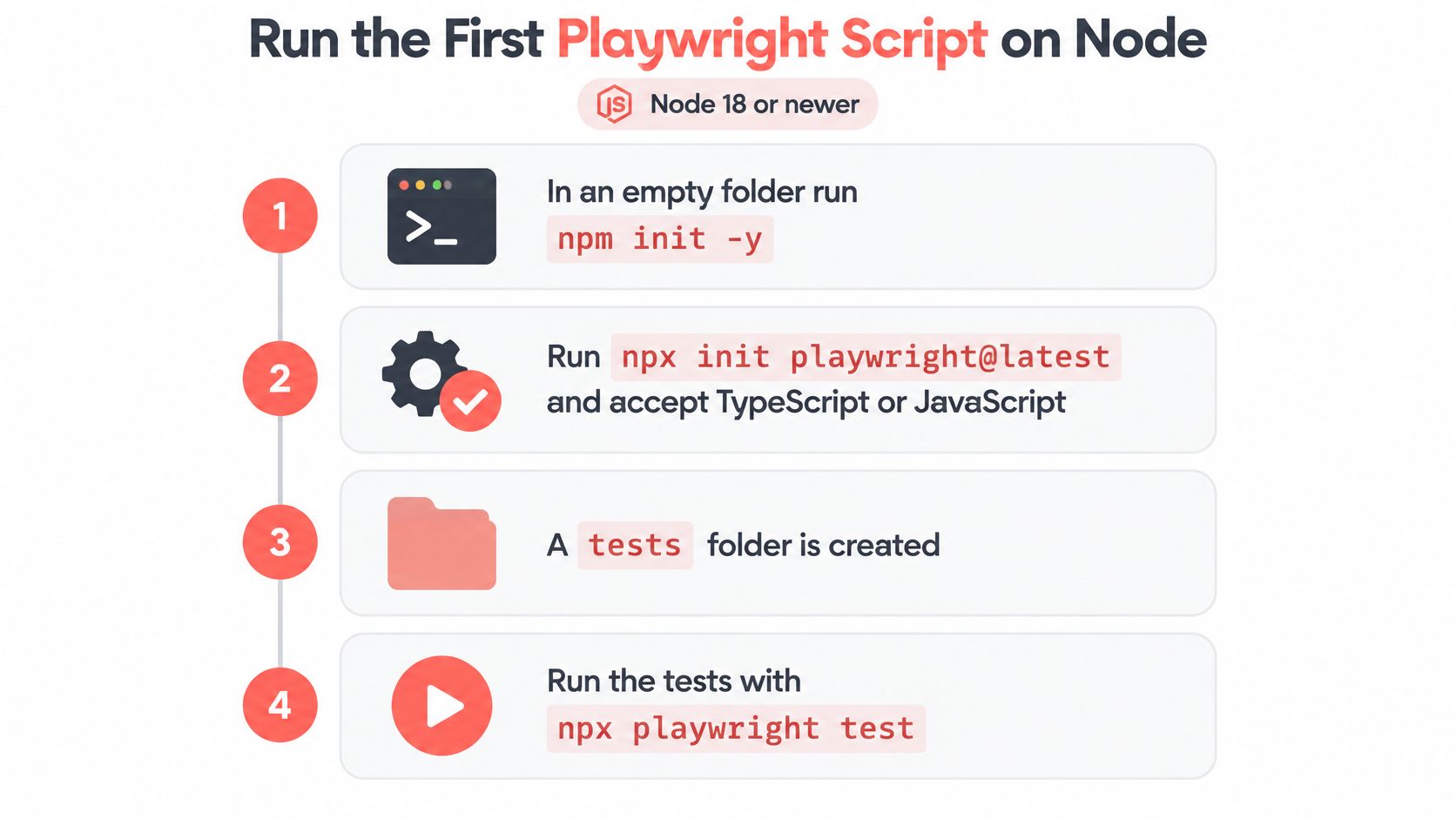
Seven steps to a green first run
- Create the folder and the package file. In an empty directory run
npm init -y. Pass signal: apackage.jsonsits there with no dependencies yet. - Scaffold Playwright. Run
npm init playwright@latest. Accept TypeScript or JavaScript, keep the defaulttestsfolder, and add the GitHub Actions file only if the repo already runs Actions. Pass signal:playwright.config.tsappears at the project root. - Download one engine. Let the installer fetch Chromium and leave Firefox and WebKit unchecked for this pass. Pass signal: the download finishes with no version error, which is the first evidence your Node version and the Playwright release agree.
- Replace the sample URL. Open the generated spec under
testsand point it at one page you control. Pass signal: the URL in the file is yours, not the demo domain. - Cut it down to one assertion. Keep a single test that opens that page and asserts one visible outcome, such as a heading role, instead of a CSS class. Pass signal: one
expectin the file and nowaitForTimeoutanywhere. - Run the suite. From the project root run
npx playwright test. Pass signal: exit code 0 and one passing row in the terminal. - Open the report. Run
npx playwright show-reportand expand the passing row. Pass signal: the report shows both the navigation and the assertion as separate steps.
If npm is missing from the terminal, install Node from the official distribution and stop there. Changing package managers halfway through is how a working project becomes two half-projects, and Playwright's cache of browser binaries does not follow you across them.
Headed mode, npx playwright test --headed, is a debugging tool for a later failure, not proof that the first run works. A green headless run on the runner is the target, because that is the environment that decides whether the build ships. Watching a browser open on your laptop only tells you the script starts, which you already knew.
Anyone who chose Python or .NET should mirror the phases rather than the commands: install the client, download one browser, write one assertion, open the report. The package names differ; the order does not.
If you would rather watch the same setup run end to end before typing any of it, this walkthrough covers the identical ground.
Watch the video on YouTubeWrite Tests Around What the User Sees
A test that passes today and fails next Thursday is usually reaching for its target through something the user never sees, like a CSS class a designer renamed on a Tuesday afternoon. The fix is structural, not cosmetic: describe the test as a workflow a person performs and let Playwright find the pieces.
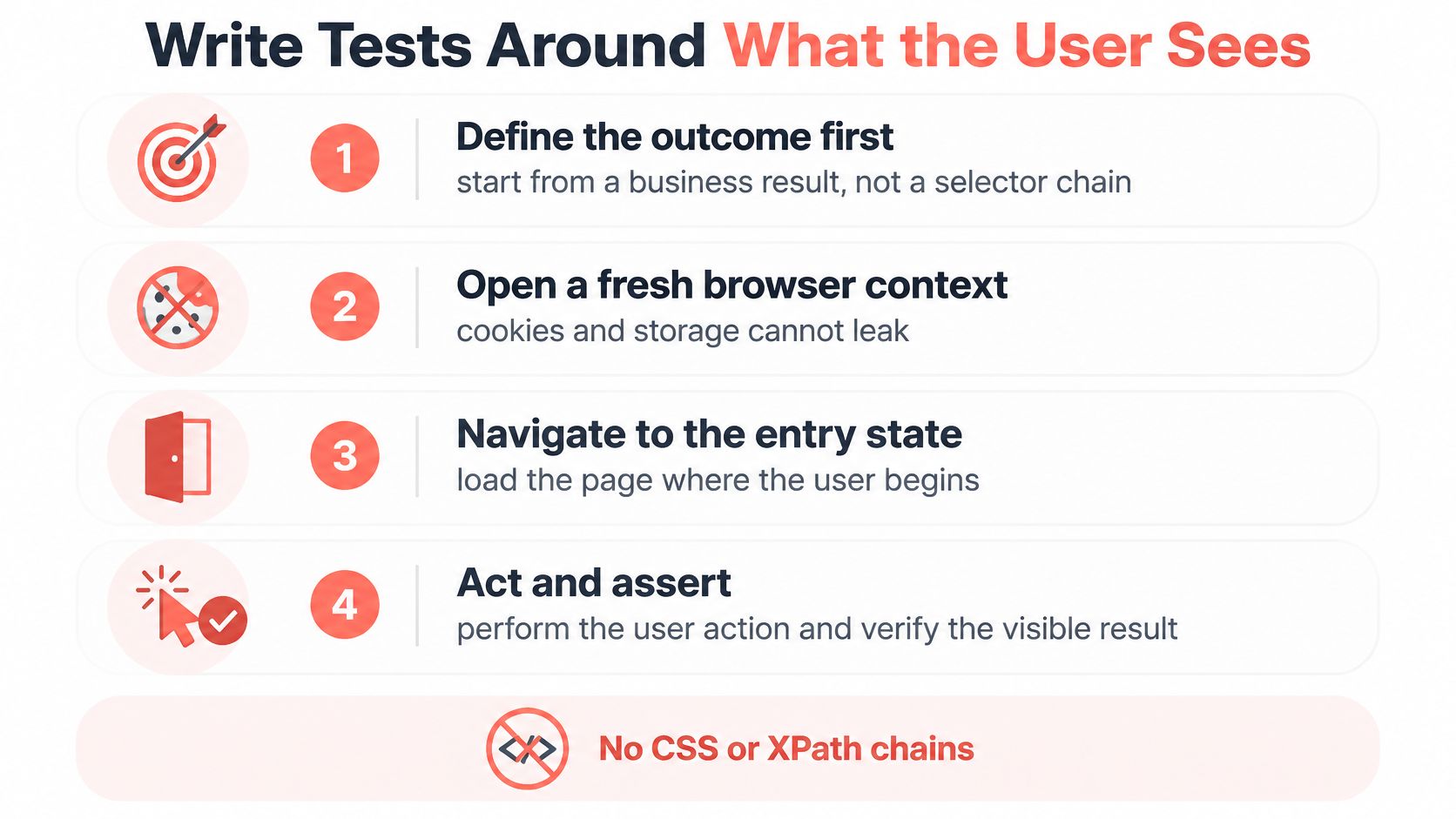
Five parts of a test that can fail honestly
- Define the business outcome first. Write the result the user gets in one sentence, before you open the editor. If you cannot state it, the test will encode markup instead of behaviour.
- Open a fresh browser context. New cookies and empty storage per test mean one test's login cannot leak into another's, and a failure cannot be blamed on leftover state.
- Load the entry state. Open the page where the user starts, not three screens deep into a flow that skips the step under test.
- Act through resilient locators. Reach for
getByRole,getByLabelandgetByTextfirst, and use a test id only where the role or label is ambiguous and the team has agreed to own that id. - Finish with a web-first assertion. It retries until the expected state appears or its own timeout expires, which is the only waiting the test should contain.
The Playwright best practices guide sets out the same sequence and explains why it holds. Its locator model re-resolves elements at action time, and before locator.click() Playwright verifies that the locator resolves uniquely and that the element is visible, stable, able to receive events, enabled and not inert. That single check removes the class of race conditions that fixed sleeps and stale element handles used to create.
The trap in force true
force: true bypasses the non-essential checks, which is useful exactly once and damaging every other time. A forced click that passes can hide an overlay swallowing the pointer, an animation mid-flight, or a locator that matched the wrong element. The suite is green and the product is broken.
Practical rule: if you cannot phrase the assertion as something a user would read on screen, you are testing markup, not the product.
Save explicit waits for a real external condition, such as a third-party callback you do not control. Everything else belongs in an assertion, which is why a failure names a broken user-visible contract instead of a timing guess. A checkout flow shows the shape:
test('checkout completes', async ({ page }) => {
  await page.goto('/cart');
  await page.getByRole('button', { name: 'Pay' }).click();
  await expect(page.getByRole('status')).toHaveText('Payment received');
});
No sleep, no waitForSelector, no forced click. When that assertion fails, the trace shows whether the status never appeared or appeared with different text, and both of those are answerable questions.
Read a Failed Retry Before You Change a Wait
A retry that passes is a data point, not a verdict. Playwright's documented CI defaults set retries to 2 while local retries stay at 0, with tracing configured as on-first-retry, so the first rerun writes a trace and green tests skip the overhead. The trace viewer documentation is where to start reading those files, because the answer to most flaky tests already sits in the action timeline, the DOM snapshots, the network log and the screenshots.
The order matters more than the tooling. Reproduce with retries off so you see the failure, freeze the clocks and accounts you can freeze, run with data that belongs to one test, then open the trace and compare it against a green run of the same test. Classify the failure before you touch a locator, or you will narrow a selector that was never the problem.
| Class | Signal | Next action |
|---|---|---|
| Product defect | Same failure with retries off and fresh data | File the bug and leave retries unchanged |
| Shared state | Passes alone and fails in the full run | Give the test its own account, storage, and order |
| Locator ambiguity | Strict mode or several matches in the trace | Narrow to role, label, or a governed test id |
| Early assertion | Action completes before the status text exists | Assert the user-visible state instead of sleeping |
| Environment drift | Fails only on CI browser, clock, or permissions | Pin the Playwright version and control time and network |
The metrics that stop a retry from lying
Track first-attempt pass rate, retry rate and final pass rate as three separate numbers. A suite reporting 99% final pass with a 30% retry rate is a suite that fails one test in three on a clean run, and the retries are converting a design problem into dashboard comfort.
Release gate: zero unexpected retries across a sustained CI window, each one tied to a category and to a regression test.
In playwright.config.ts, set retries to 2 when process.env.CI is set and 0 otherwise, and set use.trace to 'on-first-retry'. That gives you evidence for the rerun you need and keeps local feedback fast, which is the whole point of running retries at zero on a laptop.
The Playwright writing tests documentation explains the mechanics of isolation and timing but not the diagnosis habit. Compare a green run and a red run side by side across trace, logs, screenshots, video, network activity and the data each run started with. Isolation and timing, not randomness, are what move a test between green and red.
Scripted Playwright Versus an Agent on MCP
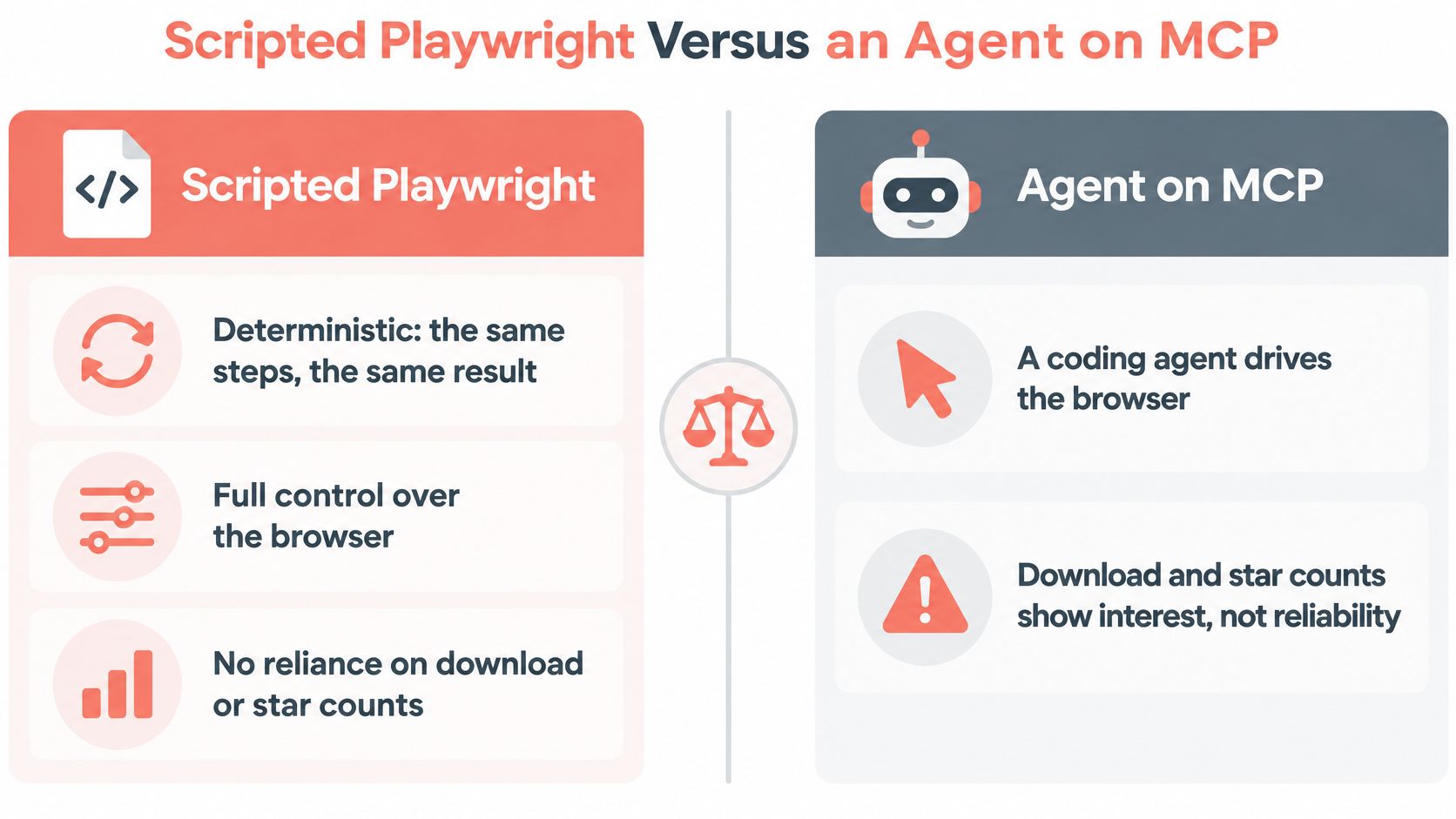
A checkout script can pass today and fail tomorrow because a shared account changed, a session expired, or the test environment drifted. An agent using the same browser does not fix those causes. Scripted tests give you a repeatable path for release gates; agents are better suited to exploring unfamiliar pages and finding flows worth turning into tests.
Five measures for comparing the approaches
Compare both approaches on the same task. Task success measures whether the task finishes. Replayability measures whether a second run follows the same path. Token or context cost captures the effort spent on the interaction. Latency measures how long it takes, and human review burden captures the work needed to trust the result. Changing from a CLI to MCP alone does not guarantee better reliability or lower cost.
Use scripted Playwright for regression gates and flows reviewers need to understand in a pull request. Use an agent for one-off investigation or exploration before you know which assertions to write. Promote a stable path the agent finds into a scripted test with role locators and a web-first assertion.
Security first: set the agent's boundaries before it opens a page.
Restrict where the agent can go and which tools it can use. The guide to sandboxing agent tool calls covers configuration decisions such as navigation allowlists, credential handling, and filesystem scope. Keep login state in a storage file the chat cannot read, and retain a trace or screenshot when you need evidence of what the agent did.
For details on the browser clients and their setup, see this overview of MCP browser automation.
Ship One Workflow and Harden It
One flow passing locally with retries at zero is enough to build on. A fresh context, one role locator, one web-first assertion, and a report you have opened give you more signal than twenty tests nobody has read.
- Commit the test to CI with retries at 2 and tracing at
on-first-retry, then watch the first real run rather than assuming it behaves like the laptop. - Record three numbers over a sustained window: first-attempt pass rate, retry rate, and final pass rate.
- Categorise every retry that appears using the failure classes, then attach either a fix or a regression test to it.
- Add Firefox or WebKit only after a specific page has been shown to render differently, never as a default matrix.
If failures persist past that gate, go back to the failure classes before you change tools or bolt on a stealth plugin. A tool swap leaves shared data, auth state, clocks and early assertions exactly where they were, and you have added a migration to a debugging problem.
When the suite grows enough that runtime hurts, the fix is worker configuration and test independence rather than more retries. This guide to running tests in parallel covers the data and isolation work that makes parallel workers safe.
Reproducibility at the browser layer counts too. Clearcote Labs ships a drop-in Chromium for Playwright where migration is a one-line import change, and a coding agent can install it by following the setup steps without the licence key entering the chat.
Write down the flow, its owner and the trace it produces. The next person should be able to rerun it and read the result without asking anyone how to Playwright in this repo.
Clearcote Labs builds Clearcote, a de-Googled Chromium fork with fingerprint and identity controls implemented in the engine, shipped as a drop-in for Playwright and Puppeteer with SDKs for Python, Node and .NET, free for one concurrent browser and available as Pro or hosted. When the failures you cannot classify keep coming from the browser rather than the test, that layer is worth changing on purpose. Start at Clearcote Labs and run the same suite against a browser that behaves the same way on your laptop, in Docker and on the CI runner.