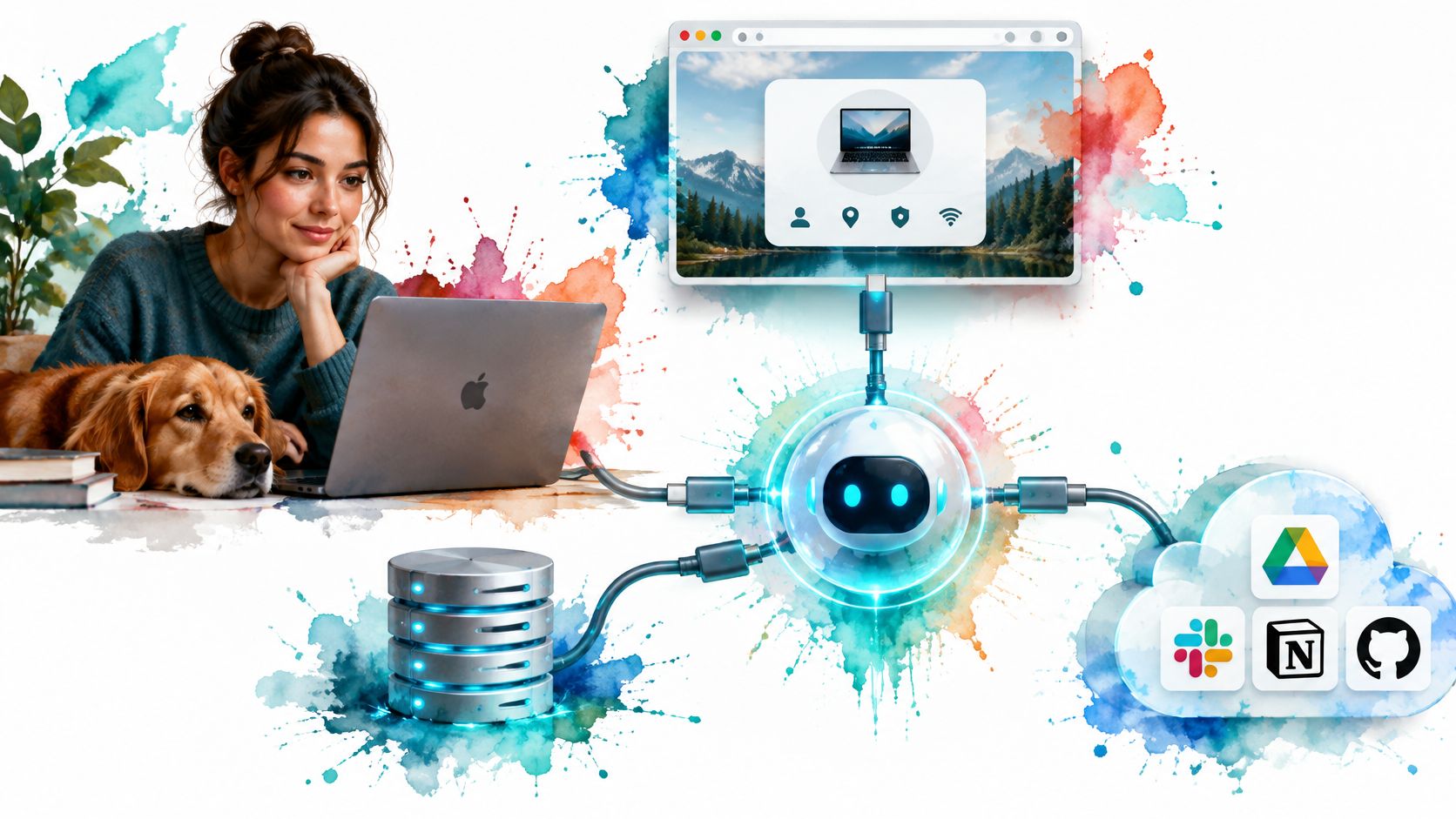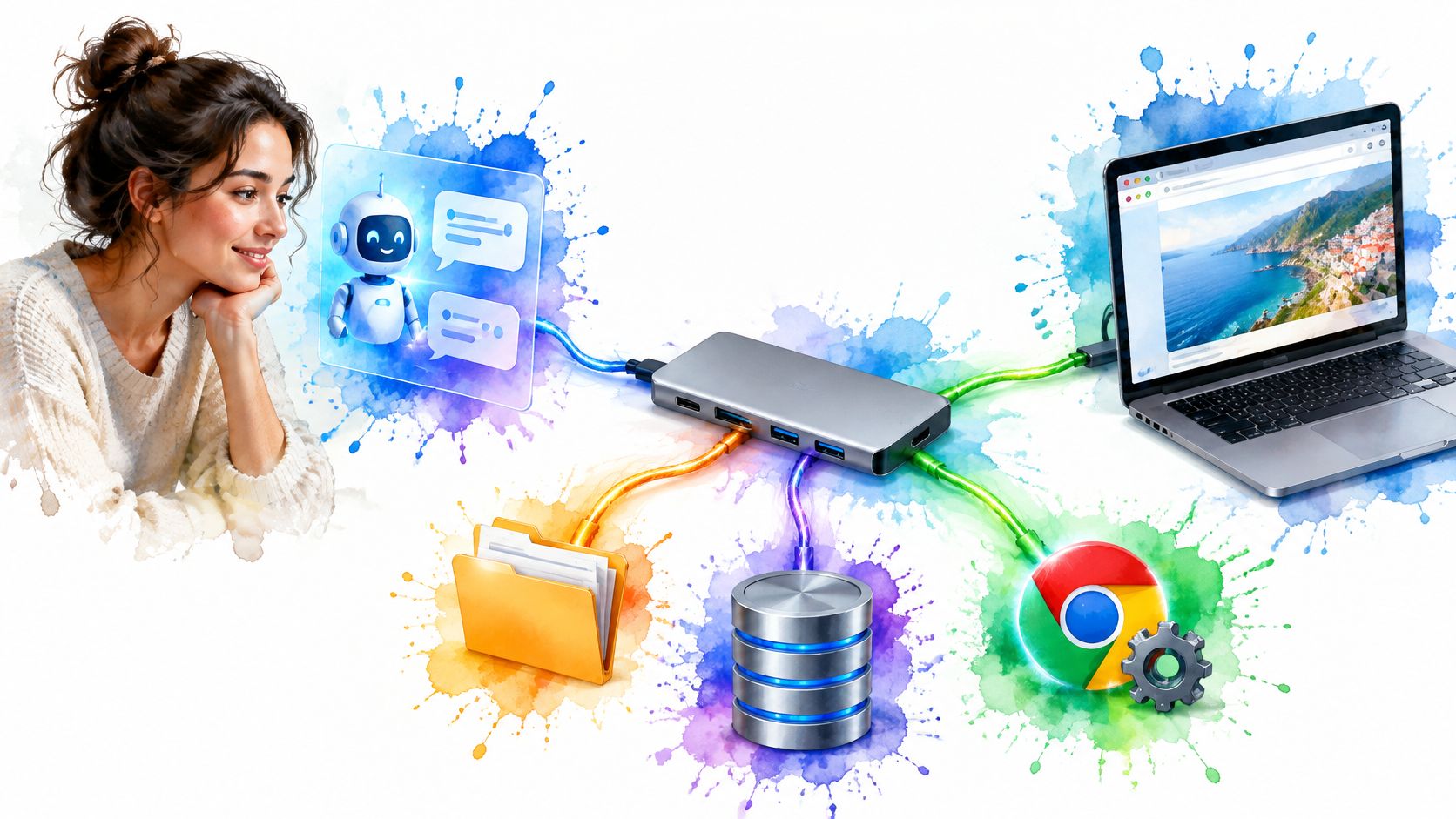
An MCP server is a program that exposes a system's tools, data and prompts to AI clients through the open Model Context Protocol. Think of USB-C: the protocol supplies a shared connection standard, while the server acts as the adapter on the system's side.
You've asked an assistant to inspect a project folder, check a website and prepare a change. It understands the request, but understanding isn't access. Something still needs to connect the assistant to the files, browser and services where the work happens.
That connection is useful only if you can tell what it permits. Before connecting a server, you need to understand both its advertised capabilities and the permissions behind them.
Table of Contents
- What an MCP Server Is in Plain Terms
- How the Host, Client and Server Fit Together
- Tools, Resources and Prompts Compared
- How an MCP Server Gives an AI Client a Browser
- What an MCP Server Controls and What It Cannot
- Security Checks Before You Connect a Server
- Confirm Your Client Supports MCP Before You Build
What an MCP Server Is in Plain Terms
An MCP server is a program that makes a system's actions, contextual data and reusable instruction templates available through a standard interface.
Say you ask an assistant to review a project folder and open a pull request. The assistant may know how to review code, but it can't inspect your filesystem or contact your repository just because you mentioned them. It needs an authorized connection to those systems.
An MCP server provides the system-facing part of that connection. A filesystem server might expose file-reading capabilities; a repository server might expose operations for inspecting changes and creating pull requests. Those implementations still need credentials, validation and error handling.
The standard removes repeated connector work, not the underlying integration work. Without a shared interface, each AI application needs its own way to discover and invoke each service. With MCP, developers can expose capabilities through an interface that compatible clients understand.
Despite its name, a server doesn't have to be a website. It can run locally as a process, remotely, or inside another application.
MCP server versus direct API integration
| Factor | Direct API integration | MCP server |
|---|---|---|
| Integration work | Custom code for each app and each service | Built once, usable by compatible MCP clients |
| Discovery | Developer reads each API's documentation by hand | Server advertises supported tools, resources and prompts |
| Control point | Application code decides every call | Host applies consent policies before permitting tool execution |
MCP often wraps an existing API rather than replacing it. The API still performs the underlying operation; MCP gives an AI application a standard way to discover and request it.
When evaluating packaged integrations, you can compare Mcpgram with similar tools on AI Tool Seekers as a discovery aid. Treat any directory comparison as a starting point, not proof that a server is trustworthy or compatible with your setup.
How the Host, Client and Server Fit Together
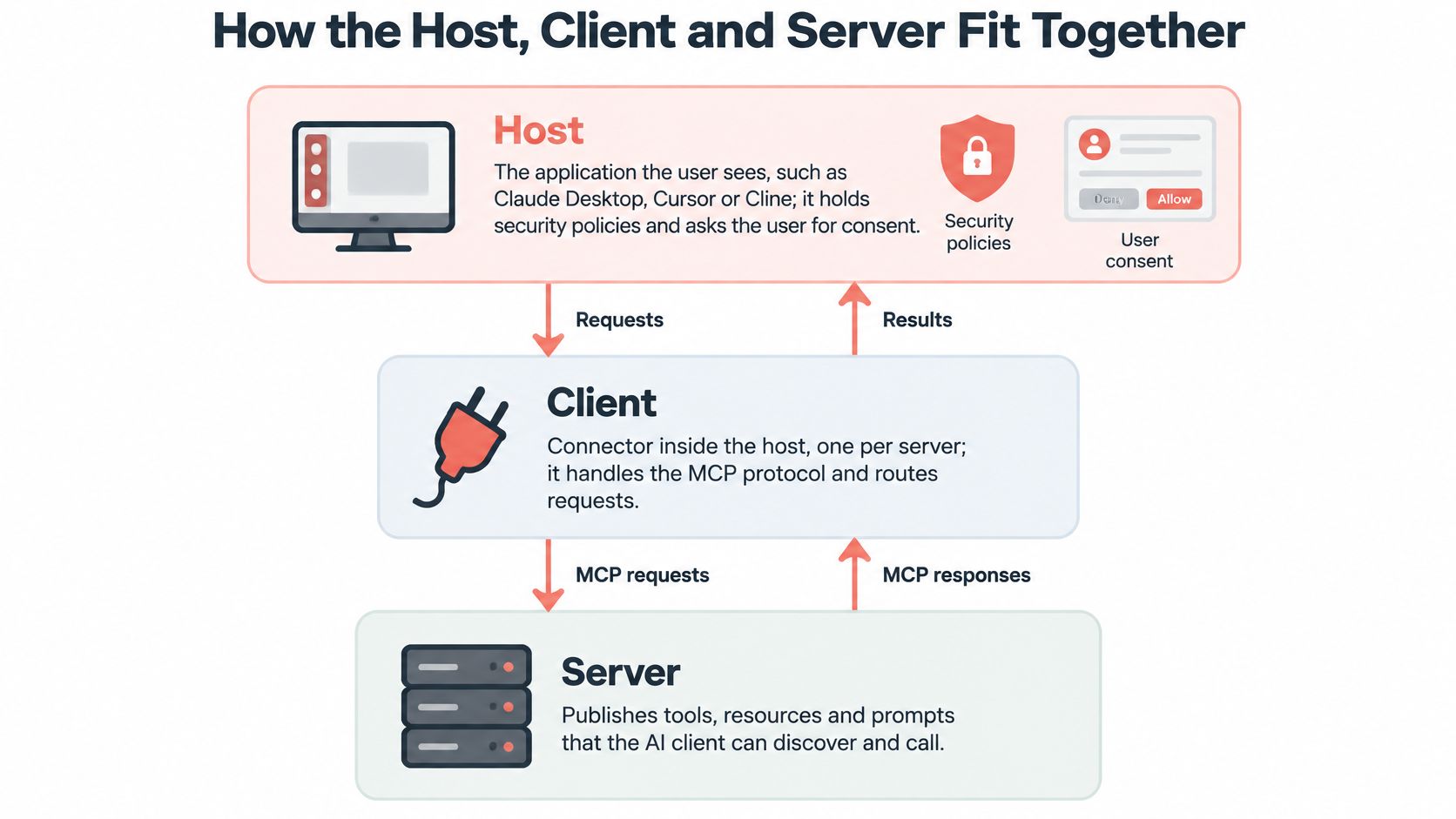
Start with the desktop assistant you interact with. That application is the host. Inside it, an MCP client manages communication with a particular server, which publishes capabilities and handles requests.
The MCP architecture documentation describes the provider-side server, client connections, capability discovery and JSON-RPC communication. Keeping these roles separate helps you locate a problem: a missing tool, a rejected permission and a failed browser operation aren't the same failure.
The diagram shows the relationship between those components.
Follow a request through the connection
A typical discovery-and-execution flow looks like this:
- Connect. The host starts a local server process or connects to a remote server.
- Establish compatibility. The client and server establish which protocol features and versions they support.
- Discover capabilities. The client obtains the available tool, resource and prompt definitions.
- Request an action. The model proposes a tool call with arguments.
- Apply policy. The host evaluates permission requirements, and the client sends an allowed request.
- Return a result. The server executes the operation and sends back output or an error.
The exact setup exchange depends on the protocol version and implementation. Don't assume that every compatible combination uses an identical handshake.
JSON-RPC supplies structured messages for requests, results and errors. It doesn't mean every client supports every optional feature, or that every advertised tool will work without configuration.
A host can maintain connections to a filesystem server, a database server and a browser server at the same time, with a separate client managing each connection. When debugging, identify the server responsible for the failed operation before changing the model's instructions. Better prompting won't repair an expired credential or an unavailable process.
Tools, Resources and Prompts Compared
A server's interface separates actions, context and instructions. That distinction matters because reading information and changing a system require different controls.
The MCP draft architecture specification distinguishes executable tools, contextual resources and reusable prompts, and describes capability declarations that let clients determine which features are available. A server doesn't need to implement every category.
MCP primitives by controller and example
| Primitive | Who controls it | Typical example |
|---|---|---|
| Tools | Model generally chooses calls, subject to host policy and approval | Call an API, query a database, click a browser button |
| Resources | Application decides what context to load | A document, database record or page's HTML |
| Prompts | User selects the template | A code review checklist or report template |
Consider a hypothetical browser integration. A open-page tool opens a page, a page resource exposes its content, and a summarize-page prompt gives the user a reusable way to request a summary. They support the same task without being interchangeable.
Inspect behavior, not just category names
A tool can cause side effects, but it doesn't necessarily write data. A database query tool might be read-only, while another tool updates records. Read its argument schema and implementation permissions rather than inferring safety from its name.
A resource usually provides read-only context, but read-only doesn't mean harmless. Loading a confidential document into a conversation is still a disclosure decision. Prompt templates also deserve inspection because they influence how the user frames a task.
For builders, prefer narrowly scoped operations with validated inputs over an unrestricted remote-control function. A navigation tool with a URL argument is easier to inspect than a general execution tool accepting arbitrary instructions.
Practical rule: Check tools first when judging action risk, then check what sensitive information resources can expose.
How an MCP Server Gives an AI Client a Browser
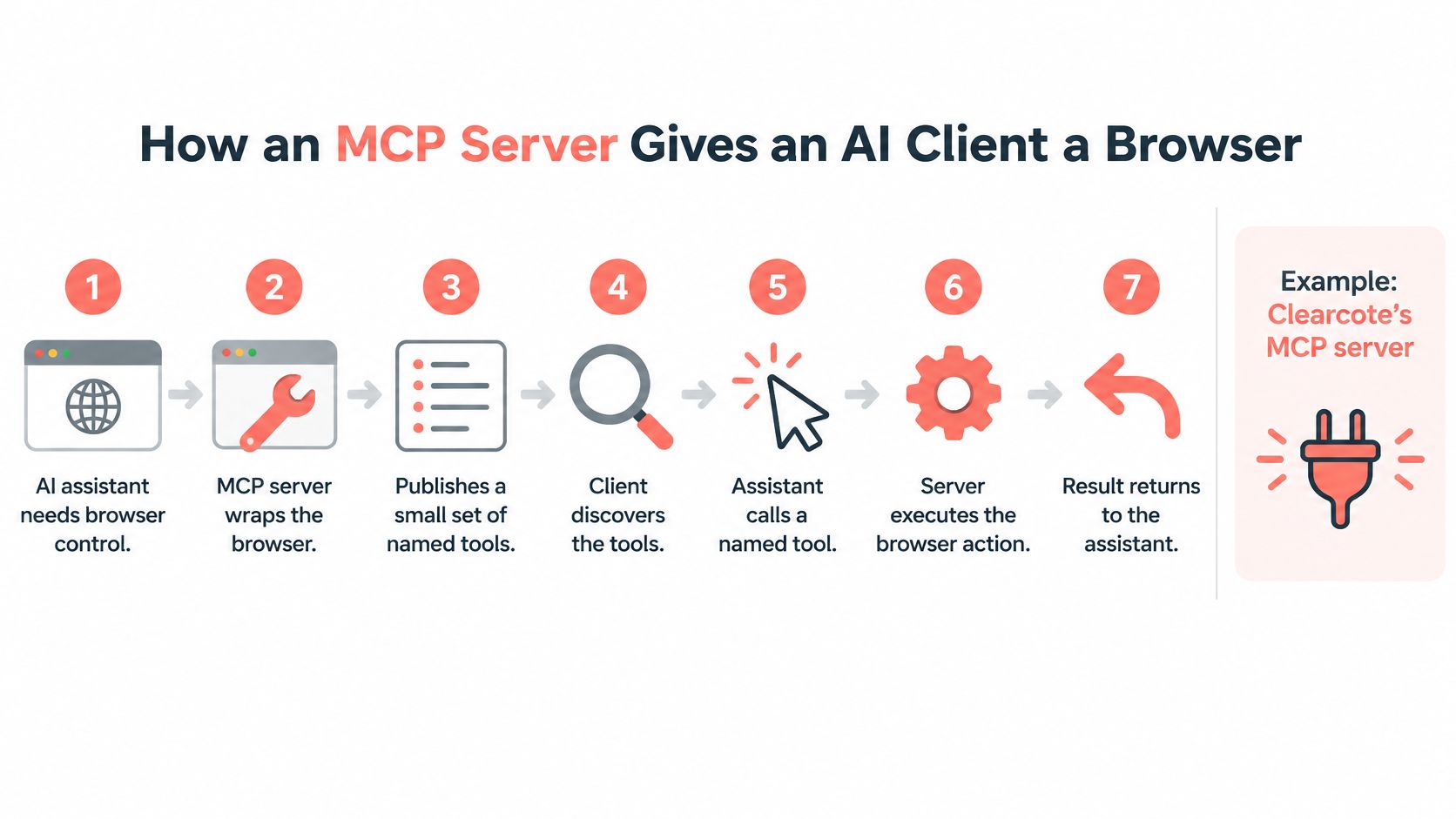
An MCP server gives an AI client a browser the way a remote control gives you a television: every action exists as a named tool, the client picks one, and the server performs it and hands back the result. Installing a browser changes nothing on its own. The client needs an interface that translates a requested operation into browser behavior and returns an observable result.
The Clearcote MCP server lets Claude Desktop, Cursor or Cline drive one shared browser through 20 tools, including read_page, page_elements, click, fill_field, wait_for and screenshot_page. The browser starts as soon as the client launches the server, and the persona is set once through environment variables, keeping the tool interface clean and the browser identity coherent across calls. Because the browser launches without Playwright's automation flag, navigator.webdriver stays false and pages see an ordinary browser rather than a flagged automation session.
Each arrow in the diagram is one of those calls.
Build an observable browser workflow
Walk the loop once against a harmless test form before trusting it with real work:
- Request page load. The assistant proposes
load_pagewith the test page's URL. - Authorize the operation. The host permits the call under its configured approval policy.
- Execute page load. The server loads the page in the browser and returns its result.
- Inspect the page. The assistant requests
read_pageto obtain page content. - Interact deliberately. The assistant uses
fill_fieldandclickon the test form, receiving operation results. - Verify visually. The assistant requests
screenshot_pageto inspect the resulting state.
Each step is a separate call, individually approved and individually able to fail. A successful click result alone does not prove a form submission went through, so check the confirmation text, destination page or screenshot before treating the task as done.
For implementation context, our guide to MCP browser automation connects this execution pattern to browser workflows.
The demonstration below shows the same loop in motion.
Watch the video on YouTubeKeep calls bounded
Tool calls time out after 90 seconds, configurable through CLEARCOTE_MCP_TOOL_TIMEOUT. Split lengthy workflows into bounded operations with explicit checks between them instead of relying on one long, opaque call.
Use wait_for when the page needs time to reach an expected state. After a timeout, inspect the current page before retrying a write action, since the browser may have finished the action after the response failed.
Finally, inspect the full tool surface, because the simple clicking example understates what a browser server can do. evaluate_js runs arbitrary script inside the page, get_cookies exposes session state, save_profile persists a logged-in identity for later calls, and get_cdp_endpoint hands out a debugging endpoint. Read the entire tool list before connecting a server, since its real authority comes from everything it exposes.
What an MCP Server Controls and What It Cannot
An MCP server isn't an agent or a model by itself. It provides capabilities through a protocol. It doesn't independently supply the reasoning that selects a workflow, and its existence doesn't guarantee that user consent is enforced correctly.
The MCP architecture's security boundary assigns security policy and consent management to the host. The server must still enforce its own implementation boundaries, such as credential scopes and input validation.
Approval also isn't a substitute for technical restrictions. If a server holds a broadly privileged credential, an approved tool invocation may have consequences far beyond the user's intended task.
Ask concrete permission questions
For a browser connection, establish:
- Inspection access. Can it read only the visible page, or also inspect underlying HTML and browser state?
- Write access. Can it click purchase controls, submit forms or change account settings?
- File access. Can it download files or write artifacts outside an intended directory?
- Identity retention. Can it read cookies, save sessions or reuse authenticated profiles?
- Network reach. Can it connect to internal services as well as public websites?
- Accountability. Are requests logged, and does the process run inside an appropriate sandbox?
Our URL policy accepts only http and https. It refuses file:, view-source:, chrome:, devtools: and every other scheme. That is a useful boundary, but it doesn't by itself prevent access to sensitive services reachable over permitted schemes.
For lower-level browser access, understanding the Chrome DevTools Protocol helps you distinguish the MCP-facing tool interface from the browser-control interface beneath it.
A permission boundary is meaningful only when the host, server and underlying system enforce it.
A tool can still delete a file, submit a form or expose confidential content when its permissions allow it. MCP-compatible describes interoperability, not a complete security posture.
Security Checks Before You Connect a Server
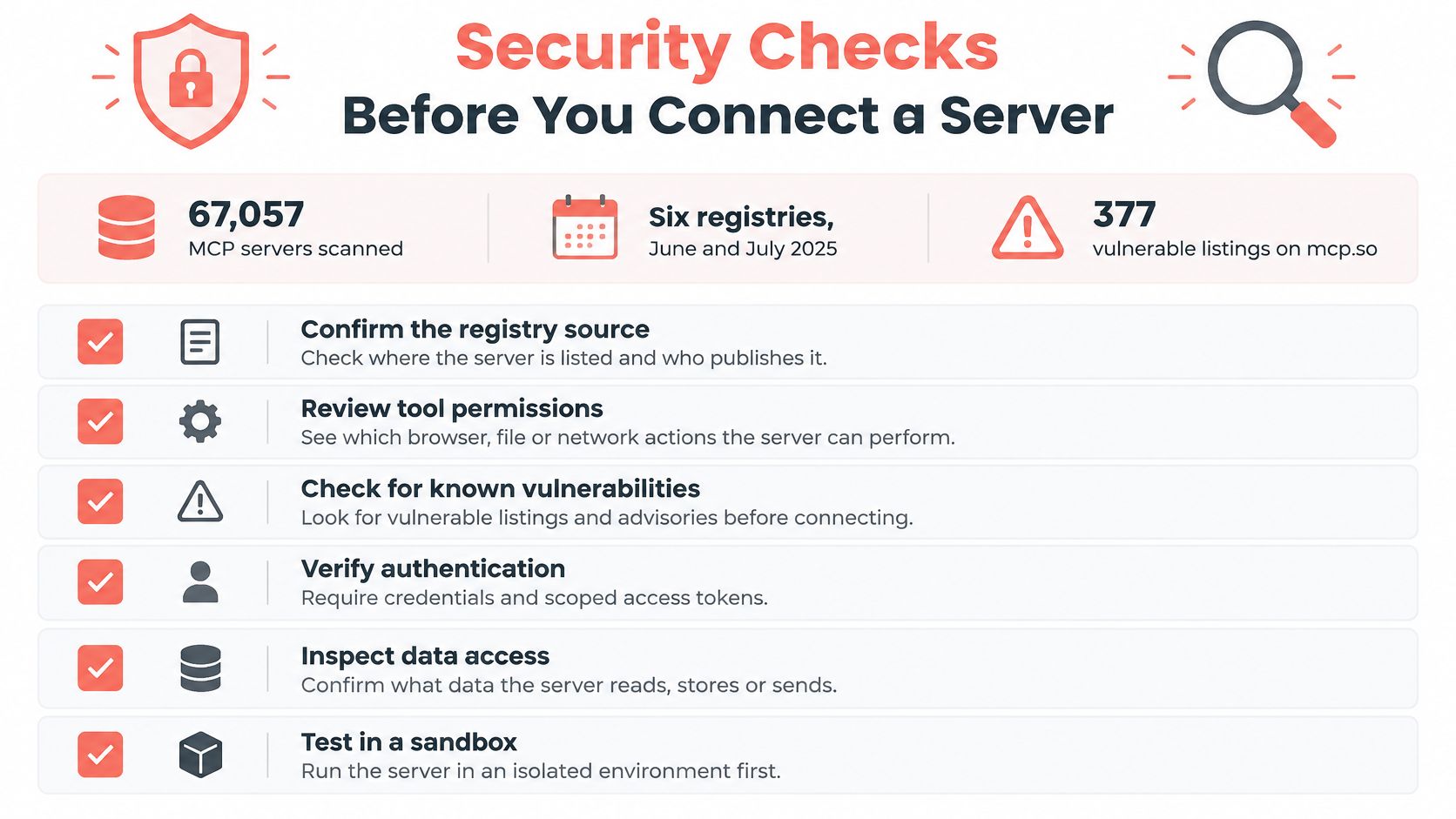
Connecting an MCP server is closer to installing a dependency than enabling a feature: the code runs with whatever access you grant it, so the review happens before the first connection, while changes are still cheap. A large-scale MCP ecosystem study collected 67,057 MCP servers from six registries in June–July 2025 and identified 377 vulnerable listings on mcp.so. Those figures describe the collected listings, so treat them as a reason to inspect each server on its own merits rather than a rate you can apply to the whole ecosystem.
The study also reported redirection hijacking and affix-squatting, where a listing is built to look like a known server's name or entry. A familiar-looking name or registry presence therefore cannot establish that you have found the intended publisher.
The checklist below works as a deployment gate: every item should pass before credentials or filesystem access are attached.
Make the checks repeatable
- Pin the version. Record the exact package or image revision. A
latesttag can point at different code tomorrow than the code you reviewed today. - Verify provenance. Check the publisher, repository and installation instructions against each other. Investigate unexpected redirects or near-matching names before installing anything.
- Read tool descriptions. Descriptions are part of the text the model reads, not only documentation for you. Flag anything unrelated to the tool's purpose, especially requests to reveal secrets or disregard other instructions.
- Restrict credentials. Supply task-specific access rather than a personal administrator credential. Keep secrets out of tool descriptions and conversation text.
- Isolate access. Limit filesystem mounts and network destinations. Run first tests against a disposable account and a throwaway browser profile.
- Require destructive-action approval. Make deletion, form submission and other consequential writes explicit approval events where the host supports them.
- Log outcomes. Record the tool name, relevant parameters and result, while redacting credentials and sensitive content.
A model does not replay a fixed workflow the way a script does, so two similar requests can produce different tool calls or arguments. Test plausible variations beyond the happy path, and check what happens after errors, retries and interrupted connections.
For browser-based agents, keep identity state separate from secrets and make artifact retention deliberate. In our setup, screenshots, PDFs and saved sessions are written to <temp>/clearcote-mcp, a location you can move with CLEARCOTE_MCP_WRITE_DIR, which makes the "where do artifacts land" question easy to answer during review. The agentic web browsing guide applies these controls to browser workflows in more detail.
These checks belong in ordinary deployments too. A routine account with access to internal documents can expose information or make unwanted changes just as readily as a production system.
Confirm Your Client Supports MCP Before You Build
Start with the client, not the connector code. Confirm that your installed application supports MCP and the connection method the server expects. Look for server configuration, connection status and a discoverable tool list rather than assuming that an assistant's general tool support is sufficient.
Then check the execution environment. For our setup, Python 3.10+ is required, and clearcote-mcp 0.3.0 needs the mcp library 1.19 or newer, in the 1.x or 2.x series. Runtime requirements and protocol compatibility are separate checks, so verify both before troubleshooting the model.
Use evidence for the go-or-no-go decision
| Check | Proceed when | Stop when |
|---|---|---|
| Client compatibility | The client connects and lists expected tools | The server remains unavailable or tools don't appear |
| Installation provenance | Publisher and installed version are verifiable | Package origin or revision is unclear |
| Initial permissions | Inspection capabilities work with limited access | Testing requires broad credentials immediately |
| Browser verification | Navigation and a screenshot return useful results | Results are missing, inconsistent or unexplained |
| Write readiness | Approval behavior and logging have been tested | Consequential actions can run without intended controls |
If you're comparing connector approaches, the Apimcp Dev project profile on SubmitMySaas-1 can help identify a candidate to investigate. Verify requirements and implementation details through the project's own documentation before installing anything.
Test in a single client with a harmless page and no sensitive session. Enable inspection operations first, then consider write-capable tools only after you understand their behavior and failure modes.
If the client can't list the tools, or you can't verify the server's source and version, don't connect it yet. Today, make your first test a navigation-and-screenshot task in an isolated profile, and inspect the returned results before granting broader access.
Clearcote Labs offers a browser with engine-level identity controls and an MCP connection for compatible AI assistants. Visit Clearcote Labs to review the setup documentation and test a browser workflow with explicitly scoped permissions.