Your Puppeteer script worked on your laptop, then failed in CI, then failed again against the live site, and nobody can tell whether the problem is a bad selector, a missed navigation, or a browser identity mismatch. That's the part many teams hit first, because Puppeteer automation is easy to start and surprisingly hard to keep coherent once the browser, the network, and the target site stop agreeing with each other.
The useful mental model is simple. Treat each failure as one of three buckets, selector logic, protocol overhead, or identity consistency, then debug each bucket separately instead of piling on waits and retries. If you're also deciding where the jobs should run, choosing the right CI/CD platform matters because browser automation breaks differently in local shells, ephemeral runners, and long-lived agents.
Table of Contents
- When Your Puppeteer Script Works on Your Laptop and Nowhere Else
- Why CDP and Chromium Version Drift Shape Every Puppeteer Decision
- Setting Up Puppeteer and the Three Patterns That Stop Flakiness
- Choosing How Puppeteer Connects to a Real Browser
- Coherence Beats Stealth When Anti-Bot Signals Stack Up
- A Diagnostic Workflow for Puppeteer Failures That Look Like Timing
- Operating Checklist for Puppeteer Automation in 2026
When Your Puppeteer Script Works on Your Laptop and Nowhere Else
The first sign of trouble is usually boring. A login flow passes in headed mode on a dev laptop, then times out in CI, or the click lands but the next page never appears, or the page loads but the wrong data shows up. That's where teams lose time, because the same failure can come from a brittle selector, a race on navigation, or a browser fingerprint that the target application doesn't trust.
Start by naming the failure mode
A selector bug means the DOM path you targeted no longer matches the page. A timing bug means the element exists, but the script acted before the page had finished the state change you needed. An identity bug means the browser says one thing while the engine, workers, or network stack says another, and the site reacts to that inconsistency rather than to your JavaScript.
Practical rule: don't “fix” a broken script with a longer timeout until you know which bucket it belongs to.
That distinction matters because the browser can be stable while the automation still fails. Puppeteer landed as a CDP-based controller for headless or full Chrome in 2017, and that made browser actions programmable instead of purely UI-driven (history of Puppeteer). But programmability doesn't remove the need for coherent state, especially when CI, proxies, and anti-bot checks are in the path.
The hidden trap is that most tutorials optimize for the happy path. Real production work starts when your script has to survive reruns, different Chromium builds, and sites that inspect more than just the page DOM. That's why the next question isn't “how do I click?”, it's “what exactly is the browser emitting, and does it stay consistent everywhere?”
Why CDP and Chromium Version Drift Shape Every Puppeteer Decision
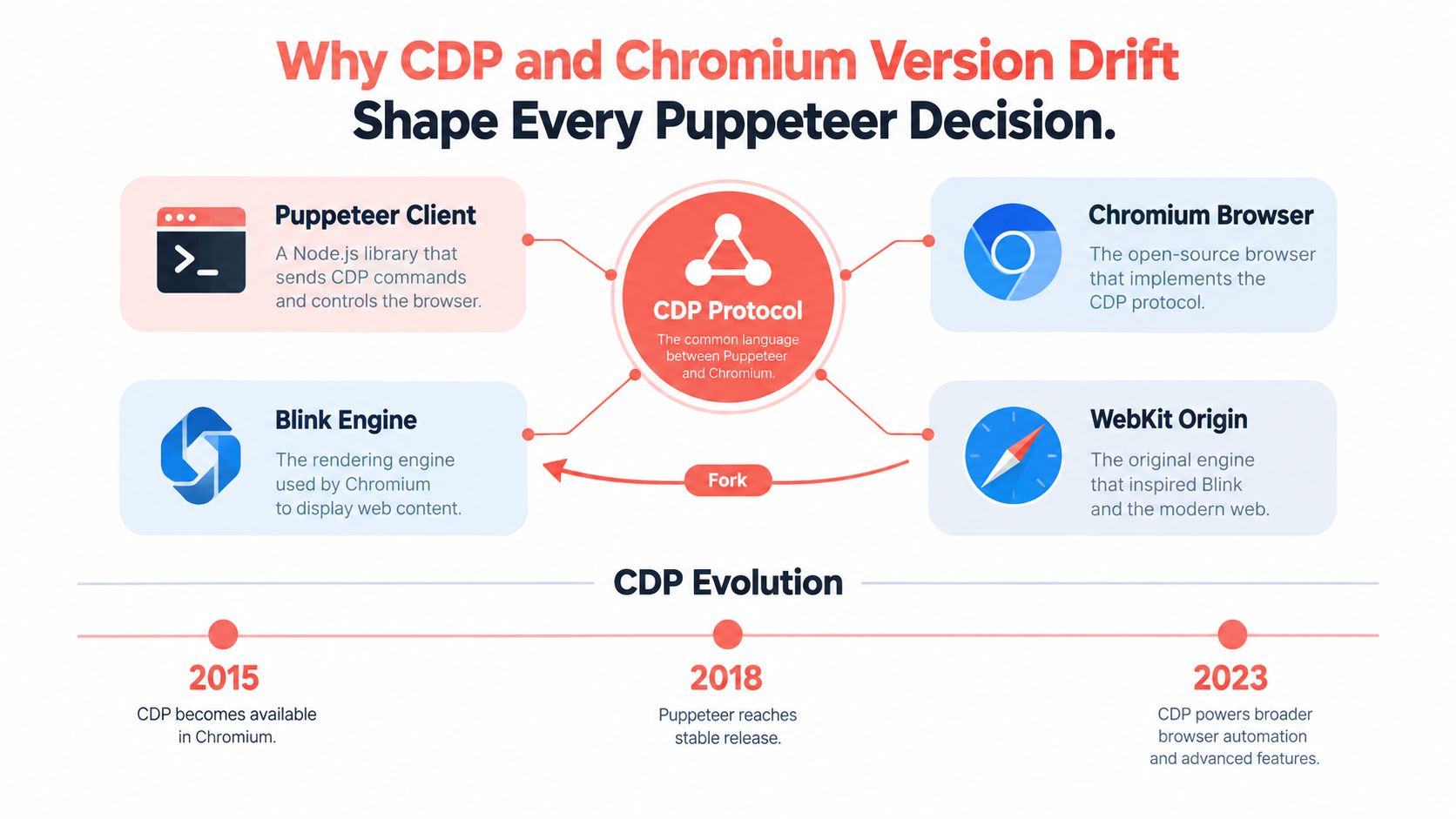
Puppeteer isn't a big abstraction layer. It's a client over the Chrome DevTools Protocol, and that protocol came out of the browser's own inspection and debugging path after the Blink fork from WebKit in 2013, with CDP version 1.3 tagged stable around Chrome 64 (history of Puppeteer). That origin explains why Puppeteer feels powerful and also why it inherits browser-level constraints instead of hiding them.
Throughput lives in the protocol, not just in Chromium
The bottleneck in large jobs often isn't rendering. It's the number of back-and-forth protocol calls your script makes. A controlled comparison reported roughly 318 to 320 client-protocol messages to read 40 fields from 20 product cards, and a 600-card path reached 1,832 messages before extraction even finished (browser automation tools comparison). That's why repeated elementHandle calls are expensive when a single page.evaluate() can return a structured array in one round-trip.
Version drift is a coherence issue
Puppeteer 1.0.0 shipped in January 2018 and bundled Chromium 65, which tied the automation library to a specific browser surface (history of Puppeteer). That matters because the browser version isn't just a runtime detail, it shapes the identity the target site sees through browser behavior, supported features, and protocol surfaces. When people call this "fingerprinting," the underlying engineering problem is coherence, the browser needs to look like one browser everywhere, not like several stitched together.
| What changes | Why it matters |
|---|---|
| Browser version | Changes the surface area your automation can use and what the target sees |
| Protocol traffic | Determines whether your job is CPU-bound or message-bound |
| Execution path | Affects whether you're testing rendering, navigation, or signal consistency |
The practical takeaway is simple. If the browser binary and the claimed identity diverge, every downstream test becomes harder to trust. If the protocol round-trips pile up, every extra locator call costs you more than it looks like on paper.
Setting Up Puppeteer and the Three Patterns That Stop Flakiness
A clean baseline doesn't need much code. Install Puppeteer, launch one browser, create one page, and keep the default timeout explicit so failures are visible instead of hidden. From there, the work is less about “more code” and more about removing race conditions, protocol chatter, and unnecessary browser churn.
Event-first waits
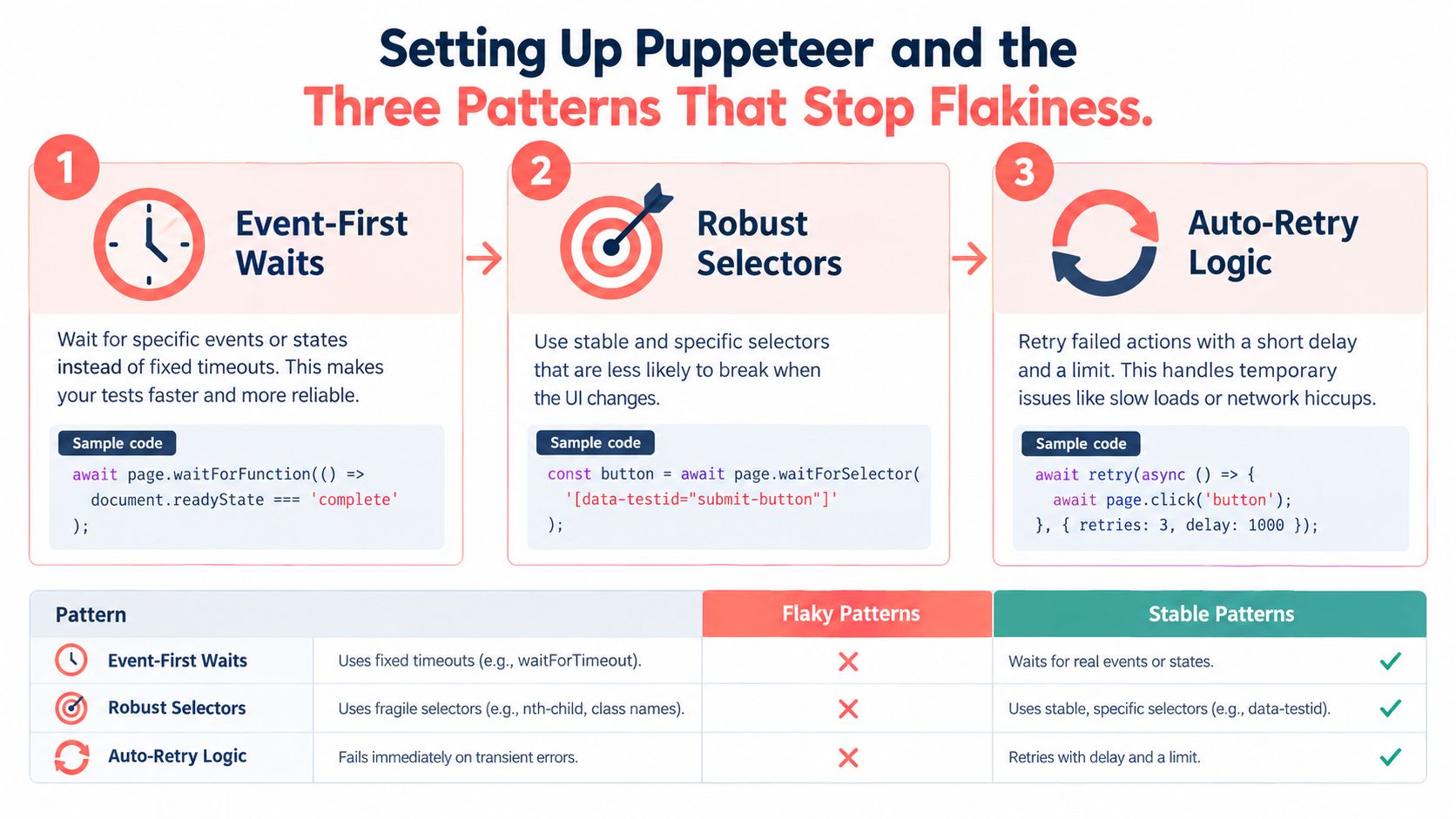
The navigation promise has to exist before the click that causes navigation. This is the safe pattern.
await Promise.all([
  page.waitForNavigation({ waitUntil: "domcontentloaded" }),
  page.click(selector),
]);
If you register waitForNavigation() after click(), a fast navigation can finish before the listener exists, and the script hangs or times out (waiting in Puppeteer). That's not a subtle optimization, it's the difference between deterministic flow and a race.
Batched extraction
A single page.evaluate() can return the fields you need as one structured payload instead of walking every card one method call at a time. That pattern matters because protocol messages, not DOM reads, often dominate large scraping or reporting jobs (browser automation tools comparison).
const rows = await page.evaluate(() =>
  [...document.querySelectorAll(".card")].map(card => ({
    title: card.querySelector("h3")?.textContent?.trim(),
    price: card.querySelector(".price")?.textContent?.trim(),
  }))
);
Operational rule: query stable containers once, then extract in bulk.
Reusable contexts
Launching one browser per URL is wasteful. Reuse browsers, pages, or contexts when isolation allows it, because churn adds startup cost, more memory pressure, and more places for failure. The same controlled comparison measured Chromium at about 416 to 532 MB and 1.32 seconds of CPU time for that workload, which is enough to make per-URL relaunches a poor default at scale (browser automation tools comparison).
For teams that want a browser baseline with engine-level fingerprint controls, Clearcote Labs offers a drop-in Chromium fork for Puppeteer workflows, but the core pattern still stays the same, reuse what you can and validate what you can't. The utility link for a browser-focused setup guide, https://www.clearcotelabs.com/blog/headless-chrome, is useful if you need a quick refresher on headless trade-offs in production.
| Pattern | Flaky version | Stable version |
|---|---|---|
| Navigation | Click, then wait | Promise first, click second |
| Data collection | One call per card | One evaluation, structured return |
| Browser lifecycle | Relaunch per URL | Reuse browser and contexts |
Choosing How Puppeteer Connects to a Real Browser
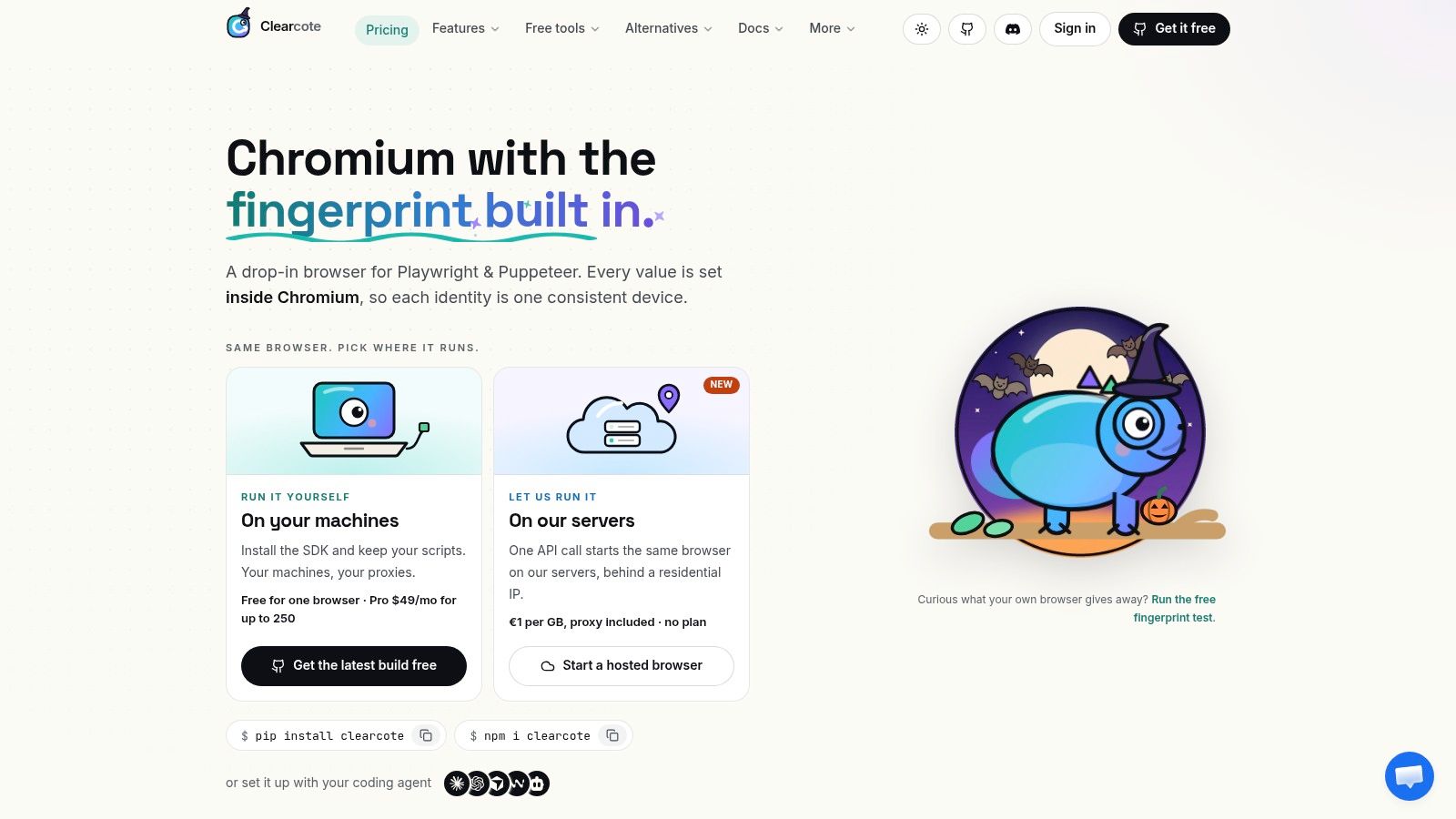
The browser has to live somewhere, and that location changes how you operate. A local Chrome instance is the easiest path for development and debugging. A standing CDP endpoint or Dockerized browser is better when you want reproducible runs. A hosted browser fits teams that need remote execution without owning the browser fleet, and a binary swap fits teams that want identity consistency without rewriting their automation.
Decision matrix
| Runtime | Best fit | Trade-off |
|---|---|---|
| Local Chrome | Fast development and manual debugging | Hard to standardize across machines |
| Docker or standing CDP endpoint | CI and reproducible QA | More setup and lifecycle management |
| Drop-in binary swap | Teams that want identity or browser changes with the same API | Requires trust in the browser build |
| Hosted browser | Distributed execution and less proxy plumbing | Adds a vendor dependency and network hop |
The point isn't to crown one runtime. It's to match the runtime to the job. If you're validating selectors and flow logic, local Chrome is enough. If you're debugging across environments, a fixed endpoint reduces accidental variation. If you need a browser that emits a more coherent identity from the engine itself, a drop-in browser build is cleaner than stacking patches in JavaScript.
The related discussion in AI browser agent work is useful here because agentic browsing has the same operational pressure, stable browser control matters more than clever wrapper code.
Watch the video on YouTubeWhat changes in practice is the blast radius. A laptop Chrome session tolerates ad hoc debugging. A CI runner or hosted browser needs repeatable startup, explicit identity assumptions, and a clear policy for retries and evidence capture.
Coherence Beats Stealth When Anti-Bot Signals Stack Up
The popular advice is to strip navigator.webdriver, swap the user agent, and call it stealth. That treats one visible signal as the whole problem, and it misses the larger issue that modern anti-bot systems can compare behavior across the main thread, workers, iframes, and CDP side effects. If the browser says one thing in JavaScript and another thing in the engine, the mismatch is what gets noticed.
Check the whole browser, not one flag
A browser can look patched in one place and inconsistent in another. Security analysis has noted that Puppeteer can expose identifiable artifacts through stack traces and internal function bindings, and that anti-bot systems may inspect CDP side effects rather than rely on the user-agent string alone (security analysis). That means the question is not whether a single property is hidden, it's whether the claims line up across execution realms.
A practical coherence check looks like this:
- Main thread vs worker values: compare locale, timezone, and other environment signals.
- Canvas and GPU read-back: verify that the pixels match the claimed rendering path.
- Network handshake consistency: make sure the transport surface matches the declared browser version.
Practical rule: if one layer is patched but the browser still disagrees with itself, you haven't solved the identity problem.
A browser-level approach can be cleaner here than script-level masking. If the engine itself emits coherent values, you reduce the number of places where drift can appear. That's not magic, it's just less stitching.
The related proxy guidance in proxy for web scraping is relevant when the exit IP, locale, and browser claims need to line up. A proxy alone doesn't fix signal mismatch, but it does become part of the consistency story when routing is part of the identity model.
A Diagnostic Workflow for Puppeteer Failures That Look Like Timing
The wrong instinct is to add sleep() calls until the page seems calm. That hides symptoms and makes the next failure harder to read. A better workflow is to classify the failure before changing the script, then collect the artifacts that prove which layer broke.
Step 1, reproduce in headed mode
Run the same flow with a visible browser and watch the console and network trace. If the failure disappears, that points to environment drift, not just selector logic. If it persists, you've ruled out one common source of confusion.
Step 2, compare browser and network identity
Capture the user-agent, TLS fingerprint, and a canvas hash, then compare them against a known-good browser. If the values differ in ways the application can detect, the failure isn't a timing issue at all. It's an identity mismatch wearing a timeout costume.
Step 3, inspect workers and iframes
Don't stop at window.navigator. Check whether workers and embedded frames return the same locale and timezone data. Mismatches across realms are the kind of inconsistency that patched scripts often miss.
Step 4, read the stack trace carefully
Puppeteer can leak runtime fingerprints through internal bindings and stack artifacts, even when navigator.webdriver is cleared (security analysis). That's a clue, not noise. If the trace names browser automation internals, the target may be reacting to the environment rather than the DOM.
Step 5, keep an audit trail
Store HTML snapshots, screenshots, console logs, and network traces alongside timing data. Those artifacts tell you whether a selector shifted, a wait fired too soon, or the browser itself emitted the wrong signal.
A team can't repair what it didn't capture. That's why evidence beats guesswork every time in production automation.
Operating Checklist for Puppeteer Automation in 2026
The short version is this. Use event-first waits, batch DOM reads, and reuse browser resources whenever isolation allows it. Pick a runtime that matches your operational needs, then validate coherence across the main thread, workers, iframes, and the network stack before you blame the selector.
Keep the artifacts that let you classify failures later, HTML snapshots, screenshots, console logs, network traces, timing data, and selector-change alerts. That matters because Puppeteer is an automation library, not a test-management system, so the reliability and governance layer has to come from your process, not from the API itself.
If your team also needs a documentation trail around how browser flows are expected to behave, technical documentation is useful as a companion discipline because the same evidence you keep for QA helps operations and support explain what changed. The teams that survive long-term are the ones that make failures legible, then fix the right layer once.
Clearcote Labs builds a browser stack for teams that need Puppeteer to stay coherent across the engine, the network, and the automation layer. If you're debugging identity drift, CI flakiness, or browser runtime mismatches, visit Clearcote Labs and evaluate whether a browser-level approach fits your workflow.