The most rigorous public test of fingerprint analysis produced a result that cuts against how matches are commonly discussed. Among 169 latent-print examiners studied for a paper in the Proceedings of the National Academy of Sciences, the false-positive rate was 0.1% while the false-negative rate was 7.5%, and 85% of examiners made at least one false-negative error, as the National Institute of Justice review of the latent fingerprint black box study records. A non-match is not proof of difference.
Browser fingerprint analysis inherits that asymmetry, and it inherits the older discipline's core problem too, which is retrieval at scale. Scotland Yard adopted the Henry-Galton classification in 1901, the FBI's Identification Division was searching roughly 30,000 fingerprint cards a day by 1924, and the IAFIS system that went fully operational on July 28, 1999 held images for more than 64 million individuals, according to a minutiae-based fingerprint matching overview. Signals only matter if a system can index them and compare them consistently.
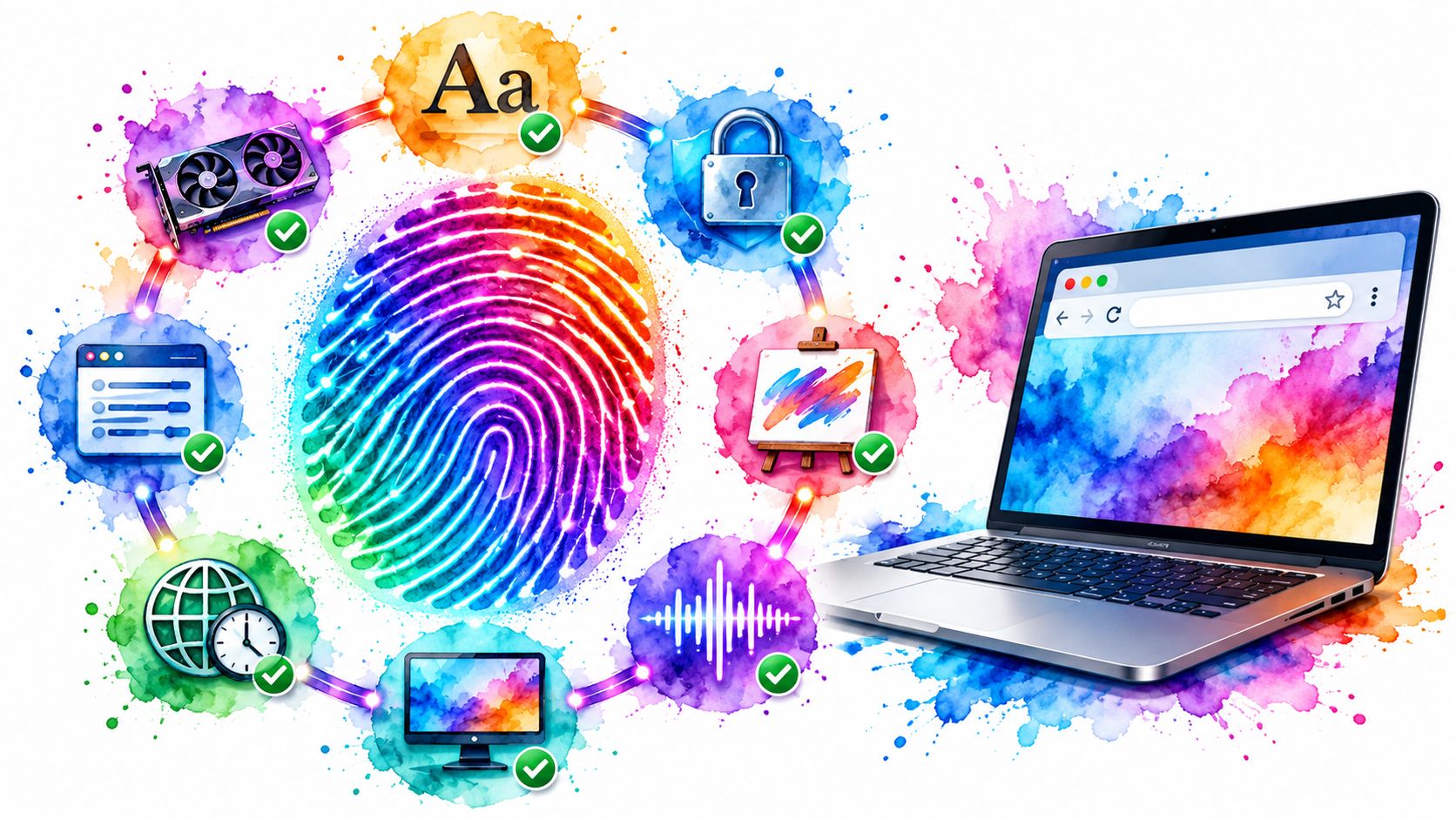
A browser makes hundreds of implicit claims about itself: which GPU renders its pixels, which fonts its OS ships, which TLS library shakes hands on its behalf. Fingerprint analysis techniques read those claims and compare them against each other. Synthetic media gets caught by the same internal inconsistency, which is what this breakdown of GAN and diffusion artifacts explained is really describing. Here are the eight techniques that matter, what each one examines, and how testing and research teams verify that an identity holds together across sessions, realms, and network layers.
Table of Contents
- 1. Canvas Fingerprinting
- 2. WebGL and WebGPU Renderer Fingerprinting
- 3. AudioContext Fingerprinting
- 4. Font Enumeration and Locale Fingerprinting
- 5. TLS Fingerprinting With JA3 and JA4
- 6. HTTP/2 and Header-Order Fingerprinting
- 7. Cross-Realm and Client Hints Coherence Analysis
- 8. Behavioral Biometrics in Mouse, Keyboard, and Timing
- Eight fingerprint analysis techniques at a glance
- Test Your Own Stack Before Someone Else Does
1. Canvas Fingerprinting
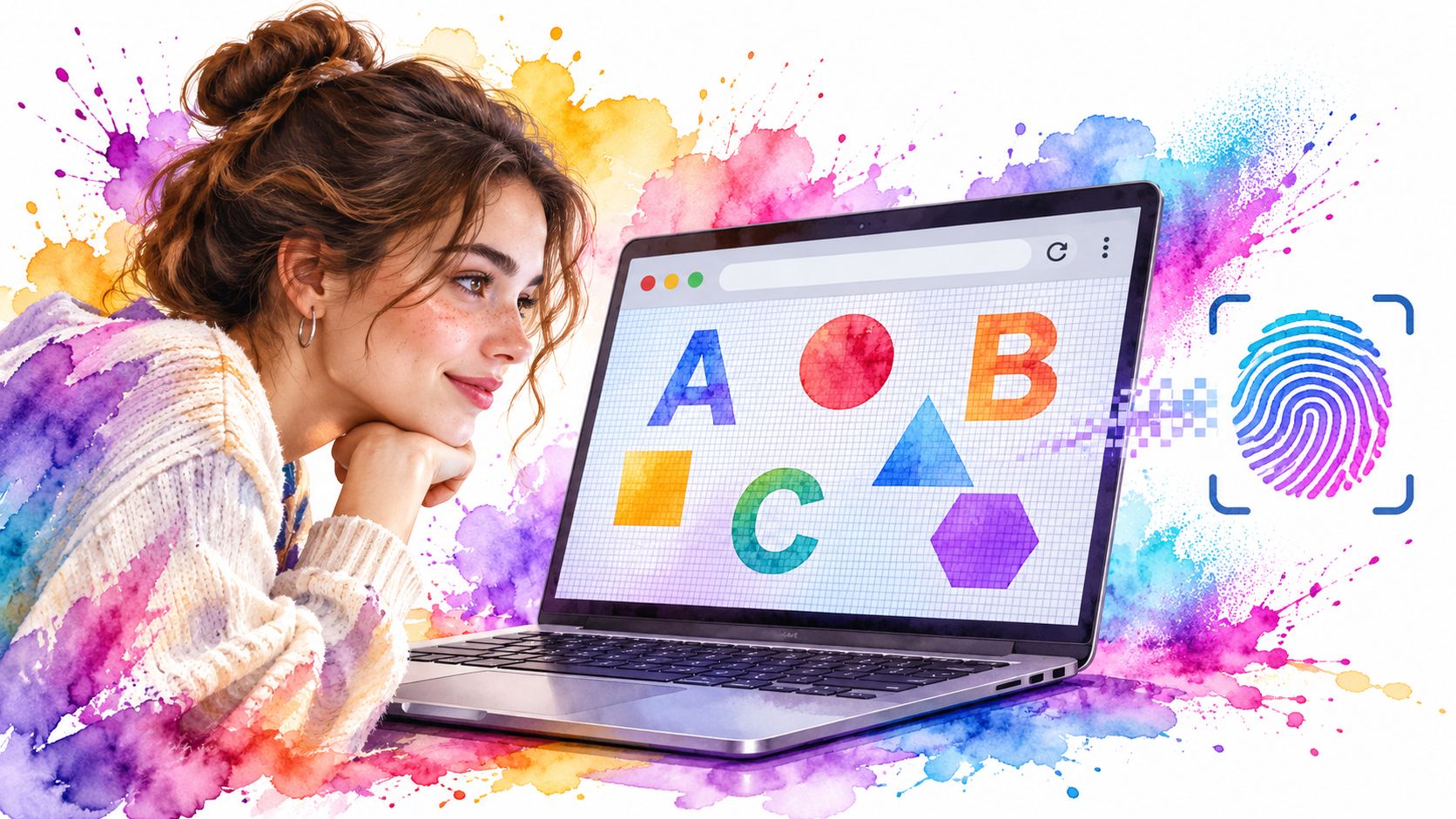
A script draws text, shapes, and gradients into an HTML5 canvas element, then reads the pixels back with toDataURL() or getImageData(). The bytes that come back depend on the GPU, the graphics driver, the OS font rasterizer, and the anti-aliasing path. The same drawing commands produce slightly different pixels on different machines and identical pixels on the same one.
What a canvas hash actually proves
A canvas hash proves that this rendering stack executed these commands. It doesn't prove the stack matches the browser's own claims about itself. Run the second check before you trust the first. A persona presenting an RTX 4070 on Windows while returning output indistinguishable from a software rasterizer is broken, however unique its hash looks.
Uniqueness is thinner than early fingerprinting writing assumed. A 2024 ACM Web Conference study estimated fingerprinting risk from telemetry collected across tens of millions of real Chrome browsers and found that treating Canvas, WebGL, fonts, and screen properties as independent signals substantially overestimates entropy, because in practice they correlate, as the population-scale study of fingerprinting risk reports. A canvas entropy figure quoted on its own is a ceiling nobody reaches.
- Compare every read-back path:
toDataURL(),getImageData(), andOffscreenCanvas.convertToBlob()should agree pixel for pixel, because a patch that wraps one method leaves the others raw. - Hash decoded pixels, not PNG bytes: some tooling alters compression settings rather than image data, and a byte hash of the file hides that.
- Repeat the draw inside a worker: OffscreenCanvas in a Worker finds main-thread-only patches faster than anything else in this list.
Say a QA team seeds forty personas for a checkout suite and finds three different canvas hashes for the same persona. The usual cause is a noise layer applied per session instead of a seeded transform, which turns a reproducible identity into a random one.
2. WebGL and WebGPU Renderer Fingerprinting
Graphics APIs answer a question the user agent string only pretends to answer. What hardware is drawing this page?
WebGL exposes it through getParameter with UNMASKED_VENDOR_WEBGL and UNMASKED_RENDERER_WEBGL, plus getSupportedExtensions(), getShaderPrecisionFormat(), and the MAX_TEXTURE_SIZE family of limits. WebGPU goes further through navigator.gpu.requestAdapter(), whose adapter.info returns vendor, architecture, device, and description. Rendering a shader scene and hashing the output adds the floating-point behaviour of the GPU itself.
How common the technique is
A large-scale measurement of the 1,000 most-visited websites found active fingerprinting on 31.28% of them, with JavaScript enumeration and WebGL among the most common mechanisms, according to the in-the-wild fingerprinting measurement. The same work documents discordant combinations, browser and operating-system pairings whose signals disagree with each other. A renderer string is one of the fastest ways to catch a discordant pairing.
Field rule: a renderer string is a claim about the machine. The extension list, the precision formats, and the rendered output are the evidence.
Where synthetic GPU identities crack
ANGLE renderer strings carry the platform inside them. A Direct3D11 path belongs to Windows, a Metal path to macOS, and an OpenGL path to Linux or Android. A persona claiming macOS while reporting a Direct3D device contradicts itself in a single call.
- Reconcile three sources:
UNMASKED_RENDERER_WEBGL, WebGPUadapter.info, andnavigator.platformshould describe the same machine. - Ban software rasterizers in production: SwiftShader or llvmpipe inside a container is the classic automation tell, and it undercuts any discrete-GPU persona.
- Load captured profiles instead of inventing strings: an invented renderer rarely matches a real extension list or precision-format set, and the mismatch is trivial to test for.
Graphics is one layer of a wider problem, and this primer on what browser fingerprinting actually measures is the right starting point before you build a persona model.
3. AudioContext Fingerprinting
Audio costs almost nothing to collect and needs no permission prompt, so it appears in most fingerprinting libraries as a free extra signal.
What the audio hash measures
A script builds an OfflineAudioContext, feeds an oscillator through a DynamicsCompressorNode, renders the graph to a buffer, then sums or hashes the float samples. The result depends on floating-point rounding, the OS audio stack, and the sample rate in use. It's as deterministic as canvas and cheaper to verify: the same engine, driver, and rate return the same buffer months apart.
Physical prints behave differently. A Scientific Reports study of 744 fingerprints from 330 volunteers reported 83.3% accuracy in distinguishing prints deposited 0 to 4 days earlier from those deposited 10 to 15 days earlier, per the study of how latent fingerprints change with age. Digital audio has no such decay curve, which means any change in the output is evidence about the environment rather than natural drift.
- Render twice per session: an identical sample sum is the pass condition, and it costs one extra call.
- Check the device properties:
sampleRate,maxChannelCount, andbaseLatencyshould fit the claimed OS and hardware. - Treat a missing AudioContext as a signal: a hardened browser or a restrictive permissions policy that blocks the API is itself a distinguishing trait, so record it rather than pretending the API exists.
A persona modelled on a laptop reports a 44100 Hz context while the container's audio device runs at 48000 Hz. That one field contradicts the rest of the profile, and it's visible in a single line of the dumped buffer.
4. Font Enumeration and Locale Fingerprinting

Fonts were the original high-entropy signal on the web, and they still catch mismatches that canvas misses.
Reading the installed set
Enumeration works by rendering a candidate family and measuring it. Set a span to a font stack ending in a known fallback, then compare offsetWidth or canvas measureText() output against the fallback's metrics; a width difference means the font is installed. document.fonts.check() answers for a specific family and weight, and queryLocalFonts() returns the full list in browsers that permit it behind a permission prompt.
Locale is the second half of the same signal. navigator.languages, the Accept-Language header, Intl.DateTimeFormat().resolvedOptions().timeZone, number and currency formatting, and the first day of the week all come out of one regional bundle. When they disagree with each other, the identity is synthetic.
The stakes are measurable. A literature review of browser fingerprinting reports identification rates of 96.23% of users in one study, 83.6% in Eckersley's dataset, and 81% in a later dataset of more than 4 million fingerprints built from 262 attributes, with installed fonts and plugins, User-Agent data, Accept headers, and screen resolution the most identifying historical signals, per the review of browser fingerprinting research. The same review notes that 37.4% of repeat visitors presented a changed fingerprint, which is the trade-off most persona designs ignore.
- Bind font sets to the OS persona: Segoe UI and Calibri belong to Windows, Helvetica Neue and Menlo to macOS, DejaVu and Liberation to Linux.
- Match timezone, language, and Intl output to the exit IP: a German residential IP with an en-US
Accept-Languageand an Asia/Tokyo timezone fails the cheapest check in the book. - Freeze the list per persona: fonts that vary between runs turn a stable identity into noise, and noise is what drift detection flags.
A scraping fleet routing through Frankfurt with a browser profile built in California is the standard failure. The headers say en-US, Intl formats dates the American way, and the timezone reports America/Los_Angeles while the exit IP geolocates to Hesse. Three fields, one contradiction.
5. TLS Fingerprinting With JA3 and JA4
TLS analysis happens before a single line of JavaScript runs, which is what makes it hard to argue with.
What the ClientHello carries
The first message of the handshake lists cipher suites in a specific order, the extensions the client supports, the elliptic curves and point formats, the supported versions, and the ALPN protocols. Every value comes from the TLS library inside the browser build, not from page script. JA3, which Salesforce's research team released, joins those fields into a string and hashes it with MD5. FoxIO's JA4 rewrites the format into separate, sortable segments for protocol, version, SNI presence, cipher and extension counts, ALPN, and a truncated hash, which makes it far more resistant to clients that randomise extension order.
The mismatch that gets caught
A TLS fingerprint describes the network stack, so it exposes any client whose transport and presentation layers come from different software. A headless Chromium that loads the document and a Python client that fetches the API calls produce two different fingerprints inside one session.
Measurement note: re-baseline your JA4 after every Chrome release. Cipher preferences and extension sets change between builds, and a stale baseline is indistinguishable from a spoof.
- Run the browser engine end to end: a generic HTTP library wearing a Chrome user agent fails at the handshake, whatever the headers say.
- Keep one client per session: asset requests, XHR calls, and websocket upgrades should all leave from the same stack.
- Check what your proxy does to the handshake: a terminating proxy produces its own fingerprint, and that's the one the origin logs.
Passive network observation tells you what any middlebox can infer, and this walkthrough of traffic analysis for hotel networks shows how much that is. For comparing your own output against real builds, this list of browser fingerprinting tools covers the JA3 and JA4 testers worth using.
6. HTTP/2 and Header-Order Fingerprinting
TLS is the first passive layer. HTTP/2 is the second, and it leaks more than many expect.
The fields that vary by engine
The connection preface is followed by a SETTINGS frame whose values differ by browser: HEADER_TABLE_SIZE, ENABLE_PUSH, MAX_CONCURRENT_STREAMS, INITIAL_WINDOW_SIZE, MAX_FRAME_SIZE, and MAX_HEADER_LIST_SIZE. Window update increments, the presence or absence of priority frames, the order of pseudo-headers, and the order and casing of ordinary request headers all follow the engine's implementation.
None of these come from JavaScript. A server or CDN can log them on the first request of a connection, before any challenge is served. HTTP/3 adds a second comparison point, since a client that claims to speak it and then falls back with a different signature is telling you something about itself.
Reordering a header list is a one-line change in most HTTP libraries. Reproducing Chrome's order requires reproducing its header table, which is why header order survives as a signal.
- Send through the engine, not around it: header rewriting in requests, httpx, or a route interceptor changes order and casing.
- Capture a real baseline per version: compare your SETTINGS values and header order against a Chrome build of the same major version.
- Watch for normalising middleboxes: reverse proxies and load balancers reorder headers and can rewrite the pseudo-header set, which invalidates your test results.
A test suite adds an authorization header through Playwright's route interception. The request still looks like Chrome at the TLS layer, but the library sends headers alphabetised, and a bot-management rule keyed on order flags the session before the login form renders.
7. Cross-Realm and Client Hints Coherence Analysis
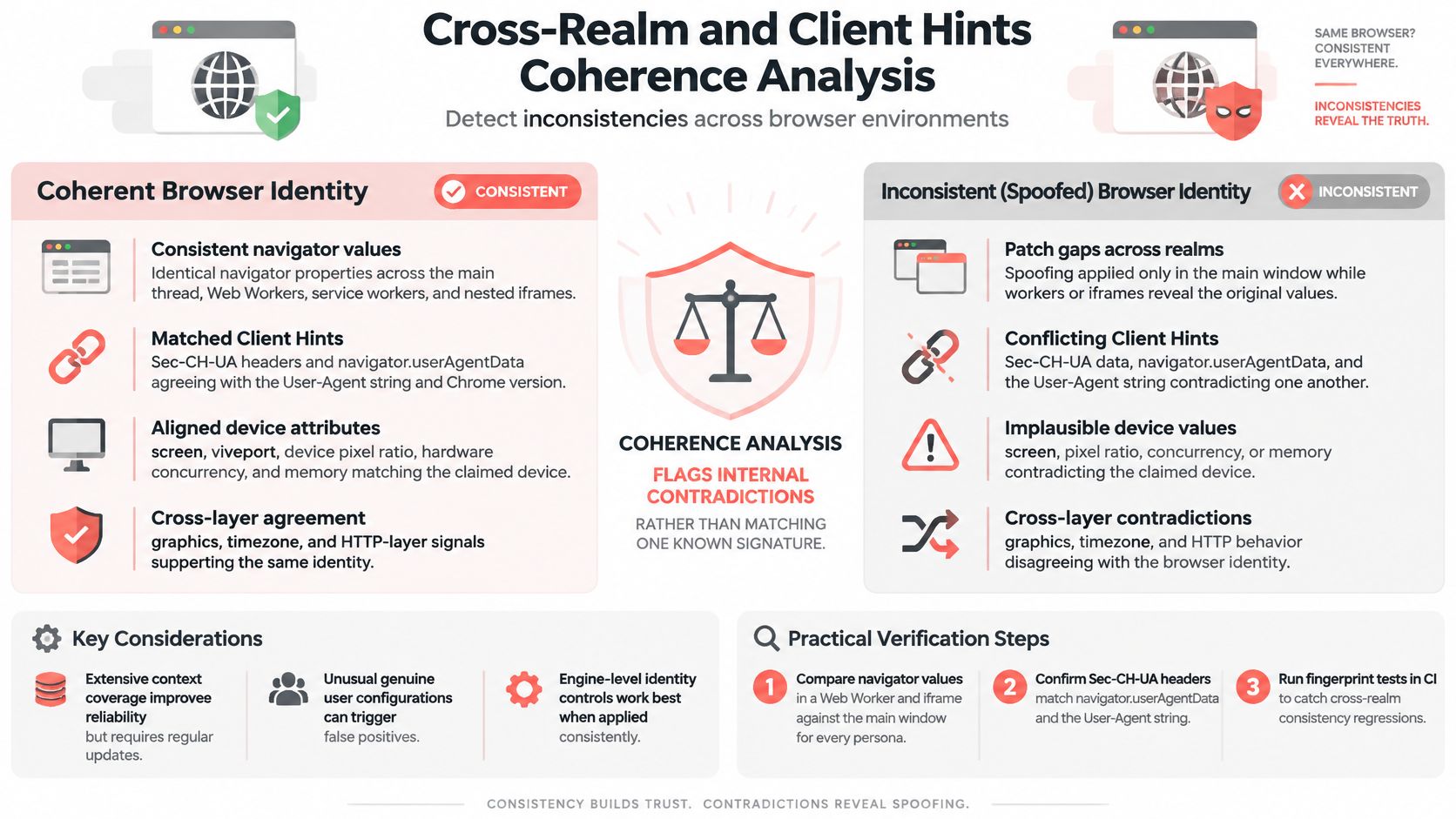
A single spoofed value is noise. The same value held across three execution contexts, with a matching header set, is either a real device or a careful engineer. Synthetic identities generally break in the second half of that test.
Three realms, one identity
A patch applied to the main window rarely reaches a Worker, and it may not reach a cross-origin iframe. Compare navigator.userAgent, navigator.platform, navigator.hardwareConcurrency, navigator.deviceMemory, and the language list in window, in a dedicated Worker (where self.navigator is a WorkerNavigator with fewer properties), and in an iframe's contentWindow. Values that differ between realms are a stronger signal than any single value being unusual.
Reconciling Client Hints
Sec-CH-UA, Sec-CH-UA-Mobile, and Sec-CH-UA-Platform go out by default on every request. High-entropy hints such as Sec-CH-UA-Arch and Sec-CH-UA-Full-Version-List appear only after the server asks for them through Accept-CH. Every one of them must agree with navigator.userAgentData.brands, .platform, .mobile, and getHighEntropyValues(), and with the classic User-Agent string, which browsers freeze and reduce while the hints carry the actual detail. A persona with a consistent UA string and inconsistent hints fails a check that costs one header comparison.
Real sessions matter here. A fingerprinting study published on arXiv in 2025 found automated crawls failed to detect 45% of the websites identified as using fingerprinting during real-user browsing, per the comparison of crawl-based and real-user fingerprinting detection. A harness that only loads homepages misses the code paths that fire on scroll, login, or checkout.
- Compare three realms per persona: main thread, Worker, and iframe.
- Tie hints to the version you claim: the full version list, the UA string, and the TLS baseline should all point at the same Chrome build.
- Run the suite in CI: a realm regression is easy to introduce and easy to miss without an automated check.
A stealth plugin overrides navigator.hardwareConcurrency on window to report 8 cores for a laptop persona. A Worker started by the same page reports 96, the host machine. The page contradicts itself in under a second of probing. When your stack is Playwright, this guide to Playwright stealth mode covers where those patches usually fail.
8. Behavioral Biometrics in Mouse, Keyboard, and Timing
A coherent device identity gets you through the door. Behaviour decides whether you're allowed to stay.
What the models read
Mouse trajectories with their velocity and curvature profile, hover pauses before a click, wheel deltas and scroll momentum, keystroke dwell and flight times, paste events, focus changes, and the interval between a field being filled and the form being submitted. Pointer events expose more than coordinates: pointerType, pressure, tiltX, and the coalesced event list distinguish a trackpad, a mouse, and a synthesised path.
Where automation shows
Scripted input tends to be too clean. Straight-line interpolation between two points, constant millisecond delays, identical dwell times across every key, and forms filled instantly with no correction are the standard tells. A persona claiming a human on a MacBook that produces a perfectly linear cursor path in 4 ms contradicts its own hardware story.
The video below walks through how these interaction patterns get collected and scored.
Watch the video on YouTubeTesting with recorded motion
Record real sessions once, then replay them with seeded variation in timing and path so runs stay reproducible. Add jitter and pauses at the points where a human would pause, and keep the seed with the persona so the same identity produces the same behaviour across runs. Apply this to systems you own or have written permission to test, and nowhere else.
A login test fills both fields in the same millisecond and clicks submit 3 ms later. A human takes seconds, moves the pointer between fields, and usually pauses before clicking a button that says sign in. The device fingerprint passed every check; the behaviour alone closes the session.
Eight fingerprint analysis techniques at a glance
| Layer | Passive or Scripted | Primary Signal Source | Main Testing Use |
|---|---|---|---|
| Canvas Fingerprinting | Scripted, passive collection | Rendered canvas pixel output | Check rendering consistency and fingerprint stability |
| WebGL and WebGPU Renderer Fingerprinting | Scripted | GPU identifiers, capabilities, and rendering behavior | Verify GPU profile matches the claimed device |
| AudioContext Fingerprinting | Scripted | Offline audio sample output | Check audio signal consistency and platform coherence |
| Font Enumeration and Locale Fingerprinting | Scripted | Installed fonts, language, formatting, and timezone | Test OS and geographic consistency |
| TLS Fingerprinting (JA3 and JA4) | Passive | TLS ClientHello parameters | Verify network stack matches the claimed browser |
| HTTP/2 and Header-Order Fingerprinting | Passive | Protocol settings and header ordering | Detect client and browser identity mismatches |
| Cross-Realm and Client Hints Coherence Analysis | Scripted | Browser values across realms and HTTP headers | Find contradictions across browser contexts and identity signals |
| Behavioral Biometrics (Mouse, Keyboard, and Timing Analysis) | Scripted | Mouse, keyboard, scroll, and action timing | Test interaction flows for realistic behavior |
Test Your Own Stack Before Someone Else Does
No single signal above identifies a browser, and none fails alone. What breaks is the relationship between them: a renderer string that doesn't match the platform, an audio buffer that disagrees with the claimed device, a header order a Chrome user agent can't produce, a worker that reports different hardware than the window. Each is a coherence check, and each fails in a different realm.
Start with measurement. Clearcote Labs runs a free fingerprint test that finds signals contradicting each other in whatever browser opens it, 346 coherence checks with a plain-English explanation for each, alongside a JA4 tool that shows your TLS fingerprint next to Chrome's. Run both against your production persona before you point them at a target site, and again after every browser release.
If you build identities rather than check them, engine-level control beats injected script. Clearcote sets Canvas, WebGL, audio, fonts, screen and hardware in Chromium's own C++ from one seed, with locale and timezone matched, so no page script exists for a worker or iframe to contradict. Playwright and Puppeteer SDKs for Python, Node and .NET drop in without a rewrite. One seed returns one device, different seeds stay unlinkable, and running several identities at once means a separate seed and a separate user-data directory per profile, or shared cookies link them.
No tool is undetectable, and Clearcote says so plainly. Validate every configuration against CreepJS, BrowserScan and Pixelscan, then watch for the drift that follows a browser update.
The habit carries into other verification work. Outreach teams face a comparable problem, keeping sending behavior inside platform rules rather than finding the breach after the fact, and this guide to compliance monitoring for DM outreach covers that side. The principle holds: confirm your signals agree, in every realm, on every session, before someone else does it for you.
Visit Clearcote Labs to run the free test and see what your browser is telling the sites you visit.