
The usual advice says to choose a web crawler when you need to find pages and a web scraper when you know what data to extract. That's a useful shorthand, but it's a poor architecture decision rule. A real workload may discover URLs, fetch pages for a live question, and extract structured results in one run. Choose the label first and you can miss the decisions that drive cost and reliability: how broadly you discover, what fields you extract, how the workload identifies itself, and whether it needs a browser to produce the right page state.
| Workload | Dominant behavior | Typical engineering concern |
|---|---|---|
| Search discovery | Broad URL discovery and revisit | Frontier management and coverage |
| Price monitoring | Targeted retrieval and field extraction | Selector accuracy and data validation |
| Live agent retrieval | On-demand discovery, retrieval, and extraction | Identity, latency, session state, and rendering |
The useful question isn't “crawler or scraper?” It's “what combination of access, extraction, identity, and execution does this workload need?”
Table of Contents
- Why the Crawler vs Scraper Question Is the Wrong Starting Point
- What a Crawler and a Scraper Actually Do at Runtime
- The Four Axes That Actually Decide the Architecture
- Throughput Math and Where the Bottleneck Lives
- Politeness, Rate Limits, and Robots.txt in Practice
- Matching the Workload to a Toolchain
- Legal and Ethical Boundaries Most Comparisons Skip
- Choosing the Right Setup for Your Workload
Why the Crawler vs Scraper Question Is the Wrong Starting Point
A single label hides the decisions that shape an actual pipeline. A search crawler may extract page text to build an index, while a product scraper may first follow category links to discover product pages. AI agents can combine both behaviors, finding pages broadly and extracting answers for a user's live question. In those cases, “crawler” doesn't necessarily mean search indexing, and “scraper” doesn't necessarily mean a small job against known URLs.
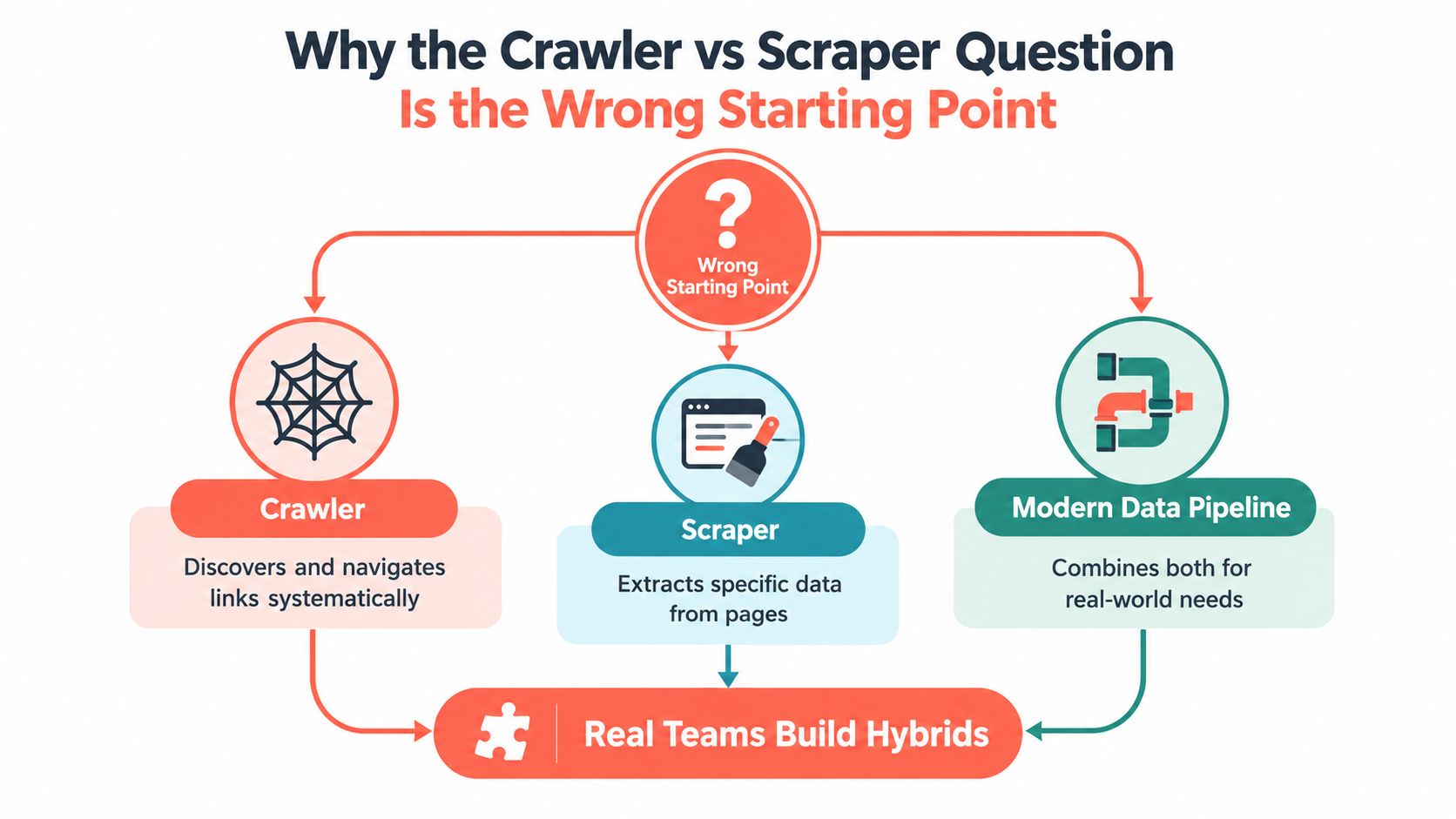
A better design review separates four questions:
- Discovery: Are target URLs known in advance, or must the system find them by following links?
- Cadence: Does the job run in a batch, revisit pages on a schedule, or fetch content in response to a live request?
- Identity: Does it make ordinary HTTP requests, use a persistent session, or require a browser identity and specific network posture?
- Execution: Is the required content present in the response, or must JavaScript and interaction create the page state first?
These axes are independent. A job can have broad discovery but run only once, or revisit a fixed list on a schedule without crawling for new URLs. It can extract a few fields from a static response, or retrieve one page through a browser because the data appears only after interaction.
Engineering rule: Pick the access pattern and required page state before picking the tool. Changing a label doesn't solve a queueing problem, a brittle selector, or a missing browser session.
This guide is for teams deciding how to build or fix a web-data pipeline. If the only question is what the terms mean, the short answer is that crawlers emphasize discovery and scrapers emphasize targeted extraction. For engineering, the more useful answer comes from identifying which behavior dominates and what the workload costs to run.
What a Crawler and a Scraper Actually Do at Runtime
A crawler is a discovery and observation system. It starts with seed URLs, fetches eligible pages, identifies links, filters and deduplicates discovered URLs, then adds them to a frontier for later retrieval. Depending on the job, it may revisit pages to detect change. Its output might be a URL inventory, a link graph, a searchable index, or a page corpus.
A scraper is a targeted collection and extraction system. It receives known URLs or pages discovered elsewhere, retrieves the content, finds selected values, normalizes them, validates the result, and writes records to a database, feed, or file. A price scraper, for example, should return a well-defined price field, not merely a pile of HTML.
The boundary isn't absolute. Crawlers read pages to discover links and may extract content for indexing. Scrapers can follow links when the job needs more pages. What matters is which behavior drives the architecture.
| Runtime behavior | Crawler-leaning pipeline | Scraper-leaning pipeline |
|---|---|---|
| Main input | Seed pages, sitemaps, or link sources | Known URLs or pages |
| Work management | Frontier, host queues, URL filters | Request list, parsers, and extraction rules |
| Quality focus | Coverage, duplicate control, revisit policy | Field correctness, normalization, schema validation |
| Output | URL set, index, graph, or corpus | Structured records for downstream use |
The historical distinction is visible in early web discovery. Archie, developed in 1990, downloaded directory listings from specified public file servers. The World Wide Web Wanderer appeared in spring 1993 and tracked the web's growth for approximately three years. In 1994, the World Wide Web Worm had an index of about 110,000 web pages and publicly accessible documents, while WebCrawler became one of the first full-text search engines (history of web scraping). Those milestones show discovery and indexing developing alongside the extraction of reusable content.
When a scraper's target is JavaScript-dependent, the extraction stage may need an actual browser rather than an HTTP response alone. The practical distinction between those execution modes is covered in this guide to headless browser workflows.
The Four Axes That Actually Decide the Architecture
A workload doesn't land on one side of a single line. It lands somewhere across several dimensions, each with different operational costs.
| Axis | Crawler-leaning choice | Scraper-leaning choice | Engineering consequence |
|---|---|---|---|
| Discovery depth | Follow links across a defined site or page set | Request a known URL list | Crawling requires frontier controls and URL deduplication; targeted retrieval needs reliable inputs |
| Access cadence | Batch discovery or scheduled revisits | On-demand or scheduled retrieval of chosen pages | Revisit policies consume bandwidth; live access makes latency and session setup more visible |
| Purpose and identity | Identify the automation clearly and keep behavior consistent with its stated purpose | Use an identity and session appropriate to the permitted collection workflow | Logs, rate controls, session persistence, and purpose records matter to operations |
| Execution environment | Lightweight HTTP fetches where responses expose links and content | Browser rendering for JavaScript, interactions, or session-bound state | Browser processes increase CPU, memory, and operational complexity |
Discovery and cadence change the queue
Broad discovery needs rules for which URLs qualify, how to prioritize them, and when to revisit them. A fixed URL list doesn't need a discovery frontier, but it still needs retries and scheduling if the data must stay fresh. A live agent can fetch a small number of pages yet still need strong control over response time and session startup.
Purpose and identity should also be treated separately. A declared bot name doesn't prove what a workload does, and a generic label doesn't reveal whether it indexes content or retrieves an answer for a user. Keep identity, observed behavior, and the collection purpose visible in operational records rather than assuming the word "crawler" explains them.
Execution is a separate choice
A browser isn't a default upgrade to an HTTP client. Use one when JavaScript, user interaction, consent state, or a session creates content that a direct request can't provide. If the initial response already contains the required links and fields, browser rendering adds work without solving a problem.
The same data goal can therefore call for different implementations. A crawler may use ordinary HTTP for static pages and render only a subset. A scraper may request a known page directly, then switch to a browser for a particular interactive state. Choosing a tool before establishing these axes can lock a team into an expensive rewrite.
Throughput Math and Where the Bottleneck Lives
Size the workload before naming it. A broad crawl turns access, extraction, identity, and execution into separate capacity pools; a narrow extraction job turns them into a smaller set of failure modes.
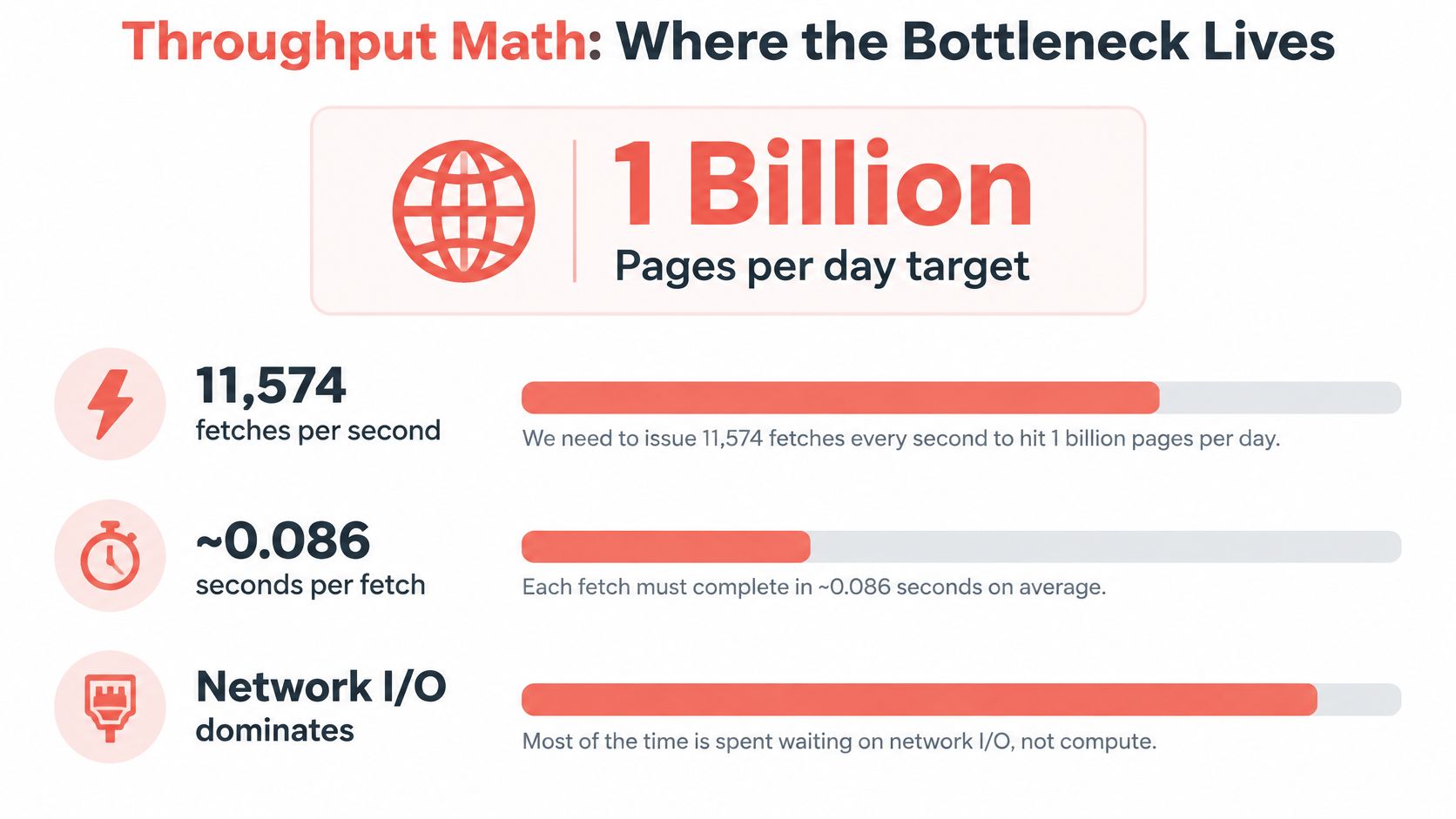
A representative crawler design target of 1 billion pages per day implies approximately 11,574 fetches per second on average, or roughly 12,000 requests per second. At an assumed response size of 100 KB, that is about 1.2 GB/s of inbound bandwidth (web crawler architecture and capacity estimates). Treat those figures as design assumptions, not a promised result. At that scale, parsing one page is cheap next to keeping discovery, fetchers, dedupe state, origin-aware scheduling, DNS caching, and backpressure inside the same throughput envelope.
Per the same capacity estimates, deduplicating 100 billion URLs with a Bloom filter at a 1% false-positive rate takes about 120 GB; 64-bit SimHash fingerprints can flag near-duplicate documents with a small Hamming-distance threshold. Those are crawler infrastructure costs. A scraper with a known URL list can skip the frontier, but only if freshness, retries, and state checks are already bounded.
Scraper throughput has different failure costs
A scraper can look light until selectors drift, a request returns the wrong page state, or a challenge replaces the expected content. Then effective throughput drops even when HTTP status codes look healthy.
Rendering only the pages that need JavaScript or interaction keeps browser CPU and memory reserved for hard states, while plain HTTP handles static retrieval. For queue, fetch, and parsing boundaries at larger volumes, compare your stages with these web scraping at scale patterns.
Politeness, Rate Limits, and Robots.txt in Practice
Politeness is an operational control, not a substitute for legal review. A crawler that floods one host can trigger blocks, retries, and noisy results. A scraper that requests one site may still encounter session-bound limits or soft blocks that make a successful HTTP response an unreliable indicator of success.

Set controls at the host and job level
For a crawler, maintain host-specific queues and apply backpressure so one origin doesn't consume the entire fetch pool. Parse robots.txt as an operational signal, account for any stated crawl delay, and prioritize useful sitemap entries when they fit the job's scope. DNS caching can reduce repeated lookups, while conditional requests can avoid downloading unchanged content when the server supports them.
For a scraper, narrow the controls to the hosts and paths it targets. Track session failures, repeated challenges, and soft bans rather than treating all non-error responses as usable data. Backoff and retry logic should distinguish a temporary network problem from a block; retrying a blocked request at the same rate can make the job less reliable.
Robots.txt helps communicate site preferences, but it doesn't establish that collection is lawful or that a particular use is permitted. The legal and purpose questions require their own review. Treat robots.txt as one input to an access policy, not as a blanket authorization.
Matching the Workload to a Toolchain
Choose tools by the hardest work the pipeline must do. If the job must discover pages broadly, it needs crawler machinery. If the URLs are known and the page is straightforward, a request client and parser may be enough. If the content appears only after JavaScript or interaction, browser automation may pay for itself.
| Workload | Practical starting point | Trade-off |
|---|---|---|
| Search index or longitudinal measurement | Scrapy, Colly, or a custom Go crawler with a frontier and revisit policy | More control over discovery and scheduling, but the team owns queueing and deduplication |
| Price monitoring or lead extraction | httpx or requests with Beautiful Soup, or Cheerio in Node.js |
Lightweight for known pages, but selectors and schemas need maintenance |
| Live AI-agent retrieval | Playwright or Puppeteer when a real browser state is required | Handles browser interactions, but introduces session and browser-process costs |
| Static-page discovery | HTTP client plus link parser and strict URL filters | Efficient where the response already exposes the needed links |
Don't reach for a browser because a site looks modern. First inspect whether the direct response contains the data, links, and state the job needs. Move to Playwright or Puppeteer when the page relies on JavaScript, session state, consent interactions, or dynamic APIs that aren't available through a simple request.
If the workload needs browser execution and identity controls, Clearcote is an open-source Chromium fork with engine-level fingerprint controls and drop-in support for Playwright and Puppeteer. It handles browser execution; the crawler's URL frontier, discovery rules, and data pipeline remain separate responsibilities.
For teams weighing libraries, frameworks, and browser tooling, this overview of web scraping tools is a useful starting point. The important boundary is architectural: browser automation supplies a page and its state, while the application still decides which pages to visit and what values to keep.

Legal and Ethical Boundaries Most Comparisons Skip
Public availability answers only the access axis. It does not settle authority to collect, retain, or reuse what a page exposes, so treat legality as a workload property tied to purpose, selectors, identity, and storage.
The European Data Protection Board states that the absence of a robots.txt restriction does not constitute consent under the GDPR, and it stresses purpose limitation and transparency for web-scraping activities (EDPB guidance on web scraping). For jobs touching personal information, robots.txt is a signal to honor, while the privacy basis and purpose review still have to be documented.
Before a run, write down four controls:
- Authority: which terms, licenses, or legal basis permit this access.
- Scope: which fields are collected and which are deliberately excluded.
- Retention: how long raw HTML, extracted records, and logs persist.
- Downstream use: who can query the data and which opt-out or deletion requests apply.
The scale of automated collection raises the cost of getting this wrong. DataDome reported that LLM-crawler traffic across its customer base rose more than fourfold in 2025, from 2.6% of verified bot traffic in January to over 10.1% by August, and that it detected nearly 1.7 billion OpenAI-crawler requests in August (DataDome's LLM crawler traffic report). The figures show why targets harden defenses; they say nothing about whether a given page may be used.
A scraper often carries more governance weight than a crawler even when both fetch identical HTML. The crawler can stop at discovery, while the scraper copies named fields into a pipeline where minimization, attribution, deletion, and audit trails need owners before launch.
Choosing the Right Setup for Your Workload
Translate the workload into requirements before choosing a library or browser. These questions usually narrow the architecture quickly:
- What must the system discover? A broad web surface needs discovery controls; a current URL list may not.
- How often will it access pages? A one-off batch, scheduled refresh, and live user request need different queueing and latency strategies.
- Does the content require JavaScript or session state? Use direct HTTP when the response is sufficient, and a browser when rendering or interaction creates the required state.
- What identity and rate posture is appropriate? Decide how the workload should identify itself, how requests are paced, and whether session persistence is needed.
- What compliance and data-handling constraints apply? Define what may be collected, retained, attributed, or deleted before the job runs.
Apply those answers to the actual job, not just its label. A search index builder needs broad URL discovery, deduplication, revisit scheduling, and an index pipeline. A price monitor with a known product list may only need scheduled requests, page-specific extraction, normalization, and validation. An AI agent retrieving a rendered page for a user needs on-demand retrieval and a browser only when the answer depends on JavaScript, interaction, or session state.
Final decision rule: Add crawling when the system must discover URLs, scraping when it must collect live page content, and browser execution when the required page state can't be obtained from a direct response.
Keep those responsibilities separable even when one tool performs several of them. That makes it easier to diagnose whether a failure came from missing URLs, an unusable page state, a broken selector, or an invalid data record.
Clearcote Labs provides an open-source Chromium fork with browser identity controls and Playwright and Puppeteer integrations for workflows that need rendered page execution. If your pipeline crosses from lightweight HTTP retrieval into browser-based interaction, visit Clearcote Labs to review its SDKs and runtime options.