
The most popular advice for web scraping JavaScript is to launch Playwright or Puppeteer whenever a page looks dynamic. That's an expensive default, and often the wrong extraction strategy. A browser is useful when you need to discover a request, establish a session, or read content that exists only after hydration. Before reaching for one, check whether the record is already in the server's HTML or in JSON traveling over the network.
A browser-rendered page can show more than the first response, but it also adds waiting, memory use, and another layer that can fail. Start with the cheapest way to retrieve the fields you need, then escalate only when the response proves incomplete. The aim isn't to render every page. It's to collect valid records with the least fragile method the site allows.
Table of Contents
- Where the Record Lives Before You Render
- Rate Limits and Browser Budget
- How to Scrape the Page in R
- Validate and Store the Records
- Diagnose Blocked, Empty and Quietly Wrong Pages
- Pick the Runtime for the Next Run
Where the Record Lives Before You Render
Treat browser rendering as a fallback, not the starting point. For each URL, fetch the first response and search for the fields you need before writing browser automation. Product names, prices, and pagination data may already be present in server HTML, an embedded state object, or a JSON endpoint the page calls after loading.
The distinction matters because fetching JavaScript files doesn't mean a crawler executes them. In a December 2024 analysis, Vercel and MERJ reported that JavaScript made up 11.50% of ChatGPT crawler requests and 23.84% of Claude crawler requests, while those major AI crawlers fetched JavaScript without executing it. The same analysis examined more than 37,000 renders on nextjs.org in April 2024 and found a median of about 10 seconds from Googlebot's initial crawl to rendering, with the 99th percentile at about 18 hours, according to Vercel and MERJ's analysis of AI crawlers. These measurements illustrate why initial HTML, browser-rendered content, and a later render aren't interchangeable sources, and why a fixed sleep isn't a reliable signal that the data is ready.
Triage the payload before choosing a tool
In R, use httr or httr2 to fetch the page, then xml2 and rvest to inspect the response. Search the body for expected fields first. If they're absent, inspect script tags for embedded data such as a __NEXT_DATA__ object, then look for links or configuration values that identify an API endpoint.
When the page is an application shell, open the browser's network panel once and identify the XHR or fetch response that contains the records. If that endpoint is permitted for your use, replay it with httr2, supplying only the headers and cookies it requires. Use RSelenium or chromote for actions the HTTP request can't reproduce, such as clicking a control, scrolling to trigger more results, or reading values that exist only in the hydrated DOM.
Practical rule: A successful navigation tells you the page opened. A selector, response, or field check tells you the data is ready.
Label each URL http, api, session, browser, or blocked after inspecting it. Stop testing cheaper options once the expected fields are present and valid. The distinction between discovering pages and extracting records also matters: a web crawler versus web scraper comparison can help clarify which part of a pipeline should find URLs and which should collect their contents.
Match the payload to the extraction layer
| What you find | Use in R | Relative cost | Extract this |
|---|---|---|---|
| Fields in server HTML | rvest, xml2, httr or httr2 |
Low | DOM nodes from the first response |
| JSON in a script tag | rvest plus jsonlite |
Low | Embedded state object |
| XHR or fetch JSON | httr replay after one trace |
Low to medium | Response body, not the painted DOM |
| Session or login cookie required | One browser login, then HTTP | Medium | Storage state, then the API |
| Click, scroll, or hydrate-only DOM | RSelenium or chromote | High | DOM after a readiness wait |
| Challenge or alternate template | Do not trust the status code | Set by whether a valid record can be recovered | Validated fields or a saved failure sample |
The table is a decision rule, not a checklist to run blindly. If the first response contains the required record, don't render it just because the site uses JavaScript elsewhere. If you need a browser to understand the application, use it to discover the request or establish the session, then see whether ordinary HTTP can carry the repeated work.
Rate Limits and Browser Budget
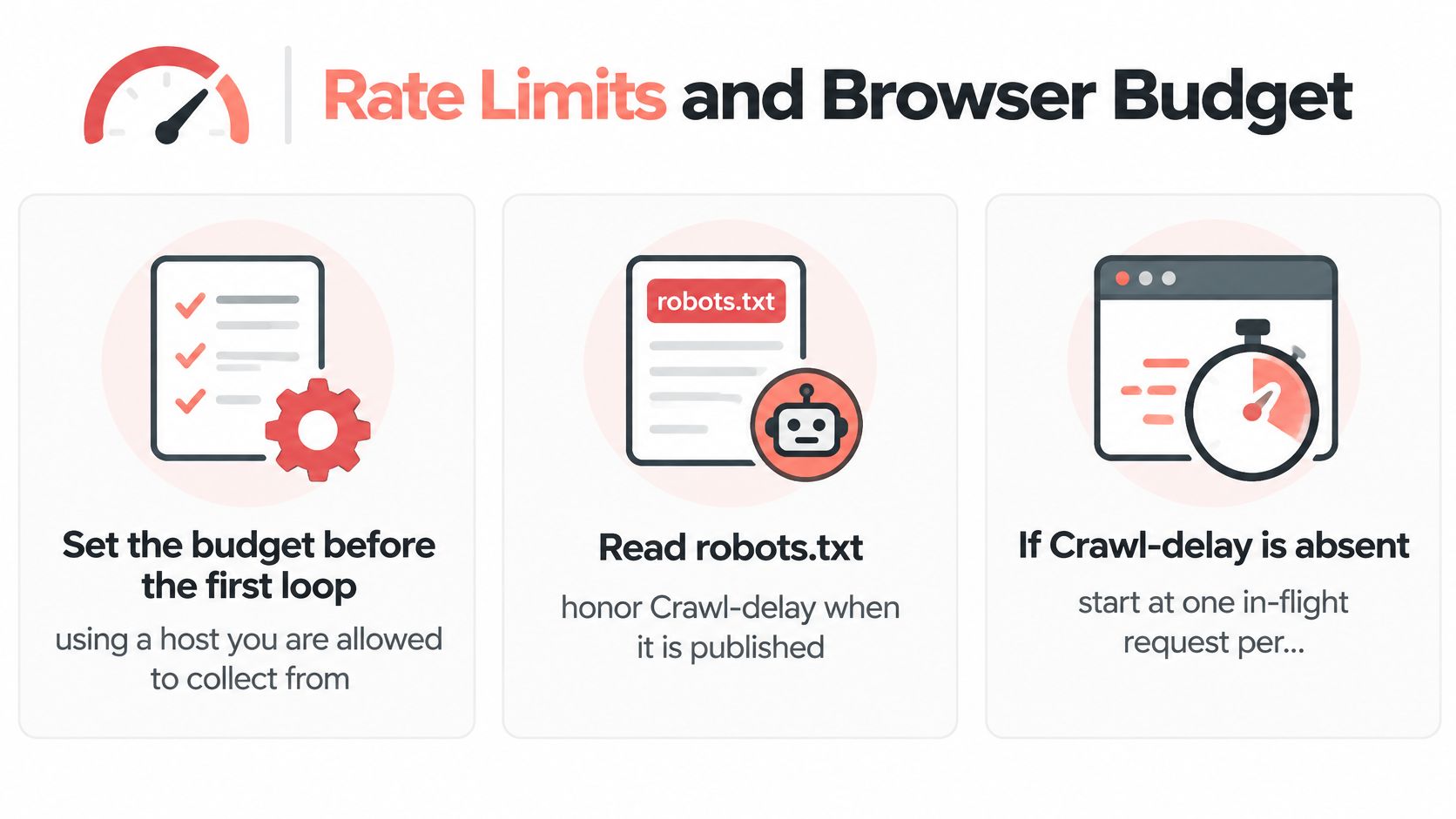
Set the budget before the first loop, using a host you're allowed to collect from. Read robots.txt, honor a published Crawl-delay, and check the site's terms. If there's no published delay, start with one in-flight request per host and a gap of at least one second. Slow down further if the host returns 429 or 503; don't treat those responses as invitations to retry immediately.
Put browsers on the exception path
A headless browser is expensive to keep in the hot path when a direct request can retrieve the same record. One benchmark reports that a full browser worker can use roughly 350–500 MB of memory, download about 2.4 MB of bundles and assets, and wait around 4 seconds for a frontend to hydrate data that was already available in a network response, according to a benchmark on extracting JSON instead of scraping the DOM. That's a strong reason to put concurrency on cheap HTTP requests, not to start a browser for every URL.
If rendering is needed, reuse one chromote or RSelenium session across URLs. Block irrelevant media such as images, fonts, and video, but keep the scripts and XHR responses needed to produce the records. Log latency and retry counts by host so one defensive domain doesn't disappear inside an aggregate average.
Use exponential backoff with jitter for transient failures. For example, wait roughly 2, 4, and 8 seconds, add a random fraction to each delay, and cap retries at three. Identify your client with a descriptive User-Agent, and stop if the site's terms prohibit automated collection. Don't keep increasing request volume to force a blocked job through.
Write the limits where the script starts, before the request loop:
- Max browsers: one reused browser session for URLs tagged
browser. - Max request rate: one in-flight request per host, with at least a one-second gap unless the published crawl delay requires longer.
- Dropped browser assets: images, fonts, and video, while retaining scripts and required API responses.
That budget makes the intended split visible in the code: HTTP carries the volume, and browsers handle only the work that genuinely needs them.
How to Scrape the Page in R
For a public catalog, build the scraper as two stages: fetch and inspect with HTTP, then render only URLs whose records are missing. The browser is there to resolve a specific gap, not to replace the ordinary request path. An adaptive test on three JavaScript-rendered pages found that escalating to a headless browser increased recovered text by an average factor of 23.6; asynchronous retrieval of 40 assets reduced mean retrieval time from 41.2 seconds to 2.28 seconds, an 18.1× speed-up, according to the 2026 adaptive scraping workflow study. The practical lesson is to fan out the cheaper HTTP stage within your host limits and keep the browser stage small.
The snippets below show the parts most readers copy first: an httr2 request, an HTML and JSON parse, and a newline-delimited JSON write. Replace the example domain, selectors, and API path with ones you're permitted to access.
1. robots.txt and URL filtering
Read the host's robots.txt before crawling. Exclude disallowed paths from the URL list, and use a robots parser or your organization's approved policy check rather than guessing from a URL pattern. Review the site's terms as well; if automated collection isn't permitted, stop before sending requests.
urls <- c(
  "https://catalog.example/items?page=1",
  "https://catalog.example/items?page=2"
)

# Apply your robots.txt policy check here and remove disallowed URLs
2. request() for a bounded HTTP fetch
Set a timeout, identify the project, and keep cookies in one session or cookie jar if the catalog needs them. Record the status, response size, and whether required fields appear in the returned HTML. A 200 alone isn't enough to classify a page as complete.
library(httr2)

fetch_page <- function(url) {
  request(url) |>
    req_user_agent("Catalog research scraper, contact: data@example.org") |>
    req_timeout(20) |>
    req_perform()
}

response <- fetch_page(urls[[1]])
html <- resp_body_string(response)

status <- resp_status(response)
bytes <- nchar(html, type = "bytes")
has_fields <- grepl("product-card|product-list", html)
For production, reuse a cookie jar when required by the site and add bounded concurrency only after setting per-host limits. Keep the request settings consistent between the initial fetch and any API replay.
3. read_html() and fromJSON() for extraction
If the response contains the catalog cards, parse those nodes and validate the fields. If the page embeds a state object, extract the script contents and parse the JSON with jsonlite. Follow any next-page cursor in the JSON rather than clicking a pager when the endpoint provides one.
library(rvest)
library(xml2)
library(jsonlite)

doc <- read_html(html)
cards <- html_elements(doc, ".product-card")

products <- lapply(cards, function(card) {
  list(
    id = html_attr(card, "data-id"),
    name = html_text2(html_element(card, ".product-name")),
    price = html_text2(html_element(card, ".price"))
  )
})

# If a script contains JSON state, extract its text and parse it:
# state_text <- html_text2(html_element(doc, "script#__NEXT_DATA__"))
# state <- fromJSON(state_text, simplifyVector = FALSE)
If the first response is only a shell, inspect the network panel once, identify the request returning records, and replay it with httr2. Keep only the headers the endpoint needs, and validate the response schema and pagination fields before processing it.
4. Browser escalation for a precise reason
Send only failed or incomplete URLs to a reused RSelenium or chromote session. Wait for a semantic condition, such as the product-card selector appearing or the required API response arriving. Don't substitute a fixed Sys.sleep() for readiness: the page can load quickly on one run and slowly on the next.
Once ready, collect page_source() and parse it with rvest, or save the intercepted JSON payload. If the page returns a challenge or alternate template, record it as a failure rather than passing its contents into the catalog parser.
5. writeLines() for NDJSON and failure samples
Store one JSON object per line with the source URL and collection time. Keep a separate failure log with the URL, status, and a trimmed HTML sample so you can diagnose a changed page without mistaking it for data.
record <- list(
  source_url = urls[[1]],
  collected_at = format(Sys.time(), tz = "UTC", usetz = TRUE),
  id = "example-id",
  name = "Example item",
  price = "12.50"
)

writeLines(
  toJSON(record, auto_unbox = TRUE),
  "catalog.ndjson",
  sep = "\n",
  useBytes = TRUE
)
Count URLs by their final http, api, and browser labels after a run. The browser count should represent exceptions with a specific reason. If it starts growing, revisit the initial response and request traces before adding more browser workers.
Validate and Store the Records
A response can look convincing and still be the wrong dataset. A comparison reported that plain HTTP returned meaningfully less content than full JavaScript rendering on 40.6% of sampled landing pages, according to Zyte's comparison of JavaScript rendering and HTTP responses. A long HTML document and a 200 status don't prove that a catalog is complete. They can hide a pre-hydration shell, a partial feed, or a response suited to a different locale or session.
Define success at the record level
Before running the job, write a contract for a valid row. For a product record, that might require an id, name, and price, with each field non-empty and the price parseable in the expected format. Check the canonical URL or product identifier, minimum text length, and a plausible record-count range for the page.
Don't set a count band without a reason. If a page normally displays 24 cards, a test range such as 20 to 24 may be useful, but the range should reflect known pagination, unavailable products, and the site's own behavior. A drop outside the expected band should mark the page partial or structurally changed, not pass unnoticed.
- Field completeness: Reject records missing required keys; keep optional fields separate from required ones.
- Duplicates: Check unique IDs within a page and across the current run.
- Freshness: Record collection time and the source response so downstream users can tell when a value was captured.
- Challenge markers: Flag titles and body text that indicate an interstitial instead of a product listing.
- Provenance: Record whether each row came from HTML, embedded JSON, an API response, or rendered DOM.
Keep the output auditable
Classify each URL as valid, partial, blocked, stale, or structurally_changed. That classification gives the retry logic and monitoring something more useful than a transport status. If a selector breaks after a frontend release but the API response remains stable and permitted, keep using the structured response instead of switching to placeholder text in the DOM.
Write records as newline-delimited JSON, with a separate failures file that includes the URL, outcome class, status, and a saved HTML snippet or browser screenshot when available. Normalize records before hashing them, then compare the hash and record count with the previous successful run. Keep a canary URL, run it after code changes, and alert when its fields or content differ unexpectedly.
Before scheduling, look at a small operational check: valid-record rate by host, partial-record rate by host, and one diff against yesterday's canary. The page loading is only the start of the check. The output must satisfy the data contract.
Diagnose Blocked, Empty and Quietly Wrong Pages
Sort failures by the response body, not by the status code. In a 2026 benchmark of 16 scraping APIs across 100 bot-protected sites, only 66.6% of 8,000 requests returned the requested page. Of the failed requests, 443 responses, or 16.6%, still had a success HTTP status, according to the 2026 scraping API benchmark. A successful transport response can still contain a challenge, a partial page, or the wrong template.
| What you see | Likely cause | Change |
|---|---|---|
| HTTP 200 and a challenge title | Interstitial, not the catalog | Save the sample, back off, and don't parse it as data |
| Long HTML, missing prices | Shell or pre-hydration DOM | Wait for the card selector or the JSON response |
| Record count far below the usual band | Partial feed, locale, or A/B shell | Compare with the canary and check cookies and language |
| Selector suddenly null after a release | Frontend redesign | Prefer the previous XHR body if it's still permitted |
| Works headed, fails headless | Missing wait or blocked asset | Reuse one session and stop blocking scripts or XHR |
Change the scraper to match the symptom
A consent banner can make a broad wait condition report readiness before the catalog request runs. Dismiss the banner once per session when permitted, or wait for the post-consent request or product-card container. An empty grid after navigation usually means the readiness signal points at the wrong state; wait for the specific wrapper or the JSON response that supplies the records.
When the field count drops after a site release, inspect the saved sample and compare the current DOM with the previous output. If the interface changed but the record endpoint is still stable and allowed, switch to the structured response rather than piling on new selectors. If prices or language differ unexpectedly, check whether the session has the intended locale and currency settings, including cookies and Accept-Language.
A headed browser succeeding while a headless one fails isn't a reason to assume the page needs a stealth setting. Check whether your wait condition is too broad or whether request interception blocked a script or XHR that the application needs. No tool is undetectable; Clearcote recommends validating configurations against CreepJS, BrowserScan, and Pixelscan. A guide to Playwright bot detection can help explain why browser signals and site responses need diagnosis, not blind escalation.
Treat a challenge as a stop signal
Sites may serve challenge pages even when a request looks ordinary. Imperva's 2025 Bad Bot Report says malicious bots represented 37% of global internet traffic in 2024, up from 32% in 2023, as reported by Thales on the Imperva report. That context doesn't make a challenge something to bypass. If a host keeps blocking the job, save the response, log the outcome, reduce or stop requests, and review whether collection is permitted.
Pick the Runtime for the Next Run
Choose the runtime from your URL labels, not from a favorite tool. If most URLs are http or api, stay in R with httr2, rvest, xml2, and jsonlite, and keep a single chromote or RSelenium worker for the interactive remainder. If most URLs require a hydrated DOM, or your team already runs Chromium automation, move that browser step to Playwright or Puppeteer while keeping the same HTTP-first triage and record contract.
After a run, compare valid-record rate by host, the browser-to-HTTP URL count, and the retry rate. If most URLs land in the browser category, revisit the classification: some may have an API payload or embedded JSON you haven't checked. Before adding a site, review its terms and robots.txt; stop when automated collection isn't allowed.
For a practical example of how a browser workflow fits ecommerce data collection, the guide to JavaScript scraping for ecommerce intelligence offers useful context. If the HTTP path and a browser fallback are both part of the design, a web scraping API overview can help you compare the extraction approaches without making rendering the default.
If the remaining pages do need Chromium, choose a runtime that fits your existing automation. Clearcote's Playwright and Puppeteer SDK is a drop-in Chromium option for Python, Node, and .NET, requiring one import change; it downloads and SHA-256 verifies the browser. For self-hosted use, install the SDK with pip, npm, or NuGet, then run the browser on your own machines or the Clearcote Docker image with your own proxies.
Clearcote Labs offers a Chromium browser and Playwright and Puppeteer SDKs for workflows that need JavaScript execution, with self-hosted and hosted options. Keep it as the browser fallback for the URLs that genuinely need rendering, and visit Clearcote Labs to see how it fits your setup.