You're testing a checkout flow on Friday. By Monday, the task has grown into a scraper that must stay logged in as several different users, pull PDFs, and survive flaky infinite-scroll pages in CI. Someone on the team asks the obvious question: Puppeteer vs Selenium, which one should we commit to? That answer will shape your waits, your debugging, and how hard a future migration hurts.
Table of Contents
- The Automation Choice That Shapes Your Workflow
- How Selenium and Puppeteer Evolved Differently
- Head-to-Head Performance and Protocol Differences
- Multi-Login Approaches for Persistent Browser Identity
- Real-World Use Cases and Decision Matrix
- How Clearcote Supports Persistent Multi-Login Setups
- A Practical Framework for Your Final Decision
The Automation Choice That Shapes Your Workflow
Teams rarely pick a browser automation tool in a vacuum. They pick it while a test suite is already flaky, a data pipeline needs rendered pages, or an agent needs to operate inside a logged-in session. The first script works in either tool. The friction shows up later, when you need Safari coverage, a second programming language, deeper network visibility, or persistent browser identity across runs.
What a Typical Fork in the Road Looks Like
Say you're a Node.js team automating an admin dashboard. Puppeteer gets you running quickly, and Chromium-level control helps with screenshots and tracing. Then QA asks for Firefox and Safari results from the same suite, and a Python analyst wants to reuse the checks. That second requirement pulls you toward Selenium, not because your first script was wrong, but because the hardest constraint changed.
The reverse happens too. A team starts with Selenium for cross-browser regression, then builds a separate Chromium-only scraping job that needs fine-grained request interception. They end up maintaining two stacks and wondering why behavior differs between them.
| Decision driver | Puppeteer leans | Selenium leans |
|---|---|---|
| Browser scope | Chrome and Chromium depth | Chrome, Firefox, Edge, Safari |
| Primary language | JavaScript and TypeScript | Polyglot client libraries |
| Protocol priority | Direct Chromium access | Standards-based portability |
| Typical fit | Scraping, diagnostics, PDFs | Cross-browser QA suites |
Treat Puppeteer vs Selenium as a protocol-strategy decision first. Ask what protocol surface you need, which browsers are required, and whether each automated session must return as the same coherent identity tomorrow. That framing also helps technical leaders weigh build velocity against long-term maintenance, a tradeoff explored in this guide for CTOs on AI development from Rite NRG when teams assess how tooling choices compound across a roadmap.
Pick for the constraint you can't give up, not for the demo that ran fastest on your laptop.
If you can't state that constraint yet, prototype the ugliest flow you own. The login, the dynamic list, the file download, the session restore. That flow will tell you more than any feature checklist.
How Selenium and Puppeteer Evolved Differently
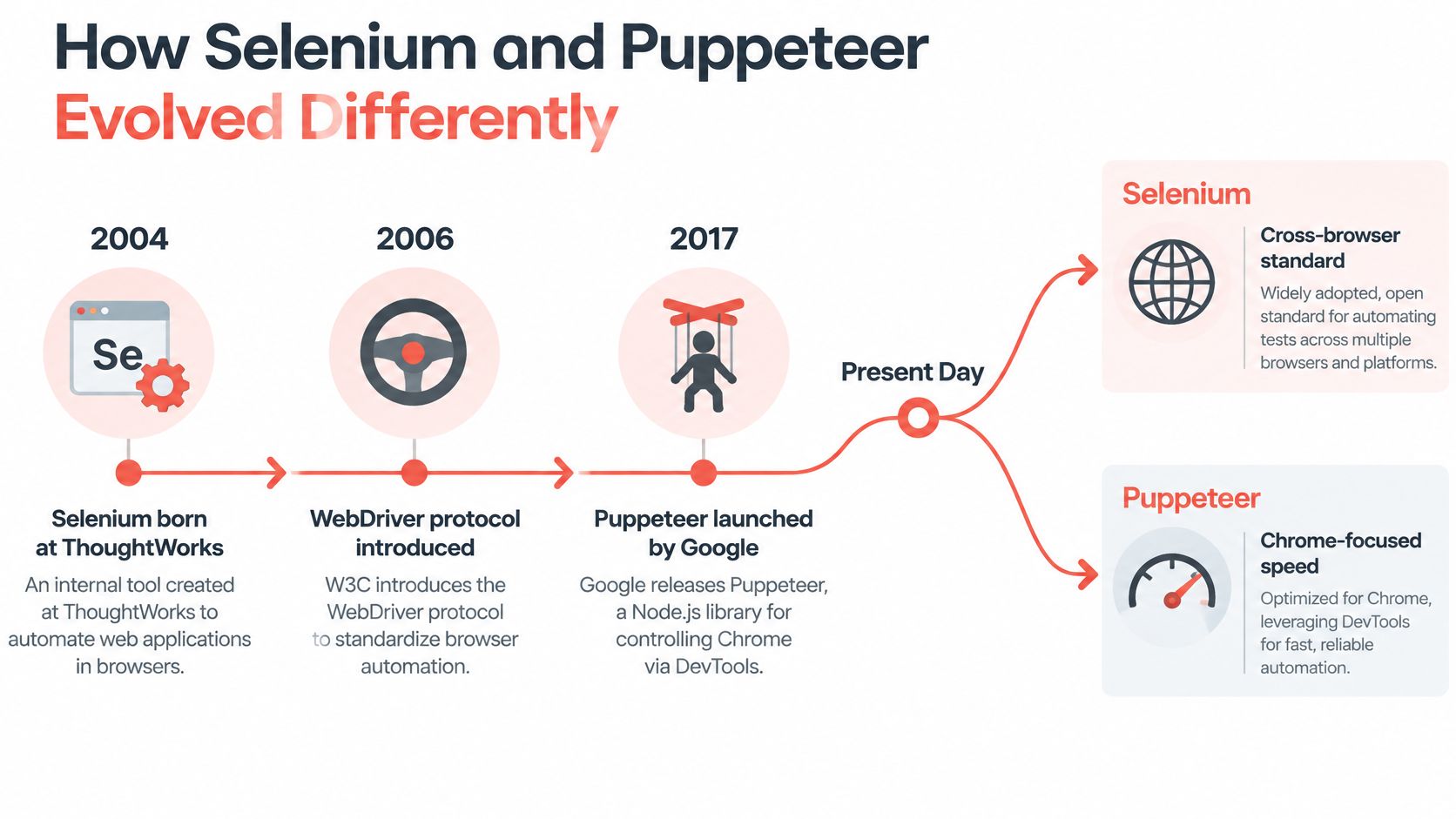
History explains why these tools still feel different today. According to TestingBot's retrospective on two decades of Selenium, Jason Huggins created Selenium at ThoughtWorks in 2004 as an internal tool for repetitive web-application testing. Its earliest implementation used JavaScript inside the browser and initially supported Firefox.
That origin mattered. Selenium wasn't born as a single-browser utility. It grew into shared infrastructure that multiple vendors could implement.
Selenium Became a Standard
A major shift came in 2008, when Simon Stewart began developing WebDriver as a more direct alternative to Selenium Remote Control. Selenium and WebDriver merged into Selenium 2.0 in July 2011, moving the project toward native browser drivers and the HTTP-based WebDriver model. Standardization talks with the W3C began around 2012, and WebDriver became an official W3C Recommendation in June 2018.
That's the key legacy. Selenium's WebDriver architecture became a cross-browser interoperability standard implemented by Chrome, Firefox, Safari, and Edge. Your code talks to a browser-specific driver through a standardized command interface, which buys portability at the cost of an extra layer.
Puppeteer Started Chromium First
Google's Chrome team introduced Puppeteer in 2017, giving Selenium a 13-year head start. Puppeteer arrived as a Node.js library for controlling Chrome and Chromium through the Chrome DevTools Protocol, or CDP. CDP is a WebSocket-based interface for bidirectional, low-level browser control.
That design gave Puppeteer direct access to Chromium capabilities such as page lifecycle events, performance tracing, PDF generation, network interception, and headless operation. The tradeoff was scope. Where Selenium prioritized a common API across browser engines, Puppeteer prioritized close integration with one engine family.
- Selenium in 2004: Built for repetitive testing, then reshaped by WebDriver
- WebDriver in 2018: Formalized as the cross-browser W3C standard
- Puppeteer in 2017: Built for direct Chromium control through CDP
- Later convergence: Both ecosystems added WebDriver BiDi support
That convergence deserves attention, but it doesn't erase the starting assumptions. The evolution from Selenium toward WebDriver BiDi traces how Puppeteer added BiDi support in 2023 and Selenium 4 integrated BiDi capabilities in 2024. Selenium reflects roughly two decades of interoperability work. Puppeteer reflects a Chromium-first strategy that later expanded toward standardized bidirectional automation.
When you debug either tool today, you're still living with those choices. Selenium asks you to think in drivers and standardized capabilities. Puppeteer asks you to think in Chromium targets and protocol access.
Head-to-Head Performance and Protocol Differences
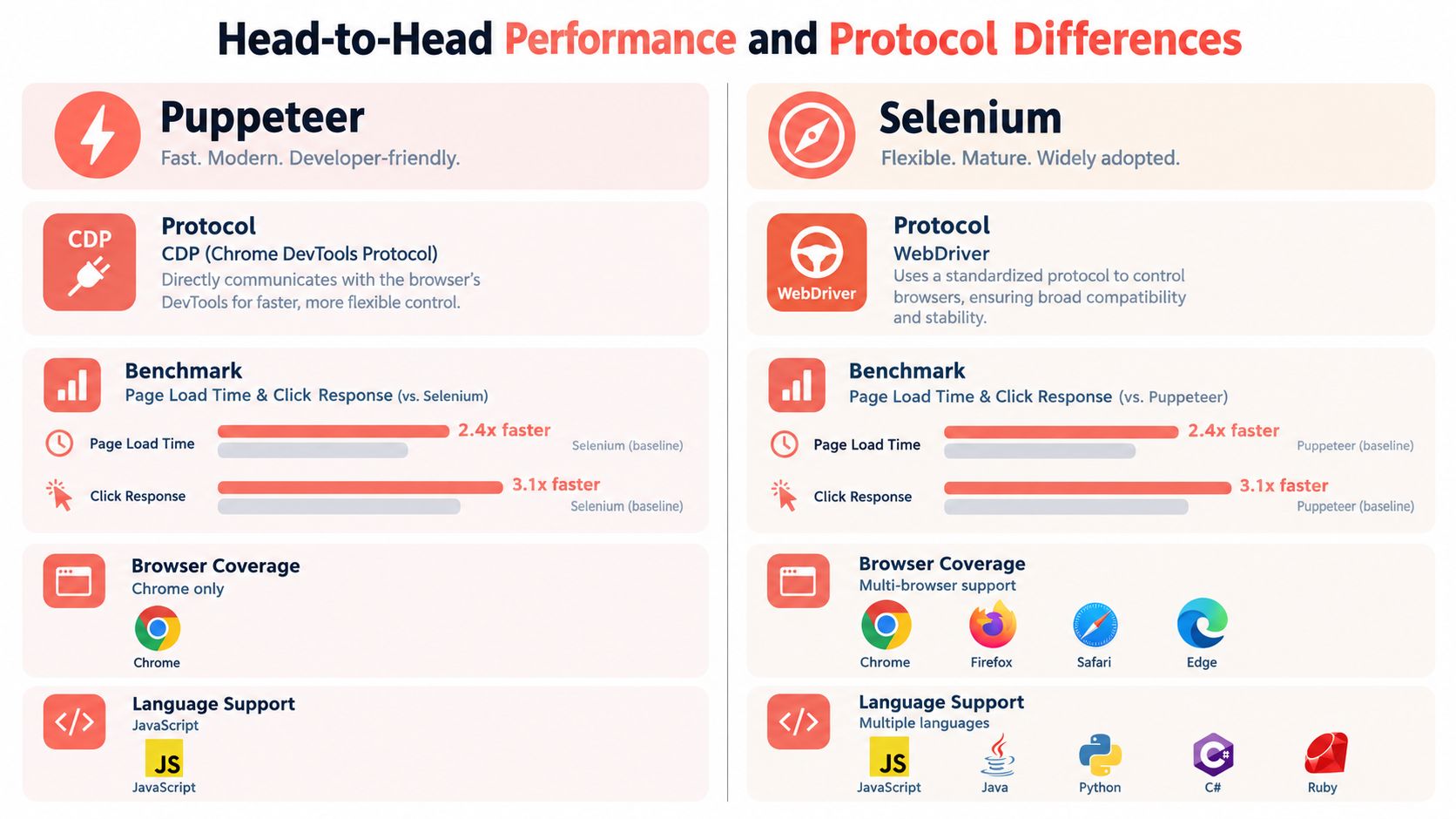
Performance comparisons usually oversimplify this part. Puppeteer often feels faster in Chrome-focused work because it talks directly to Chromium through CDP. Selenium routes commands through WebDriver and a vendor driver, which adds abstraction. That doesn't make one universally faster in production, where browser startup, waits, and parallelism dominate.
What the Benchmark Actually Shows
One independent benchmark reported average action latency of approximately 290 ms for Puppeteer versus 536 ms for Selenium, and a login flow averaging 4.0 seconds with Puppeteer and 6.8 seconds with Selenium, as reported in ToolIndex's comparison of Playwright, Puppeteer, and Selenium. In its infinite-scroll scenario, Selenium recorded 23 failures across 200 runs, compared with five for Puppeteer, which required an explicit polling helper.
Don't turn those figures into constants. That benchmark isn't an official browser-vendor test, and much of Selenium's gap came from explicit waits and WebDriver session timing on dynamic pages. Change the wait strategy, reuse sessions, or vary parallel workers, and the gap moves.
For your own evaluation, teams trying to build deterministic test systems through devPulse's guidance on test discipline will recognize the pattern. Measure with your intended headless mode, browser version, proxy conditions, and browser reuse model. Our notes on running Puppeteer in Docker cover why container startup and caching choices can swamp per-command latency.
Protocol Depth Versus Portability
CDP gives you Chromium depth. Puppeteer exposes fine-grained network interception, performance tracing, coverage data, PDF generation, screencasting, and direct control of workers and browser targets. For diagnostics and Chrome-specific scraping, that lowers friction. It also couples advanced behavior to Chromium implementation details that won't transfer cleanly elsewhere.
WebDriver gives you portability. Selenium runs the same suite across Chrome, Firefox, Edge, and Safari through vendor-specific drivers and standardized capabilities. Selenium 4 also supports WebDriver BiDi, the standards-based bidirectional protocol for events, network-related features, and browser instrumentation. ChromeDriver implements both W3C WebDriver and WebDriver BiDi.
Language follows the same split. Puppeteer is a JavaScript library, although current releases also support WebDriver BiDi and Firefox. Selenium serves polyglot teams that don't want browser automation locked to Node.js. Puppeteer's automatic Chrome-for-Testing download also simplifies reproducible Chromium setup, which matters in CI.
Practical rule: Benchmark the full workflow, including waits and session reuse. A fast click means little if your suite spends its time launching browsers or polling for content.
Choose Puppeteer when Chromium internals are the point. Choose Selenium when maintaining one stack across browsers saves more time than CDP depth would.
Multi-Login Approaches for Persistent Browser Identity
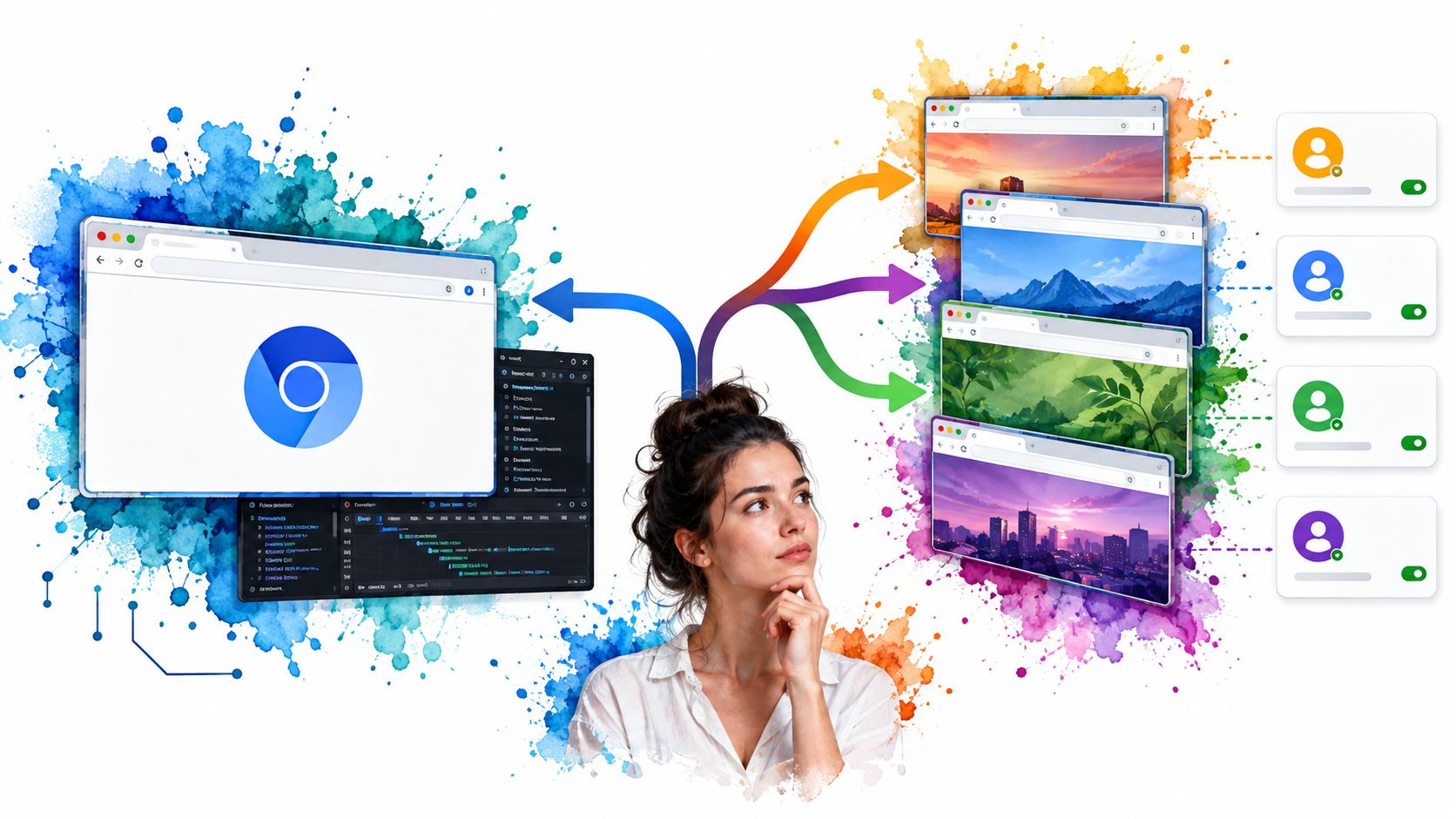
Multi-login work exposes a weakness in many Puppeteer vs Selenium comparisons. They compare clicks and selectors, then ignore the harder problem: returning tomorrow as the same user, on the same plausible device, without mixing sessions. Cookies alone don't solve that. Storage, cache behavior, timezone, language, graphics signals, and network location all need to tell a consistent story.
The visual below is a useful reminder that identity is now checked across many signals at once, not just a username and password.
Four Approaches and Their Tradeoffs
1. Separate browser profiles. Each account gets its own user data directory with its own cookies and storage. This is the simplest persistent model for both tools, and it's easy to understand. It breaks down when teams copy profiles carelessly, share directories across parallel workers, or let browser updates change stored state in unexpected ways. Never run two processes against the same profile and expect clean isolation.
2. Containers and isolated contexts. Browser contexts and containerized runs reduce cross-contamination between sessions. They're cleaner for CI and parallel execution because each job gets disposable state. The downside is persistence. If you destroy the container, you must deliberately save and restore the identity artifacts you care about, or every run looks like a first visit.
3. Proxy plus identity pairing. Assign each login a stable network exit and align its timezone, languages, and WebRTC behavior with that exit location. A Paris proxy paired with a conflicting timezone creates exactly the kind of incoherence that triggers extra checks. This approach demands disciplined mapping between account, proxy, profile, and locale. It's operational work, not a one-line flag.
4. Seeded personas. A seed generates the same device identity repeatedly, while different seeds produce unlinkable identities. That model suits repeatable QA and multi-account operations because you can recreate a persona without copying a fragile profile folder everywhere. It depends on the browser layer keeping signals coherent across the main thread, workers, and iframes, which injected scripts often fail to do.
Protocol choice affects how much of this you control. As Oack's history of scriptable browsers from Selenium onward frames the shift, CDP offers deeper Chrome control today, while BiDi aims for bidirectional events such as network activity, console output, and JavaScript errors without giving up cross-browser interoperability. BiDi maturity still varies, so a migration that assumes feature parity everywhere is risky.
The walkthrough below shows what session handling looks like in practice before you scale it across identities.
Watch the video on YouTubeThat risk matters differently by tool. A drop-in Puppeteer integration can preserve application logic while changing the Chromium binary underneath. Selenium users face a broader question: stay on WebDriver Classic, adopt BiDi incrementally, or keep CDP-specific extensions for Chrome-only jobs? Teams building a web scraping bot with persistent sessions should answer that before scaling workers.
Persistent identity is a coherence problem across storage, network, locale, and device signals. Saving cookies is only the starting point.
Start by defining required protocol surface. If you need tracing, tight Chromium control, and reproducible personas, Puppeteer fits naturally. If you need the same login flows validated across engines and languages, Selenium gives you the broader control plane, but you'll assemble more of the identity discipline yourself.
Real-World Use Cases and Decision Matrix
Real projects rarely need every capability at once. They need one job done reliably, under specific browser and infrastructure constraints.
Scraping rendered Chromium pages at scale usually favors Puppeteer. You get direct network control, strong headless behavior, and less driver overhead. Cross-browser QA favors Selenium because Safari and Firefox bugs won't appear in a Chromium-only run, no matter how fast that run is.
Tool Selection by Use Case
| Use Case | Recommended Tool | Key Reason |
|---|---|---|
| Chromium scraping and PDFs | Puppeteer | Direct CDP access and simple headless setup |
| Cross-browser regression QA | Selenium | One suite across Chrome, Firefox, Edge, Safari |
| Performance tracing and diagnostics | Puppeteer | Chromium tracing and target-level control |
| Polyglot test organization | Selenium | Client libraries beyond JavaScript |
| Security and fingerprint research | Puppeteer first | Deeper Chromium observability for controlled experiments |
| AI agents in logged-in apps | Depends on identity needs | Protocol depth versus browser coverage decides |
| Multi-account operations | Depends on persistence model | Coherent personas matter more than selector syntax |
Mobile needs sharper language. As Testsigma's overview of Puppeteer alternatives and coverage limits notes in its comparison context, Selenium can extend toward mobile through Appium, while Puppeteer lacks native real-device testing. Adding Appium or a device service changes cost, latency, observability, and maintenance. It doesn't turn Selenium itself into a physical-device lab.
Separate four targets before you decide:
- Desktop browser compatibility: Rendering and behavior across engines
- Emulated mobile viewport: Layout checks inside desktop Chromium
- Mobile browser on an emulator: Closer browser behavior without hardware
- Real iOS or Android hardware: Device-specific behavior and performance
A Chromium-focused Puppeteer workflow can be deterministic for desktop, Docker, CI, and hosted execution. It still can't validate Safari or WebKit rendering. For teams exploring how to test live sites with AI through Uxia's approach to live validation, that distinction helps separate visual checks from engine coverage. Our related comparison of Selenium versus Playwright for modern test suites is useful if a third option enters the discussion.
Ask which level of fidelity the business needs, and how much fleet infrastructure you can operate. Broader ecosystem does not automatically equal stronger mobile assurance.
How Clearcote Supports Persistent Multi-Login Setups
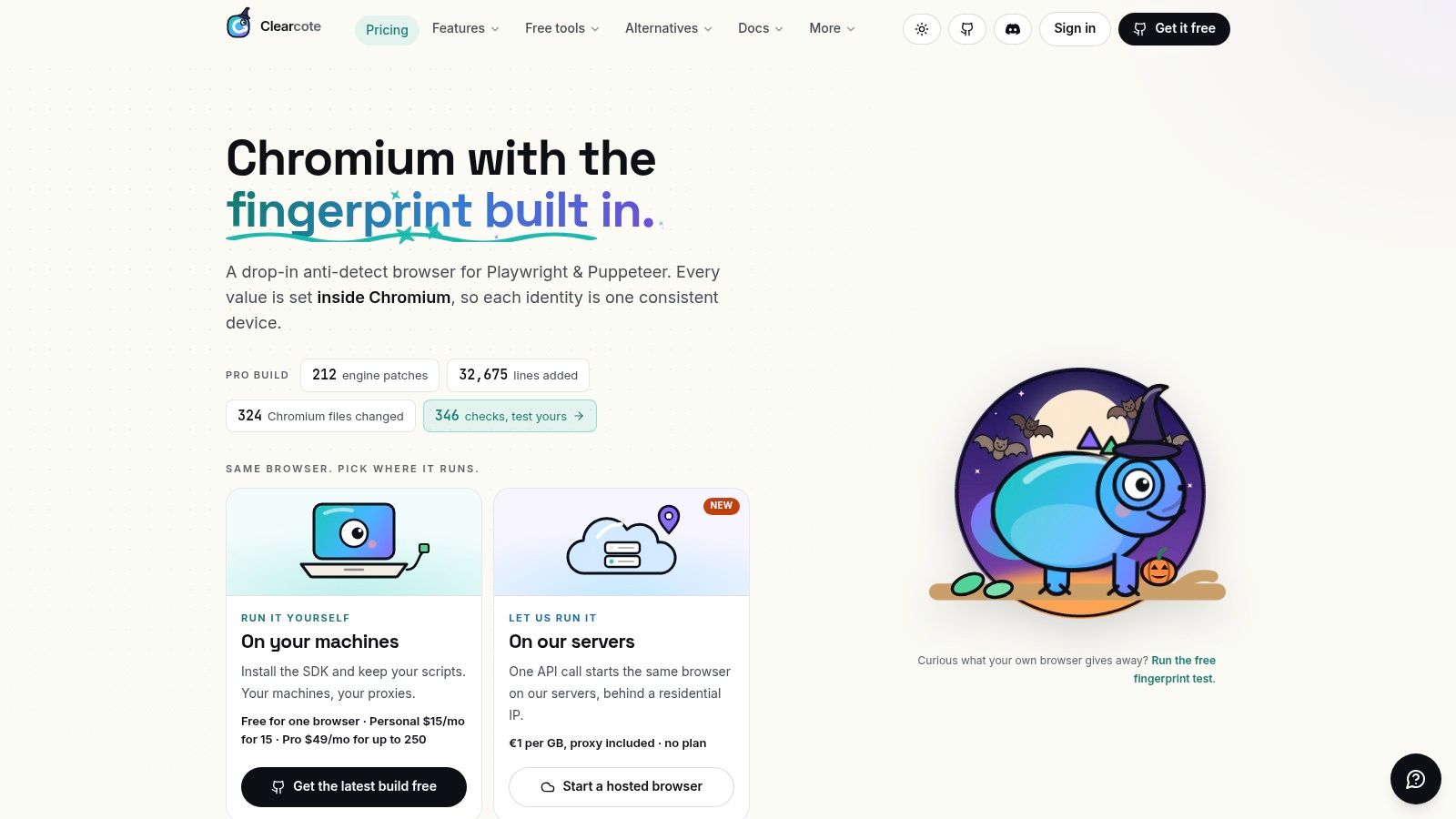
Once a team has chosen its automation approach, the identity problem remains. Clearcote addresses that layer as an open-source, de-Googled Chromium fork with fingerprint controls implemented in the browser engine, rather than injected JavaScript. That distinction matters when a persona must stay coherent across pages, workers, and iframes.
The screenshot below shows the product surface behind that model.
Where It Fits in a Puppeteer or Selenium Decision
Clearcote ships as a drop-in for Puppeteer and Playwright, with SDKs in Python, Node.js, and .NET. In practical terms, you can preserve existing Puppeteer logic while swapping the Chromium binary underneath. A Docker image, standing CDP endpoint, and CLI attach options also support framework-agnostic workflows. Selenium teams running Chrome-centric jobs can evaluate the CDP path without pretending it solves Safari coverage.
Seeded identities are central to persistence. The same seed yields the same device, while different seeds are unlinkable by design. That gives QA repeatable personas and gives multi-login operations a way to recreate identities without dragging copied profile folders between machines.
The Profile Manager on Windows lets non-developers create and launch persistent identities without code. Captured device profiles tagged by GPU vendor support more realistic persona loading. Engine-level controls cover signals such as Canvas, WebGL, WebGPU, AudioContext, fonts, and locale in C++ paths, while TLS and HTTP2 behavior comes from Chromium's network stack to match the claimed Chrome version.
- Proxy geo-matching: Timezone, languages, and WebRTC adjust to the exit IP
- Hosted option: Browsers with residential IPs included, billed per GB
- Local control: Reproducible open builds for Windows and Linux
- Agent access: MCP server for tools that drive a fixed-identity browser
This doesn't replace the Puppeteer vs Selenium choice. It narrows one expensive part of it. If your chosen stack is Chromium-based and your failures come from mismatched signals, flaky identity, or fleet overhead, changing the browser layer may help more than rewriting selectors.
A Practical Framework for Your Final Decision
Answer three questions in order. Don't start with syntax preferences.
First, what protocol surface do you require? According to Chrome's official Puppeteer documentation, CDP exposes network interception, tracing, coverage, PDF generation, screencasting, and worker control. If those are core requirements, Puppeteer is the direct fit. If you mainly need standardized commands and events across browsers, Selenium with WebDriver and BiDi is the safer abstraction.
Second, which browsers must pass? If Safari is a release gate, Selenium remains the stronger choice for Chrome, Firefox, Edge, and Safari through vendor drivers. If Chromium is the production target, Puppeteer's Chrome-for-Testing setup reduces setup variance.
Third, how complex is multi-login for you? One saved session is easy in either tool. Many persistent, geographically coherent identities require a deliberate persona strategy, stable proxy pairing, and repeatable device signals.
Prototype your hardest flow in the leading candidate for one day. Measure launch time, wait reliability, session restore, and debugging clarity. Then decide, and revisit only when a hard constraint changes.
Clearcote Labs offers an open-source Chromium fork with engine-level fingerprint control, seeded persistent identities, and drop-in Puppeteer support for teams whose automation depends on coherent multi-login sessions. If your Puppeteer vs Selenium decision now hinges on identity persistence rather than basic page control, visit Clearcote Labs to explore the local, Docker, and hosted browser options.