
In computing, seeded means a process starts from a specified seed value, so a pseudorandom generator produces the same sequence every time the same seed and the same calls are used. Run a shuffle at seed 42 twice and the same order comes back; run it at 43 and the order changes.
If a computer can't roll a real die, why does one number in a config file decide whether last Tuesday's test failure happens again? That question sits behind most of the confusion around what does seeded mean. The word carries three separate lives: a starting number for a formula, a ranking inside a tournament bracket, and a way of preparing vegetables. Only one of them concerns the browser you're automating, and mixing them up is how people end up expecting a seed to do something it never promised.
The computing sense comes first and deserves plain language. Then the other two senses, briefly. Then the part that matters in daily work: keeping a browser identity stable across sessions, so a run you can't reproduce becomes a run you can.
Table of Contents
- What Seeded Means in Computing
- Other Meanings of Seeded You May Have Meant
- How a Seed Makes Random Results Repeatable
- Why Browser Identities Depend on Seeds
- Seeded Versus Fresh Browser Sessions Compared
- Set Up One Seed per Identity
What Seeded Means in Computing
Something is seeded when it starts from a specified seed value, a number that tells a pseudorandom generator where to begin. Computers rarely produce true randomness. They run a fixed formula, and the number you hand it decides everything that comes after.
A card table makes this concrete. Suppose someone deals you a deck in a known starting order and hands you a written procedure: cut here, deal into three piles, riffle twice, repeat. Anyone who starts from that same order and follows those same steps finishes with the same arrangement. Change only the starting order and the arrangements diverge. The seed is the starting order; the generator is the procedure.

The same relationship shows up anywhere a process has to be predicted rather than gambled on. Three pieces decide the result, and it helps to keep them apart:
- The seed value. One number, often written as 42 in examples because it's easy to spot in a log.
- The generator. The formula that consumes the seed and emits values.
- The request sequence. How many values you ask for, and in what order.
You'll meet the word in a few fixed shapes: a seeded random generator, a seeded shuffle of a dataset, a seeded identity for a browser profile. Each phrase means the same thing. A value was fixed first, so the output can be recreated later.
The one-line version: a seed turns a gamble into a recipe. Same ingredients, same order, same cake.
Most libraries, when you don't pass a seed, draw one from system entropy at startup, so every run differs. That default is exactly what seeding replaces.
Other Meanings of Seeded You May Have Meant
Two other senses cause most of the confusion, and they pull in opposite directions.
In sport, a seeded player or team has been ranked by past performance and placed in a tournament draw so the strongest entrants are less likely to meet in the earliest rounds. The ranking shapes the bracket. It isn't a forecast of who wins. The Cambridge Dictionary entry on seeded treats the word as context-dependent, which is the honest position: a bracket and a recipe can both be "seeded" without sharing a scrap of meaning.
In cooking, seeded usually means the seeds have been removed, as in seeded tomatoes or seeded peppers. Seedless and de-seeded sit nearby but aren't identical, and a seeded fruit may still hold a few seeds depending on how it was prepared.
| Context | Meaning | Example |
|---|---|---|
| Computing | A process starts from a specified seed value | Seeded shuffle with seed 42 |
| Sports | A competitor is ranked and placed in a draw | The team was seeded first |
| Cooking | Seeds have been removed from the food | Use seeded peppers |
Compare the paired sentences closely. "The team was seeded first" hands a status to a competitor; the team did nothing. "Use seeded peppers" describes an action already performed on food. Same word, different grammar underneath.
Here's the test worth applying to any sentence you're reading. Look at the nouns around the word. Tournament, draw, bracket, or ranking means sport. Recipe, peppers, tomato, or bread means the kitchen. Program, shuffle, generator, or profile means computing. If none of those appear, ask which one the writer works with daily.
The sporting use is also the older one. Merriam-Webster's entry on seeded traces it to tennis, noting that the Oxford English Dictionary records the verb in print in 1898 in American Lawn Tennis. The metaphor traveled from there into every bracket on earth.
How a Seed Makes Random Results Repeatable
A pseudorandom generator works like a long playlist that always restarts at the same track when you give it the same starting number. That number is the seed. The generator is deterministic: the same generator, the same implementation, the same starting seed, and the same sequence of requests return the same outputs, as this guide to managing random seeds and reproducibility sets out. Change the seed and the sequence normally changes. That single property carries the whole idea.
Four runs of one shuffle
A five-card list is enough to see what the seed controls.
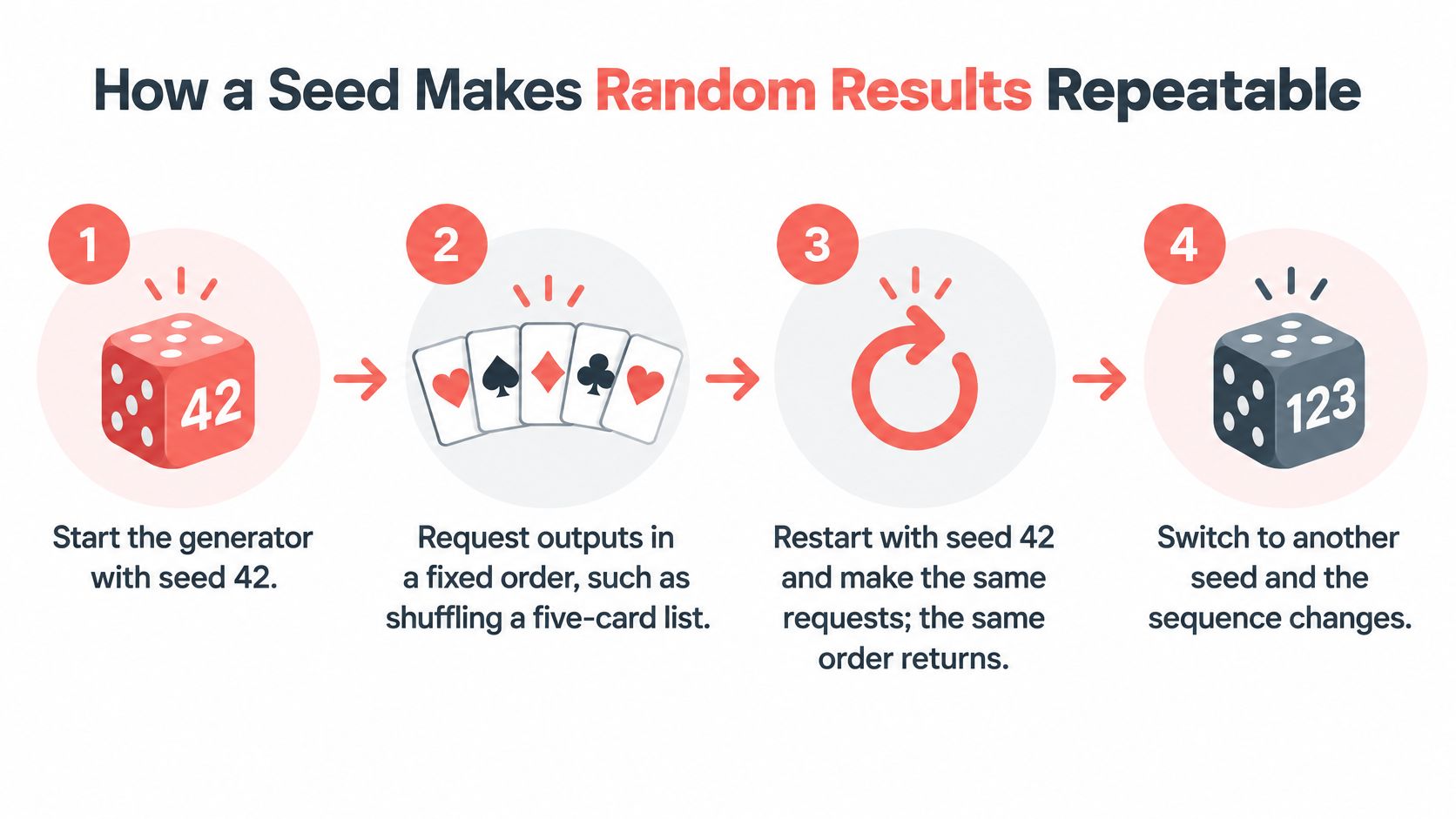
- Seed 42, first run. Start the generator with seed 42 and ask it to shuffle the list. You get order A.
- Seed 42, second run. Restart the program, keep the seed at 42, and make the identical request. Order A returns.
- Seed 43, third run. Everything else stays the same. Only the seed moves. Order B is unrelated to order A.
- Seed 42 with one extra call. Ask for one value first, an integer for a timeout, then shuffle. Order C differs from A even though the seed never changed.
The infographic below lays out the first three of those steps.
| Run | Seed | Call sequence | Resulting shuffle |
|---|---|---|---|
| First run | 42 | Shuffle the five-card list | Order A |
| Second run | 42 | Shuffle the five-card list | Order A, the same as the first run |
| Third run | 43 | Shuffle the five-card list | Order B, different from Order A |
| Fourth run | 42 | One extra request, then shuffle | Order C, different from Order A |
The fourth run breaks because the generator emits one long stream of values, and every request consumes the next part of it. An extra call earlier moves the starting position of the shuffle, the way dealing one extra card before a hand changes every card that follows. The seed fixes where the stream begins. It does not reserve a private result for each caller.
What a seed does not guarantee
A seed does not make the output random. It does not guarantee statistical independence, prove that a model is accurate, or force identical results across different software libraries and environments. Reproducibility depends on preserving the generator, the software version, the settings, the order of random-number calls, and the seed itself.
The practical payoff is smaller than it first sounds, and more useful. You store a short initialization value instead of an entire random sequence. That enables reproducible simulations, machine-learning experiments, randomized algorithms, and automated tests that fail the same way on every run. In Playwright automation workflows, that is the difference between a flaky test and a fixable one.
When a seeded result shifts unexpectedly, check in this order: the generator and library version, the settings, the number and order of calls, then the environment. In most cases the seed itself is not the cause. A shift usually traces back to a changed library version, setting, call order, or environment.
Why Browser Identities Depend on Seeds
A browser identity is the bundle of signals a site can read about the machine making a request. Not just the user agent string: the GPU and WebGL strings, the installed font list, screen metrics, locale and timezone, and how canvas and audio rendering come out. What browser fingerprinting reads goes deeper into each surface. The point that matters here is that the signals have to agree with one another.
A seeded browser uses one seed to select one consistent set of those values. The same seed returns the same device profile in every session. A different seed returns an unrelated profile, not a lightly edited version of the first.
Walk through a concrete case. A support team keeps separate browser identities for each customer account so that sessions don't bleed into each other. Every account gets a seed derived from its account ID with a fixed rule, so an account with the ID 4471 always opens the same device profile, in January and again in July. Cookies and stored data go into a separate user-data directory per profile, which keeps the identity distinct from the stored state.

The mechanics are straightforward once the mapping exists. To run multiple distinct identities in Clearcote, use a different fingerprint seed per identity, ideally derived from a tenant or account ID, and a separate user-data directory per profile for cookies and storage.
| Identity signal | Stays fixed under one seed | Changes when the seed changes |
|---|---|---|
| Canvas rendering | Same drawing output for the same profile | Drawing output differs for the new profile |
| Installed font list | Same font set reported each session | A different font set is reported |
| GPU and WebGL strings | Same reported GPU each session | A different GPU is reported |
| Timezone and language | Same locale and timezone for the identity | Values are set separately per identity |
The value of all this is repeatability, nothing more mystical. An identity you can reopen is an identity you can test, debug and compare against yesterday's run without guesswork, provided the seed and the surrounding setup stay unchanged.
Seeded Versus Fresh Browser Sessions Compared
Two ways to open a browser end up on opposite sides of the same trade-off. A fresh launch generates new signal values each time, so every session looks brand new and a failure is hard to reproduce. A seeded browser holds the same values for the same seed, so a failing test reruns under the same identity.
| Criterion | Fresh random launch | Seeded identity |
|---|---|---|
| Values across sessions | Change on every launch | Stay the same for the same seed |
| Reproducing a failed test | Hard, because values differ each run | Repeatable with the same seed and setup |
| Internal consistency | Signals may not match each other | Signals come from one consistent profile |
| Sharing one seed across accounts | Not applicable | Unrelated accounts share the same signals |
| Setup effort | None | Store and assign one seed per identity |
Neither column wins everywhere. A fresh launch costs nothing and needs no bookkeeping, which suits a one-off manual check where nobody will ask you to repeat it. Seeded profiles cost you a mapping file and the discipline to maintain it.
Consistency deserves its own line. Fresh values can contradict each other across surfaces, because the numbers were never related to begin with. A seeded profile stays internally coherent by construction, which is what makes it credible rather than merely different.
Linkability is the trap. Reuse one seed across unrelated accounts and they all present identical signals, which defeats the purpose of running separate identities at all. The separation has to be real, not nominal.
The cost, stated plainly: a seeded setup is bookkeeping. Somebody owns the identity-to-seed map, and somebody keeps it current when accounts are added or retired.
If you want to see what disciplined browser testing looks like when it's run as a program rather than an improvisation, the Faberwork Wallaby testing case study is worth an hour of your week.
Three rules follow from the comparison:
- One seed per identity. Derive it from the account, tenant or test case, never from a counter you'll lose.
- Change seeds on purpose. A new seed is a new device profile, so treat the change like a config edit with a reason attached.
- Record the seed with the result. A failure report without its seed can't be rerun by anyone, including future you.
Set Up One Seed per Identity
A seed only stays useful if you can name which identity it belongs to. Treat the seed like a locker key stamped with one name. The same key always opens the same locker. A second name gets a second key, not a copy of the first.
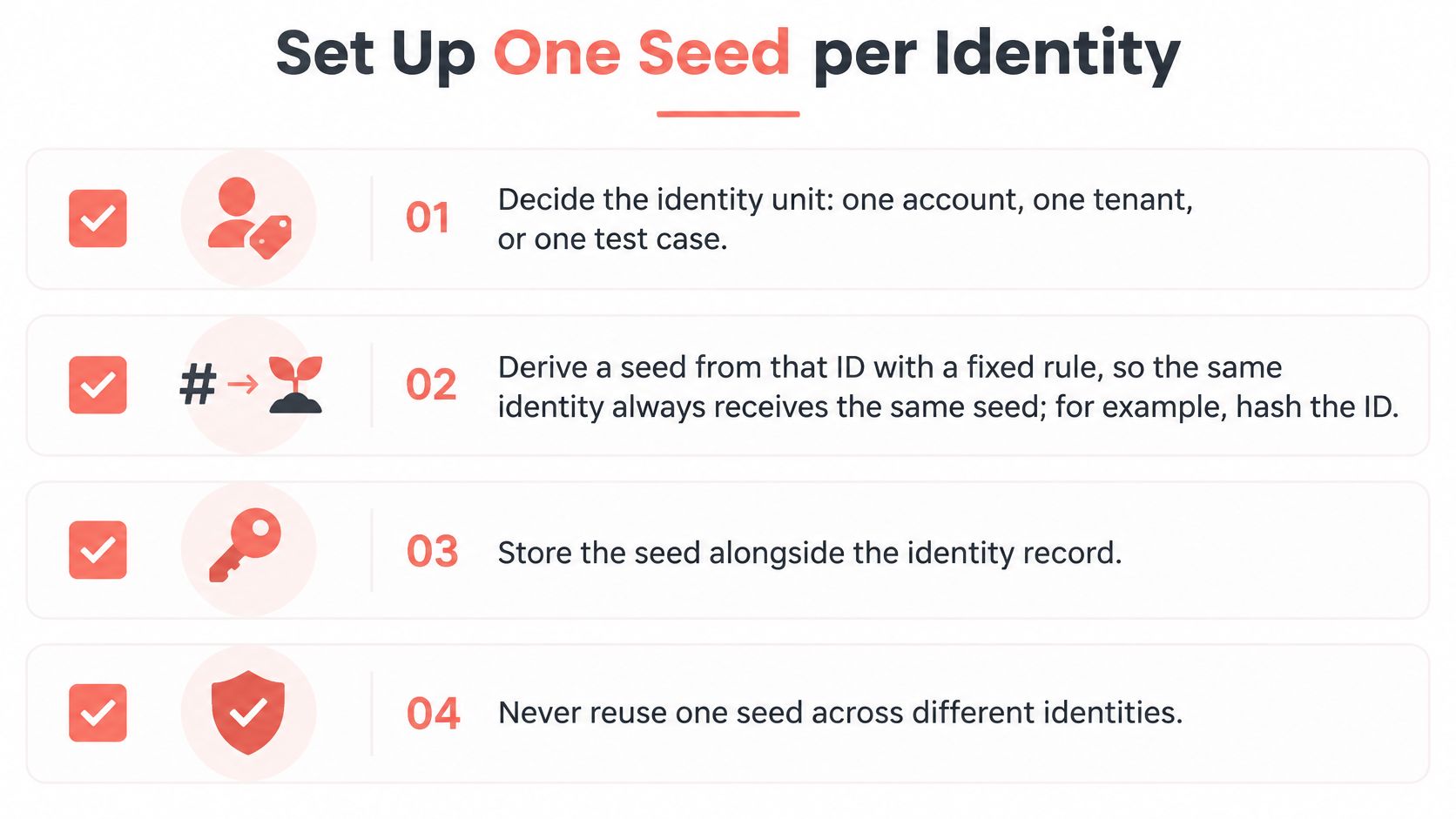
- Choose the identity unit. One account, one tenant, or one test case. Pick one and apply it everywhere, because mixed units make duplicates invisible.
- Derive the seed with a fixed rule. Hash the account ID and keep the result. Deterministic derivation beats memorized numbers, since the same identity always receives the same seed without a lookup table.
- Give each identity its own user-data directory. Cookies, local storage and cache stay inside that profile, so identity and stored state never contaminate each other.
- Record the seed beside every test result. When a run fails, the report should let a colleague reopen the same device profile and watch the failure happen.
- Change a seed only on purpose. Log the date and the reason, because a new seed produces a different device profile and invalidates every earlier comparison.
- Verify before you rely on it. Open the same identity twice and confirm that canvas output, the font list, the GPU string and the timezone all match. If one drifts, the seed isn't doing its job.
The tooling exists to make this ordinary. Clearcote's clearcote serve command starts a browser per identity, and each connection chooses its seed, proxy, timezone and language, so the mapping lives in your code rather than in a notebook. The same seed gives the same device every session. A different seed gives an unrelated one. Clearcote recommends one seed per account, with a separate user-data directory per profile for cookies and storage.
Teams that standardize on the free open-source build get a copy that is reproducible from source, with engine-level fingerprint control that covers seeded identities, individual metadata overrides, a light-stealth preset, TLS fingerprint matching, and proxy support with automatic timezone and language matching.
A final habit finishes the setup. Run the verification twice whenever you extend cross-device testing to a new profile. A phone number is not part of the fingerprint seed. If a workflow also needs SMS, you can rent a number through quackr and store that contact beside the account record, separate from the seed and the user-data directory.
Start with the smallest possible action this week. Assign one seed to each identity you already run, put the mapping in a shared file with a comment on its derivation rule, and treat that file as production data.
Clearcote Labs builds Clearcote, an open-source Chromium fork that sets identity signals inside the engine, so a seed reopens the same device profile instead of approximating it with injected scripts. Those controls cover canvas, WebGL, fonts, locale and timezone, which is what repeatable automation depends on. Visit Clearcote Labs to read the documentation, run the fingerprint test against a seeded profile, and see how the free open-source build fits your stack.